Nursery smart thermostats can make it easier to adjust a home’s heating and cooling remotely, but the right pick depends on your HVAC system, preferred controls, and whether you need room sensors. My best overall choice is the ecobee Smart Thermostat Enhanced for its broader comfort features, while the Sensi ST55 stands out for practical control and the Sensi Lite ST25 for a simpler setup. The main tradeoffs are compatibility and wiring, the value of app and voice controls, and whether more advanced sensing justifies added complexity. A thermostat cannot replace safe sleep practices or a nursery thermometer, so use it as one part of room-temperature management. Read on for the full comparison and advice on choosing a model that fits your home.

Turn the school run and nap time into listening time
- Thousands of audiobooks, podcasts and originals
- Listen on your phone, tablet or Echo — also offline
- Cancel anytime
Complete the kit


Key Takeaways
- ecobee Smart Thermostat Enhanced leads for buyers who want a richer comfort feature set, while its extra capabilities may be more than a simple nursery setup needs.
- Sensi Lite ST25 is the straightforward value-oriented pick; it is a better fit for basic remote control than for shoppers seeking advanced room sensing.
- Sensi Touch 2 ST76 and Honeywell Home X7S put more emphasis on an interactive thermostat experience, but buyers should check system compatibility before prioritizing interface features.
- ecobee Smart Thermostat Essential offers a more pared-back route into the ecobee ecosystem than the Enhanced model, making the choice between them a feature-versus-simplicity decision.
- meross Matter Smart Wi-Fi Thermostat is the ecosystem-minded option; Matter support can aid connected-home integration, but it does not remove the need to verify HVAC compatibility and wiring.
| Honeywell Home X7S Smart Wi-Fi Programmable Thermostat, Black |  | Best for a Connected Nursery | Connectivity: Wi-Fi; Matter certified | Display: Customizable 4.3-inch touchscreen | Control methods: App, touch, and voice | VIEW ON AMAZON | See Our Full Breakdown |
| Sensi ST55 Wi-Fi Smart Thermostat |  | Best for Guided DIY Installation | Model: ST55 | Connectivity: Wi-Fi | Display: 5-inch LED | VIEW ON AMAZON | See Our Full Breakdown |
| Sensi Lite Smart Wi-Fi Thermostat, Alexa Compatible, ENERGY STAR Certified, ST25 | 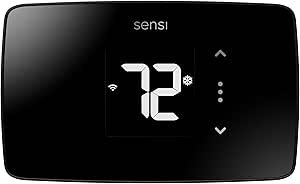 | Best for Simple Nursery Scheduling | Model: ST25 | Connectivity: 2.4 GHz Wi-Fi | Display: LCD | VIEW ON AMAZON | See Our Full Breakdown |
| Sensi Touch 2 Smart Wi-Fi Thermostat, ST76 |  | Best for Adding Nursery Room Sensors | Model: Sensi Touch 2 ST76 | Connectivity: 2.4 GHz and 5.0 GHz Wi-Fi | Display: LCD touchscreen | VIEW ON AMAZON | See Our Full Breakdown |
| ecobee Smart Thermostat Enhanced, Programmable Wi-Fi Thermostat |  | Best for Occupancy-Based Comfort | Connectivity: Wi-Fi | Display: 4-inch LCD | Control: App control | VIEW ON AMAZON | See Our Full Breakdown |
| ecobee Smart Thermostat Essential Wi-Fi Thermostat |  | Best for Simple Nursery Scheduling | Connectivity: Wi-Fi | Display: 3.74-inch LCD touchscreen | Power source: Battery powered | VIEW ON AMAZON | See Our Full Breakdown |
| meross Matter Smart Wi-Fi Thermostat |  | Best for Matter Smart-Home Integration | Connectivity: Wi-Fi and Matter | Smart-home compatibility: Apple Home, Amazon Alexa, Google Home, Home Assistant, and Samsung SmartThings | HVAC compatibility: Suitable for 95% of HVAC systems, according to product data | VIEW ON AMAZON | See Our Full Breakdown |
| nursery smart thermostat | Connectivity | Display | Power |
|---|---|---|---|
| Honeywell Home X7S Smart Wi-Fi | Wi-Fi; Matter certified | Customizable 4.3-inch touchscreen | Hardwired; C-wire required |
| Sensi ST55 Wi-Fi Smart Thermos | Wi-Fi | 5-inch LED | 24 V AC; corded electric |
| Sensi Lite Smart Wi-Fi Thermos | 2.4 GHz Wi-Fi | LCD | Battery or C-wire; two AAA batteries included |
| Sensi Touch 2 Smart Wi-Fi Ther | 2.4 GHz and 5.0 GHz Wi-Fi | LCD touchscreen | C-wire required; 24 V |
| ecobee Smart Thermostat Enhanc | Wi-Fi | 4-inch LCD | 24 V; Power Extender Kit included |
| ecobee Smart Thermostat Essent | Wi-Fi | 3.74-inch LCD touchscreen | — |
| meross Matter Smart Wi-Fi Ther | Wi-Fi and Matter | — | — |
More Details on Our Top Picks
Honeywell Home X7S Smart Wi-Fi Programmable Thermostat, Black
The Honeywell Home X7S suits parents who want nursery temperature control to fit into a broader smart-home setup. Its Matter support connects with Alexa, Google Assistant, and Apple Home, while occupancy detection can adjust heating or cooling when rooms are empty. Humidity monitoring adds a useful layer for checking nursery conditions, though the description notes that some HVAC equipment may be needed for this function. Compared with the Sensi Touch 2, the X7S offers a more customizable screen and wider listed voice-platform support; the Sensi can pair with up to 15 separate room sensors, which may better suit homes that need temperature readings beyond the thermostat location. The X7S requires a C-wire and does not support electric baseboard heat, so it is a poor fit for some older or non-central systems.
Pros:- Matter compatibility supports Alexa, Google Assistant, and Apple Home
- Occupancy detection can adjust HVAC use when the home or room is unoccupied
- Humidity monitoring can help parents keep track of nursery conditions
- Customizable 4.3-inch touchscreen can match the room’s décor
Cons:- Requires a C-wire and may need an adapter if one is absent
- Not compatible with electric baseboard heating
- Humidity sensor functionality may depend on additional HVAC equipment
Best for: Parents with a C-wire-equipped central HVAC system who want Matter integration, occupancy-based control, and humidity monitoring in a nursery.
Not ideal for: Households with electric baseboard heating or no C-wire who want to avoid wiring changes or an adapter.
- Connectivity:Wi-Fi; Matter certified
- Display:Customizable 4.3-inch touchscreen
- Control methods:App, touch, and voice
- Smart home compatibility:Alexa, Google Assistant, and Apple Home
- Power:Hardwired; C-wire required
- Features:Auto-scheduling, occupancy detection, and humidity monitoring
- Mounting:Wall mount
- Color:Black
Our verdict“Choose the X7S for a Matter-connected nursery with compatible central HVAC; skip it if your system lacks a C-wire or uses electric baseboards.”
Sensi ST55 Wi-Fi Smart Thermostat
The Sensi ST55 is a sensible pick for parents who want app-based nursery control without committing to a touchscreen-first interface. Its step-by-step installation guidance and built-in level can make setup more approachable than the Honeywell Home X7S, which also requires a C-wire. The ST55 does not need a common wire in most applications, although some homes still require one, so checking system compatibility matters before buying. Once installed, schedules and remote access make it easier to change settings without entering a sleeping child’s room; usage reports, equipment alerts, and filter reminders add practical household upkeep tools. Compared with the simpler Sensi Lite ST25, the ST55 lists compatibility with Apple HomeKit and Vera as well as Alexa, Google Assistant, and SmartThings. Its button-and-LED display is functional rather than especially polished, and HVAC compatibility is not universal.
Pros:- App provides step-by-step installation instructions and the thermostat includes a built-in level
- Common wire is not required in most applications
- Remote access and scheduling let parents adjust settings outside the nursery
- Equipment alerts and filter reminders support routine HVAC maintenance
Cons:- Some installations still require a common wire
- Compatibility depends on the home’s specific HVAC equipment
- LED display and button controls are less customizable than the Honeywell Home X7S touchscreen
Best for: Parents who want a guided DIY installation and remote scheduling for a compatible furnace, boiler, heat pump, or air conditioner.
Not ideal for: Buyers who want a large touchscreen, or households whose HVAC system requires wiring or controls that the ST55 does not support.
- Model:ST55
- Connectivity:Wi-Fi
- Display:5-inch LED
- Control methods:Buttons, app, and voice
- Compatible platforms:Amazon Alexa, Apple HomeKit, Google Assistant, SmartThings, and Vera
- Power:24 V AC; corded electric
- Common wire:Not required in most applications
- Compatible HVAC systems:Air conditioner, boiler, furnace, and heat pump
Our verdict“Pick the ST55 if guided installation and broad listed platform support matter more than a large touchscreen or nursery-specific room sensors.”
Sensi Lite Smart Wi-Fi Thermostat, Alexa Compatible, ENERGY STAR Certified, ST25
The Sensi Lite ST25 puts the basics—schedules, app access, geofencing, and usage reports—into a DIY-friendly thermostat without requiring a C-wire in most homes. That flexibility makes it easier to recommend for a nursery retrofit than the Sensi Touch 2, which always requires a C-wire, though certain heating-only, cooling-only, and heat-pump setups still need extra power support with the Lite. Geofencing can adjust the home’s temperature based on household location, but it is not a substitute for a room sensor: the supplied details do not list nursery-specific temperature sensing. Compared with the more feature-rich ecobee Smart Thermostat Enhanced, the ST25 is a simpler choice for families who mainly want reliable remote scheduling rather than occupancy and humidity-driven adjustments. It also needs a 2.4 GHz Wi-Fi connection.
Pros:- Works without a C-wire in most homes
- DIY installation includes a built-in level and step-by-step instructions
- App offers scheduling, geofencing, remote access, and usage reports
- ENERGY STAR certified
Cons:- Some system types require a C-wire or compatible power accessory
- Requires a 2.4 GHz Wi-Fi connection
- Listed features do not include room-sensor support for measuring nursery conditions separately
Best for: Parents seeking an ENERGY STAR certified, app-controlled thermostat with flexible scheduling and a DIY installation path for a compatible 24-volt system.
Not ideal for: Families who need room-by-room nursery readings, 5 GHz-only Wi-Fi, or a thermostat that avoids C-wire accessories on every system.
- Model:ST25
- Connectivity:2.4 GHz Wi-Fi
- Display:LCD
- Control methods:App, touch, and voice
- Compatible assistants:Amazon Alexa, Google Assistant, and SmartThings
- Power:Battery or C-wire; two AAA batteries included
- Compatible systems:Air conditioner, boiler, furnace, and heat pump
- Certification:ENERGY STAR
- Warranty:3 years
Our verdict“Choose the Sensi Lite for straightforward scheduling and DIY setup on a compatible system, but look elsewhere for room-by-room sensing or occupancy-based HVAC control.”
Sensi Touch 2 Smart Wi-Fi Thermostat, ST76
The Sensi Touch 2 ST76 earns its place for families who want to extend temperature monitoring beyond the hallway where the thermostat is mounted. It can pair with up to 15 Sensi Room Sensors, sold separately, so a compatible sensor can help the system account for conditions in a nursery rather than relying only on the thermostat’s location. That expandability sets it apart from the Sensi Lite ST25, whose listed features focus on schedules and geofencing rather than room sensors. The tradeoff is a mandatory C-wire and the added cost and setup of separate sensors. Compared with the Honeywell Home X7S, the ST76 offers a larger sensor ecosystem but fewer listed smart-home integrations: its voice support names Alexa and Google Assistant, not Apple Home. Its touchscreen, app access, and usage reports round out a more configurable setup.
Pros:- Pairs with up to 15 separately sold Sensi Room Sensors
- Touchscreen, app, and voice controls support several ways to adjust settings
- Scheduling, remote access, and usage reports help manage household HVAC
- Supports both 2.4 GHz and 5.0 GHz Wi-Fi
Cons:- Requires a C-wire
- Room sensors are sold separately
- Listed voice assistant compatibility is limited to Amazon Alexa and Google Assistant
Best for: Parents with a C-wire-equipped HVAC system who want to add separately purchased room sensors to monitor nursery comfort.
Not ideal for: Households without a C-wire, buyers who want room sensors included, or Apple Home users seeking the broader listed platform support of the Honeywell Home X7S.
- Model:Sensi Touch 2 ST76
- Connectivity:2.4 GHz and 5.0 GHz Wi-Fi
- Display:LCD touchscreen
- Power:C-wire required; 24 V
- Voice assistants:Amazon Alexa and Google Assistant
- Room sensor compatibility:Up to 15 Sensi Room Sensors, sold separately
- Compatible systems:Air conditioner, boiler, furnace, and heat pump
- Dimensions:5.6 × 3.25 × 0.77 inches
Our verdict“Choose the ST76 when nursery-focused readings through add-on sensors matter more than avoiding a C-wire or keeping the system simple.”
ecobee Smart Thermostat Enhanced, Programmable Wi-Fi Thermostat
The ecobee Smart Thermostat Enhanced is the strongest fit here for parents who want the thermostat to respond to occupancy, schedules, and humidity rather than relying on a fixed program alone. For nursery use, those adjustments can help balance comfort with reduced HVAC runtime, while app control lets caregivers change settings remotely. Compared with the Sensi Touch 2, ecobee includes a Power Extender Kit for homes without a C-wire, but the Sensi can pair with up to 15 room sensors; ecobee’s SmartSensors are also separate purchases. The Enhanced model lists compatibility with Alexa, Google Assistant, Apple HomeKit, and SmartThings, giving it broader platform coverage than the Sensi ST76. It supports many common systems and includes a trim kit, yet buyers still need to confirm HVAC compatibility before installation. Its room-by-room potential depends on buying extra sensors.
Pros:- Adjusts temperature using occupancy, schedules, and humidity
- Works with Alexa, Google Assistant, Apple HomeKit, and SmartThings
- Power Extender Kit is included for homes without a C-wire
- ENERGY STAR certified and includes a trim kit
Cons:- SmartSensors for room-by-room comfort are sold separately
- Compatibility must be checked against the specific HVAC system
- App control is the listed control method, so buyers seeking prominent on-device controls may prefer a touchscreen-focused alternative
Best for: Parents who want occupancy- and humidity-aware temperature adjustments, broad smart-home compatibility, and an included power accessory for a compatible system.
Not ideal for: Buyers who need room sensors in the box or want to avoid checking HVAC compatibility and purchasing separate SmartSensors.
- Connectivity:Wi-Fi
- Display:4-inch LCD
- Control:App control
- Compatible systems:Air conditioner, boiler, furnace, heat pump, and humidifier
- Smart home compatibility:Amazon Alexa, Google Assistant, Apple HomeKit, and SmartThings
- Power:24 V; Power Extender Kit included
- Included accessories:Power Extender Kit and trim kit
- Certification:ENERGY STAR
- Warranty:3 years
Our verdict“Choose ecobee Enhanced for occupancy-aware control and broad platform support, with the understanding that nursery-specific sensing requires separate SmartSensors.”
ecobee Smart Thermostat Essential Wi-Fi Thermostat
The ecobee Smart Thermostat Essential suits parents who want app control and repeatable temperature schedules without moving up to the more feature-rich ecobee Smart Thermostat Enhanced. Its touchscreen, auto-scheduling, and auto-away mode let families adjust comfort as routines change, while humidity detection adds useful context for a nursery. Support for Apple HomeKit, Google Assistant, and Alexa also makes it a flexible fit in a connected home.
The tradeoff is that nursery-specific room sensing is not included: the SmartSensor is sold separately, so the thermostat alone may not reflect conditions across a closed bedroom. It supports many 24 VAC systems and is designed for DIY installation, but buyers should check wiring and HVAC compatibility; some setups may also need the separately sold Power Extender Kit. Compared with the Meross Matter model, ecobee offers a more straightforward touchscreen-and-app experience, but less emphasis on Matter and system-use tracking.
Pros:- Touchscreen and app controls provide convenient ways to adjust nursery temperatures.
- Auto-scheduling and auto-away can adapt heating or cooling to changing household routines.
- Works with Apple HomeKit, Google Assistant, and Amazon Alexa.
- Supports many 24 VAC HVAC system types and is designed for DIY installation.
Cons:- The SmartSensor, which can add room-level sensing, is sold separately.
- Some installations may require a separately sold Power Extender Kit.
- HVAC and wiring compatibility should be verified before purchase.
Best for: Parents with a compatible 24 VAC system who want an approachable touchscreen thermostat, app scheduling, and compatibility with major voice-assistant ecosystems.
Not ideal for: Families who need included room-level temperature sensing for a nursery, or households whose wiring requires a Power Extender Kit they do not want to buy separately.
- Connectivity:Wi-Fi
- Display:3.74-inch LCD touchscreen
- Power source:Battery powered
- Mounting:Wall mount
- HVAC compatibility:Most 24 VAC systems, including gas, oil, electric, dual fuel, forced air, heat pumps, and boilers
- Smart-home compatibility:Apple HomeKit, Google Assistant, and Amazon Alexa
- Scheduling and automation:Programmable temperature control, auto-scheduling, and auto-away mode
- Additional features:Fan control and indoor humidity detection
Our verdict“Choose this ecobee for flexible scheduling and familiar smart-home controls, but budget for separate accessories if nursery room sensing or wiring support is needed.”
meross Matter Smart Wi-Fi Thermostat
For parents building a connected nursery around more than one smart-home platform, the meross Matter Smart Wi-Fi Thermostat has the clearest advantage here. Matter support brings it to Apple Home, Alexa, Google Home, Home Assistant, and SmartThings, while custom schedules and remote control make routine adjustments easy from a phone. HVAC usage tracking and filter-life or system alerts add household maintenance information that the ecobee Smart Thermostat Essential does not list among its features.
That broader platform reach comes with firm compatibility limits. The Meross excludes electric baseboard, millivolt, and two-wire systems, and some configurations need a C wire that is not included. Its listed features also do not include a nursery room sensor, so it cannot by itself report conditions in a separate bedroom. Choose it over the ecobee when Matter integration and system alerts matter most; choose ecobee instead for a touchscreen and its listed indoor humidity detection.
Pros:- Matter support works with a broad range of smart-home platforms.
- Customizable schedules and remote control support routine nursery temperature adjustments.
- HVAC usage tracking can help families review system activity.
- Filter-life and system alerts provide maintenance and operation notifications.
Cons:- Some wiring configurations require a C wire, which is not included.
- It does not support electric baseboard heaters, millivolt systems, or two-wire systems.
- The listed features do not include a separate room sensor for nursery temperature readings.
Best for: Families already using Matter-compatible devices across Apple Home, Google Home, Alexa, Home Assistant, or SmartThings who want remote scheduling and HVAC alerts.
Not ideal for: Households with electric baseboard, millivolt, or two-wire heating systems, or buyers whose installation needs a C wire they do not have.
- Connectivity:Wi-Fi and Matter
- Smart-home compatibility:Apple Home, Amazon Alexa, Google Home, Home Assistant, and Samsung SmartThings
- HVAC compatibility:Suitable for 95% of HVAC systems, according to product data
- Supported systems:Heat pumps, air conditioners, furnaces, boilers, dehumidifiers, and humidifiers
- Wiring:Some configurations require a C wire; not included
- Unsupported systems:110V/120V/240V electric baseboard heaters, millivolt systems, and two-wire systems
- Scheduling and control:Customizable 24/7 schedules and remote control
- Monitoring and alerts:HVAC usage tracking, filter-life alerts, and system alerts
- Design:Glass panel in black or white
Our verdict“Pick the Meross if Matter compatibility and system alerts are priorities and your HVAC wiring is supported; otherwise, the ecobee Essential offers a more direct touchscreen-led alternative.”

How We Picked
I ranked these models around the needs that matter most in a nursery: reliable control of the home’s heating and cooling, useful remote access, a manageable setup, and a clear fit with common smart-home preferences. I also weighed how much each thermostat asks a buyer to learn or configure, since added features only help when they suit the household’s routine. HVAC compatibility and wiring remain essential checks for every model, and a thermostat’s room reading should not be treated as a substitute for a separate nursery thermometer.
The order favors a balance of comfort features and day-to-day usability rather than the longest feature list. The ecobee Enhanced ranks first for shoppers who want a fuller set of comfort tools; simpler options such as the Sensi Lite rank well for buyers who value fewer complications. The other picks serve distinct needs, including a more interactive control experience, a streamlined ecosystem choice, and Matter-based integration. No model earns a universal recommendation: the best fit depends on the HVAC system, household setup, and how much smart control the buyer will actually use.
Factors to Consider When Choosing Nursery Smart Thermostats
Choosing a nursery thermostat starts with the home, not the app. These broader checks can prevent a feature-rich purchase from becoming an awkward installation or a source of misleading temperature readings.
Check HVAC and Wiring Before Comparing Features
Write down the heating and cooling equipment type and the wires connected to the current thermostat before shopping. Smart models can differ in support for heat pumps, multi-stage systems, and homes without a C-wire, so a similar-looking wall unit is not proof of compatibility. Use the manufacturer’s compatibility checker or ask a qualified HVAC professional when the system details are unclear. Do not assume an adapter or power extender will work with every setup. A little checking up front can matter more than choosing between touchscreens or voice assistants.
Treat Thermostat Readings as One Part of Nursery Comfort
A thermostat usually measures temperature where it is installed, which may be a hallway or living area rather than the nursery. Sunlight, drafts, exterior walls, and closed doors can make the nursery feel different from the thermostat’s reading. If room-to-room variation is a concern, look for a system that supports remote sensors or plan to use a separate thermometer in the nursery. Sensors can help a system respond to another room, but their placement and supported features matter. Avoid assuming that a smart thermostat alone can guarantee a safe or consistent sleep environment.
Choose Controls That Fit the Household Routine
Remote app access is useful when caregivers need to change a schedule without reaching the wall control, while voice control can help when hands are occupied. Neither feature is a substitute for a straightforward manual control that every caregiver can use. Before buying, check whether the app requires an account, supports the phones in your home, and allows the schedules or alerts you expect. If grandparents, babysitters, or other caregivers may adjust the temperature, a clear interface can be more useful than a longer list of connected features. Pick the control method your household will use consistently.
Decide Whether Smart-Home Integration Is a Real Need
Compatibility with a voice assistant or a platform such as Matter matters most when it connects devices you already use. Check the exact model’s supported platforms and the functions available through each one; a shared standard does not promise identical controls across apps. If the thermostat will work on its own, broad integrations may add setup steps without improving everyday nursery care. Households building a connected home may value a model that fits their existing ecosystem. Keep the decision tied to the routines you want to automate, not the number of logos on a product page.
Set a Budget Around Useful Features, Not a Feature Count
Paying more can make sense when a model’s sensors, scheduling options, or controls solve a specific problem in your home. It is less compelling when those functions duplicate a separate device or will rarely be used. Basic remote scheduling may be enough for a household that wants to adjust settings while away, while families managing different temperatures across rooms may value a more advanced setup. Compare the complete installation needs as well as the thermostat itself, including any accessories your system may require. The best value is the model that meets the home’s needs without adding complexity for its own sake.
Plan for Installation and Caregiver Changes
Installation can involve more than swapping wires: older wiring, unusual system configurations, or unfamiliar electrical work can call for professional help. Take photos of the existing connections and label wires before removing the old unit, but stop if the wiring does not match the manufacturer’s instructions. Think about who will manage the app and schedules if the primary caregiver is unavailable. A setup that depends on one person’s phone or account can be inconvenient for a shared household. Clear access and a simple fallback routine make connected controls easier to live with.
Frequently Asked Questions
Can a smart thermostat tell me the nursery temperature accurately?
It reports the temperature at its own sensor location, which may not match conditions inside a closed nursery. Distance from the thermostat, direct sun, drafts, and room layout can all affect the difference. If the nursery’s temperature is the main concern, use a separate thermometer placed safely in the room and compare readings at relevant times. A compatible remote sensor may help some thermostat systems account for another room, but check what the specific model supports. Do not rely on a thermostat reading alone to make decisions about infant sleep safety.
Should I buy a thermostat with a remote room sensor for a nursery?
A remote sensor may be useful when the thermostat is outside the nursery and rooms heat or cool unevenly. It can give the system information from another location, though the thermostat’s behavior depends on the model, sensor placement, and settings. If the nursery is close to the main thermostat and temperatures stay similar, a sensor may add little value. Check whether sensors are included, sold separately, or supported only by certain models. A separate nursery thermometer can still be useful for checking the room directly.
What should I do if my home does not have a C-wire?
Do not assume every Wi-Fi thermostat can run without one. Check the manufacturer’s wiring guidance for the exact thermostat and HVAC setup, including whether an approved adapter or power extender is supported. Some installations may need a new wire or professional service, particularly with more complex heating and cooling equipment. Turn off power to the HVAC system before any permitted installation work, and stop if the wiring is unclear. Compatibility checks before purchase are safer and simpler than trying to solve a mismatch after installation.
Is Matter support enough to guarantee a thermostat will work with my smart-home setup?
No. Matter can help compatible devices connect across supported smart-home platforms, but it does not guarantee every feature will appear in every app or work with every controller. Confirm the thermostat’s current platform support and the specific controls available through that connection. Also check Wi-Fi requirements and HVAC compatibility, which Matter does not address. If you only need the thermostat’s own app, platform flexibility may not be a deciding factor. For a home built around one ecosystem, verify the exact integration before choosing.
Can I use a nursery smart thermostat instead of a separate room thermometer?
A thermostat can show useful temperature information, but its sensor may be in another room or in a location with different conditions. A dedicated thermometer placed in the nursery gives you a direct reading of that space. Smart thermostats also control the home’s HVAC system rather than measuring every part of the room. For caregivers who need to check nursery conditions, using both devices can make their different roles clear. Follow current safe-sleep guidance from a qualified health professional rather than treating any thermostat setting as a safety guarantee.
Conclusion
For most households seeking a capable balance of comfort tools and connected control, I recommend the ecobee Smart Thermostat Enhanced as the best overall pick. The Sensi Lite ST25 is my best value choice for buyers who want simpler remote control, while the ecobee Smart Thermostat Essential suits shoppers who prefer a more streamlined ecobee option. For beginners, I would start with the model whose wiring and app setup best match the existing system rather than paying for features they may not use; the Sensi Lite is a natural place to compare. Choose the Honeywell Home X7S or Sensi Touch 2 if an interactive control experience is a priority, and look at meross Matter when smart-home integration is the specific goal. Before ordering any of them, confirm HVAC compatibility and decide whether a separate nursery thermometer or supported room sensor is needed.