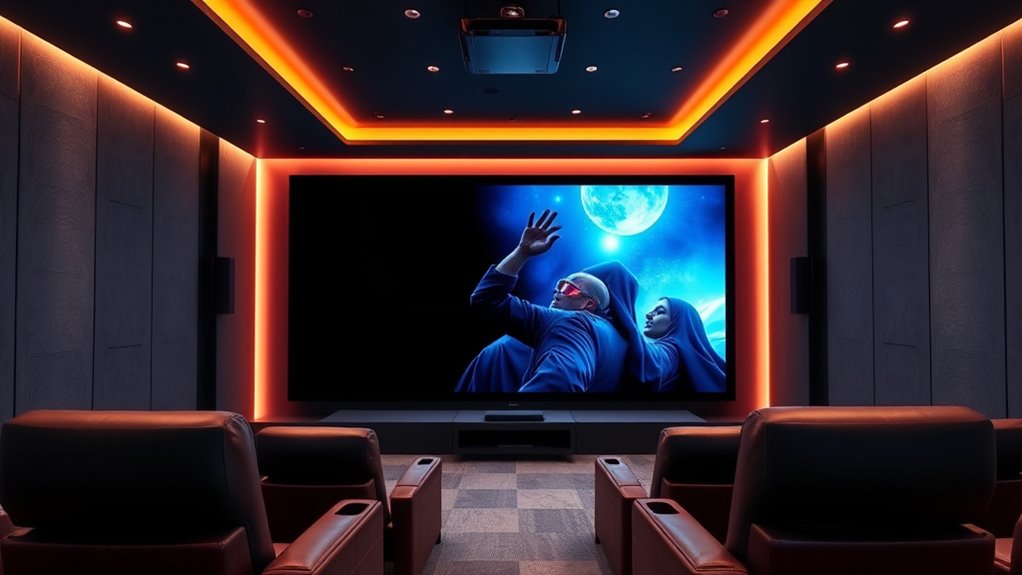

For a 4K projector for home theater, I’d start with the Optoma UHZ36 as the strongest dedicated-theater pick, while the XGIMI Horizon 20 stands out for premium laser color and the Epson Home Cinema 2350 for a more approachable streaming setup. The main tradeoff is between a projector built around picture performance and portable smart models that prioritize simple setup, built-in apps, and sound. Brightness, room lighting, placement flexibility, and whether “4K” means native resolution or accepted 4K input all affect the result. A portable outdoor model can suit casual viewing but may not match a dedicated home-theater projector in a dark room. Read on for the full comparison and guidance on choosing the right fit.

Turn the school run and nap time into listening time
- Thousands of audiobooks, podcasts and originals
- Listen on your phone, tablet or Echo — also offline
- Cancel anytime
Complete the kit


Key Takeaways
- The Optoma UHZ36 leads for dedicated home theater use: its laser-based 4K UHD positioning is a closer match for a permanent viewing room than the portable outdoor-first options.
- The XGIMI Horizon 20 is the premium alternative: its RGB triple-laser design and stated 3200 ISO lumens make it the standout for buyers prioritizing brightness and color technology.
- The Epson Home Cinema 2350 offers a different kind of value: its 4K PRO-UHD approach and Android TV target buyers who want a recognized home-cinema format with streaming built in.
- Smart features do not make all ten models theater equivalents: Google TV, VIDAA, autofocus, and wireless connections ease setup, but they do not replace room-appropriate brightness, contrast, or lens placement.
- Several listings emphasize outdoor portability rather than a fixed theater: the P62 Pro, XuanPad, and outdoor smart models suit flexible viewing better than buyers seeking a dedicated, carefully positioned cinema installation.


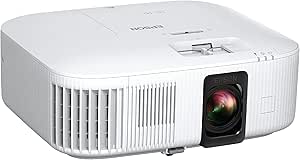

| 4k projector for home theater | Brightness | Native resolution | Connectivity |
|---|---|---|---|
| 4K Outdoor Projector with Goog | — | 1920 x 1080 | Bluetooth 5.2, HDMI, USB, Wi-Fi, AirPlay, Miracast, Chromecast |
| Optoma UHZ36 4K UHD Laser HDR | 3,500 ANSI lumens | 3840 x 2160 | HDMI, USB, RCA |
| Smart 4K Projector with Wi‑Fi | 550 ANSI lumens | 1920 x 1080; supports up to 3840 x 2160 decoding | Wi-Fi 6, Bluetooth 5.4, HDMI 2.1, 3.5 mm audio jack |
| Smart 4K Projector with Google | 3,000 ANSI lumens | 1920 x 1080 | Bluetooth, HDMI, Wi-Fi |
| Outdoor 4K Projector with VIDA | 920 ANSI lumens | 1080p with 4K decoding | — |
| GOODEE 4K Smart Projector with | 4000 lm | 1920 x 1080 | — |
| P62 Pro Smart Outdoor 4K-Compa | 600 ANSI lumens | — | — |
| XGIMI Horizon 20 4K RGB Triple | 3200 ANSI lumens | — | — |
| Epson Home Cinema 2350 4K PRO- | 2800 lumens | — | HDMI, WiFi, Bluetooth |
| XuanPad White Smart Mini Proje | — | 1920 x 1080 | — |
More Details on Our Top Picks
4K Outdoor Projector with Google TV, WiFi, and Bluetooth
The VOPLLS G7 earns this spot for buyers who want a projector that can move between a living room and a backyard without giving up built-in streaming access. Its native 1080p panel accepts 4K input, so it is not a true 4K projector like the Optoma UHZ36, but the HDR10+ support and claimed brightness make it a more adaptable pick for casual movie spaces. Auto focus, 6D keystone, and AI setup can reduce fiddling when the projector is repositioned, while the 1.24:1 throw ratio helps create a large image from a shorter distance. Google TV app support and dual Dolby Audio speakers add convenience. The tradeoff is that its brightness figure is not stated as a standard ANSI measurement, and its feature-rich setup may be more than a simple movie-night user needs.
Pros:- Short 1.24:1 throw ratio gives more placement flexibility in smaller rooms.
- AI setup, autofocus, and 6D keystone simplify repositioning.
- Google TV compatibility and broad app support reduce dependence on an external streamer.
- Dual 16W Dolby Audio speakers provide built-in sound for casual viewing.
Cons:- Native resolution is 1920 x 1080, not true 4K.
- Brightness is described relative to a claimed lumen figure rather than with a standard ANSI rating.
- The many setup and connectivity features may add complexity for buyers who want a basic projector.
Best for: Households that want one projector for a flexible indoor setup and occasional backyard screenings, with apps and automatic image adjustment built in.
Not ideal for: Buyers prioritizing native 4K detail or a clearly comparable ANSI brightness rating; the Optoma UHZ36 is a better fit for native 4K home theater use.
- Native resolution:1920 x 1080
- Maximum resolution:3840 x 2160 pixels
- Display type:LCD
- Throw ratio:1.24:1
- Connectivity:Bluetooth 5.2, HDMI, USB, Wi-Fi, AirPlay, Miracast, Chromecast
- Speakers:16W dual Dolby Audio
- Setup features:Autofocus, 6D keystone, AI auto setup
- Warranty:3 years
Our verdict“Choose the VOPLLS G7 if setup flexibility and integrated streaming matter more than native 4K resolution.”
Optoma UHZ36 4K UHD Laser HDR Home Theater Projector – Black
For a dedicated home theater, the Optoma UHZ36 makes the clearest case in this group for prioritizing image detail: it has a native 3840 x 2160 resolution, unlike the VOPLLS G7 and the other 1080p models that accept 4K input. Its 3,500 ANSI lumens also give it more headroom for rooms that are not fully dark, while Filmmaker Mode and HDR support are aimed at preserving the intended look of films. The laser light source is rated for up to 30,000 hours, avoiding frequent lamp replacement. That cinema-first approach comes with less built-in convenience than the smart models: there is no listed streaming platform, and the 10.4-pound body is better suited to a fixed shelf or mount than frequent carrying. Its built-in 15W speaker is useful for setup, but a theater system is a stronger match.
Pros:- Native 3840 x 2160 resolution provides true 4K image detail.
- 3,500 ANSI lumens suit a wider range of room lighting than lower-brightness options.
- Laser light source is rated for up to 30,000 hours.
- Filmmaker Mode and HDR support cater to film-focused viewing.
Cons:- At 10.4 pounds, it is less convenient to move between rooms or take outdoors.
- No built-in streaming platform is listed, so streaming may require an external device.
- The built-in 15W speaker is a modest match for a dedicated theater setup.
Best for: Movie-focused households planning a fixed room or ceiling-mounted setup that value native 4K detail, high stated brightness, and a long-life light source.
Not ideal for: People who want a lightweight outdoor projector with onboard streaming and automatic setup; the VOPLLS G7 is more oriented toward flexible placement and app access.
- Native resolution:3840 x 2160
- Brightness:3,500 ANSI lumens
- Contrast ratio:1,500,000:1
- Light source life:Up to 30,000 hours
- Maximum image size:300 inches
- Throw distance:3.19–34.6 ft
- Connectivity:HDMI, USB, RCA
- Weight:10.4 lb
Our verdict“Pick the Optoma UHZ36 for a largely fixed home theater where native 4K and laser longevity outweigh portability and built-in smart features.”
Smart 4K Projector with Wi‑Fi, Bluetooth, AI Autofocus, Keystone Correction, VIDAA OS, 60W Dolby Audio, AirPlay, Voice Control, Live TV, Ceiling Mount, Gaming, Camping
This VIDAA model is the lineup’s content-first choice: its 1,200+ apps and 1,000+ live channels aim to make the projector feel more like a television than a display waiting for a streaming stick. AirPlay, voice control, AI autofocus, and 6D keystone also help simplify everyday use. The key limitation is easy to miss in the “4K” name: the native resolution is 1920 x 1080, with 4K decoding rather than native 4K output. The Optoma UHZ36 is the better match for buyers who put fine image detail first. At 550 ANSI lumens, this model is also better suited to a dim room than a bright living room or outdoor setting with ambient light. Its broad app selection and setup aids are appealing, but they do not make up for those image constraints.
Pros:- VIDAA platform lists more than 1,200 apps and 1,000 live channels.
- AI autofocus and 6D auto keystone make setup easier across different placements.
- Wi-Fi 6, Bluetooth 5.4, HDMI 2.1, and AirPlay offer varied connection options.
- Ceiling, wall, and tabletop mounting options suit different rooms.
Cons:- Native resolution is 1920 x 1080 despite 4K decoding support.
- 550 ANSI lumens can limit image impact in rooms with substantial ambient light.
- Built-in speakers may not fill a large room or outdoor viewing area as well as a separate sound system.
Best for: Viewers who want live channels and streaming apps in one interface for a dim bedroom or family room, plus simple automatic placement adjustments.
Not ideal for: Home theater buyers seeking native 4K detail or viewers who need a bright image in a lit room; the Optoma UHZ36 is a stronger fit for those priorities.
- Operating system:VIDAA Smart OS
- Native resolution:1920 x 1080; supports up to 3840 x 2160 decoding
- Brightness:550 ANSI lumens
- Connectivity:Wi-Fi 6, Bluetooth 5.4, HDMI 2.1, 3.5 mm audio jack
- Audio:Dolby Audio built-in speakers
- Throw distance:4.5–16.4 ft
- Maximum image size:300 inches
- Mounting options:Ceiling, wall, tabletop
Our verdict“Choose this VIDAA projector for its built-in channels and app selection in a dim room, not for native 4K image quality.”
Smart 4K Projector with Google TV Stick, WiFi & Bluetooth, 3000 ANSI Lumens, Auto Focus, Auto Lens Cover, Portable Outdoor Movie Projector
The strongest reason to choose this portable model is its listed 3,000 ANSI lumens, paired with autofocus, auto keystone, and a rotating stand. Those features make placement less demanding than on the Optoma UHZ36, which is more clearly built for a fixed theater installation. A bundled Google TV Stick brings streaming access, while the auto lens cover adds a practical layer of protection between viewing sessions. The resolution caveat matters for anyone shopping specifically for a 4K projector: this model is native 1080p, and its maximum display resolution is also listed as 1920 x 1080. It can suit casual movies and mixed-use rooms, but it does not deliver the native 4K detail of the Optoma. Its portable design also does not remove the need for a power source when used outside.
Pros:- Listed 3,000 ANSI lumens give it a higher stated brightness than the 550- and 920-ANSI-lumen options in this batch.
- Bundled Google TV Stick provides a route to streaming without a separate purchase.
- Autofocus and auto keystone reduce manual setup work.
- Rotating stand and portable form support varied placement.
Cons:- Native and maximum display resolution are both listed as 1920 x 1080, not 4K.
- Outdoor use requires a stable power source.
- A portable design is less suited to a permanent, native-4K theater than the Optoma UHZ36.
Best for: Buyers who want a portable projector with a bundled Google TV Stick, automatic image adjustment, and a stated brightness rating for flexible home and outdoor use.
Not ideal for: Viewers building a dedicated 4K cinema setup or anyone who needs a battery-powered outdoor projector; native resolution is Full HD and outdoor use needs power.
- Native resolution:1920 x 1080
- Maximum display resolution:1920 x 1080
- Display type:LED
- Brightness:3,000 ANSI lumens
- Streaming accessory:Google TV Stick included
- Connectivity:Bluetooth, HDMI, Wi-Fi
- Wireless standards:Wi-Fi 6, Bluetooth 5.2
- Setup features:Autofocus, auto keystone, auto lens cover
- Stand:Rotating stand
Our verdict“Pick this model for portable, easy setup and bundled streaming, but choose the Optoma UHZ36 if native 4K is your priority.”
Outdoor 4K Projector with VIDAA Live TV, 40W Dolby Audio, 920 ANSI Brightness, WiFi6, Bluetooth, Netflix Compatibility, AI Voice Control & Auto Focus
The X9 Pro is the most audio-forward option here, with dual 20W Dolby speakers that can make a backyard screening less dependent on separate equipment. VIDAA adds more than 1,000 live channels and listed streaming apps, while autofocus, 6D keystone, obstacle avoidance, and screen fit reduce the work of getting an image aligned. Its 920 ANSI lumens are stronger than the 550-lumen VIDAA model, but they still do not make it a daylight projector; evening or dim-room viewing is the safer fit. Like that model, the X9 Pro is native 1080p with 4K decoding, so the Optoma UHZ36 is the clear choice for true 4K detail. The X9 Pro trades that resolution for built-in entertainment and sound, and its relatively large body may complicate mounting.
Pros:- Dual 20W Dolby speakers provide more built-in audio output than the other models in this batch.
- VIDAA OS lists over 1,000 live TV channels and preloaded streaming apps.
- Autofocus, 6D keystone, obstacle avoidance, and screen fit help speed up setup.
- 920 ANSI lumens exceed the 550 ANSI lumens of the other VIDAA model in this group.
Cons:- Native resolution is 1920 x 1080; 4K is supported through decoding rather than native output.
- 920 ANSI lumens may not be enough for a bright outdoor environment.
- The described larger ceiling-mount form may be awkward for frequent relocation.
Best for: Backyard movie-night hosts and households that want onboard streaming, stronger built-in sound, and automatic image correction for evening viewing.
Not ideal for: Buyers seeking native 4K, daytime outdoor projection, or a compact unit for frequent carrying; the Optoma UHZ36 offers native 4K, while this model prioritizes convenience and sound.
- Native resolution:1080p with 4K decoding
- Brightness:920 ANSI lumens
- Speakers:2 x 20W Dolby Audio
- Operating system:VIDAA OS
- Wireless connectivity:Wi-Fi 6, Bluetooth 5.4
- HDR:HDR10
- AI features:Autofocus, 6D keystone correction, obstacle avoidance, screen fit
- Zoom range:100%–50%
- Warranty:3 years
Our verdict“Choose the X9 Pro for outdoor-friendly sound and built-in content at night, but not for native 4K or bright daytime viewing.”
GOODEE 4K Smart Projector with AI ToF Autofocus, WiFi 6 and Bluetooth
GOODEE’s standout is convenience in brighter rooms: its claimed 4000-lumen output, HDR10+ support, automatic keystone correction, and ToF autofocus are aimed at reducing setup adjustments while filling a large screen. Its 60W Dolby Audio also gives it a stronger built-in sound option than the XuanPad mini, which is the more portable pick but has no stated speaker power here. The key limitation is resolution: this model accepts 4K signals, but its native resolution is 1080p, so it cannot match the XGIMI Horizon 20’s native 4K detail. Its 400-inch maximum image claim offers flexibility, though image quality and brightness will depend on screen size and room conditions. I’d choose it for a fixed home setup that values easy alignment and integrated sound, not for buyers seeking native 4K or battery-powered viewing.
Pros:- 4000-lumen claimed brightness and HDR10+ support suit larger images and less-than-dark rooms.
- ToF autofocus, automatic keystone correction, and obstacle avoidance reduce manual setup work.
- Built-in 60W Dolby Audio can serve as the main sound system for casual movie viewing.
- WiFi 6, Bluetooth 5.4, AirPlay, and Miracast offer several wireless connection options.
Cons:- Native resolution is 1920 x 1080, so 4K content is not displayed at native 4K detail.
- The large form factor may be awkward for frequent repositioning and may suit ceiling mounting better.
- No built-in battery; it needs an external power source.
Best for: Home theater buyers who want automatic setup help, strong built-in audio, and a large image in a room that is not fully dark.
Not ideal for: Viewers prioritizing native 4K detail, or people who need a battery-powered projector for viewing away from an outlet.
- Native resolution:1920 x 1080
- Maximum resolution:4096 x 2160 (4K)
- Brightness:4000 lm
- Contrast ratio:2000:1
- Audio:60W Dolby Audio with AI SoundBalance
- Wireless:Dual-band WiFi 6; Bluetooth 5.4
- Maximum image size:400 inches
- Lamp life:80,000 hours
Our verdict“Choose the GOODEE for a bright, feature-rich fixed setup with convenient autofocus and powerful built-in sound, but not for native 4K resolution.”
P62 Pro Smart Outdoor 4K-Compatible Movie Projector with WiFi, Bluetooth, Dual Speakers, Auto Focus
The P62 Pro keeps the entry process simple with built-in streaming apps, autofocus, and automatic keystone correction, so a casual movie night does not need a separate streaming box or extensive alignment. Its 600 ANSI lumens, however, place it well behind the GOODEE’s stated 4000 lumens and the XGIMI Horizon 20’s 3200 ANSI lumens. That makes the P62 Pro a better fit for a darkened room or outdoor viewing after sunset than for daytime projection. It supports 4K through upscaling rather than native 4K, like the GOODEE and XuanPad, while the XGIMI offers native 4K for buyers seeking finer image detail. Dual HDMI ports, including ARC, add useful flexibility for connected devices and audio. Its strengths are convenience and connectivity, not high brightness or 4K fidelity.
Pros:- Built-in streaming apps reduce the need for a separate streaming device.
- Autofocus and automatic keystone correction speed up setup in changing locations.
- Two HDMI ports, two USB ports, WiFi 6, and Bluetooth 5.2 provide useful connection choices.
- Dual 10W speakers offer built-in sound for casual viewing.
Cons:- At 600 ANSI lumens, it is better suited to darkened rooms than well-lit home theaters.
- 4K content is upscaled from native 1080p rather than shown at native 4K resolution.
- No carrying case is included for buyers moving it between indoor and outdoor setups.
Best for: First-time projector owners who want built-in streaming, straightforward automatic setup, and a projector for dark-room or after-sunset viewing.
Not ideal for: Buyers projecting in a lit living room or seeking native 4K resolution and higher image brightness.
- Resolution:Native 1080p; 4K upscaled
- Brightness:600 ANSI lumens
- HDR:HDR10
- HDMI ports:2 (HDMI1 CEC, HDMI2 ARC + CEC)
- USB ports:2
- Wireless:WiFi 6 with AirPlay and Miracast; Bluetooth 5.2
- Speakers:Dual 10W Hi-Fi with Dolby audio
- Zoom range:50–100%
Our verdict“Pick the P62 Pro for easy app-based movie nights in dark conditions, but choose a brighter native-4K option for a dedicated home theater.”
XGIMI Horizon 20 4K RGB Triple Laser Home Projector – 3200 ISO Lumens
For a home theater where image fidelity is the priority, the Horizon 20 stands apart from the GOODEE, P62 Pro, and XuanPad: it offers 3840 x 2160 native 4K from an RGB triple-laser light source, rather than upscaling 1080p. Its stated 3200 ANSI lumens and 100,000:1 contrast ratio support a brighter, more contrast-focused presentation, while Google TV with licensed Netflix and Harman Kardon speakers make it a fuller all-in-one system. The gaming feature set—1ms response, 240Hz, VRR, and ALLM—also gives it a clear role beyond movie watching. Compared with the Epson Home Cinema 2350, it adds laser projection and those specified high-refresh gaming features, but its floor-mount footprint may be harder to accommodate. It still benefits from a dark viewing environment, and its size is a real placement tradeoff.
Pros:- Native 3840 x 2160 resolution provides actual 4K image detail.
- RGB triple-laser light source, 3200 ANSI lumens, and a stated 100,000:1 contrast ratio target vivid, high-contrast viewing.
- Google TV with licensed Netflix and Harman Kardon speakers simplify a self-contained theater setup.
- 1ms response, 240Hz, VRR, and ALLM make it the strongest specified gaming option in this group.
Cons:- Large floor-mount footprint can limit placement in smaller rooms.
- A dark viewing environment still benefits image quality, despite the stated brightness.
- Its feature-rich setup may be unnecessary for buyers who mainly want a simple casual-viewing projector.
Best for: Home theater buyers who want native 4K, a laser light source, integrated streaming and audio, and advanced gaming features in one projector.
Not ideal for: People with limited floor or shelf space, or viewers who need a compact projector for frequent room-to-room or outdoor use.
- Resolution:3840 x 2160 (4K UHD)
- Light source:RGB triple laser
- Brightness:3200 ANSI lumens
- Contrast ratio:100,000:1
- Image size:40–300 inches
- Throw distance:1.06–5.31 m
- Operating system:Google TV with licensed Netflix
- Gaming features:1ms response, 240Hz, VRR, ALLM
- Built-in speakers:Harman Kardon
Our verdict“Choose the Horizon 20 for native 4K, laser projection, and serious gaming features if you have room for its larger installation.”
Epson Home Cinema 2350 4K PRO-UHD Smart Streaming Projector with Android TV
The Epson Home Cinema 2350 is the balanced choice for buyers who want a mainstream tabletop projector with Android TV and responsive gaming, rather than the portable styling of the XuanPad or the specialized laser-and-high-refresh package of the XGIMI Horizon 20. Its 3-chip 3LCD display is the defining difference: the product data positions it around color accuracy, while 2800 lumens offer flexibility across more than a fully dark room. The listed 3840 x 2160 resolution and HDR10/HLG support make it a stronger fit for detailed home viewing than the 1080p-native GOODEE, P62 Pro, or XuanPad. Gaming input lag is listed below 20ms, though the XGIMI’s stated 1ms response and 240Hz features are more ambitious for gaming-focused buyers. Android TV adds convenient app access, but streaming depends on a stable WiFi connection, and the built-in speaker has source limitations.
Pros:- 3-chip 3LCD display and listed 3840 x 2160 resolution suit buyers seeking detailed, color-focused viewing.
- 2800-lumen brightness gives more flexibility than the P62 Pro’s 600 ANSI-lumen specification.
- Android TV provides built-in access to streaming services.
- Input lag under 20ms supports responsive gaming.
Cons:- The built-in 10W speaker does not support audio from HDMI sources, limiting its use as a standalone sound solution.
- Android TV streaming requires a stable WiFi connection of at least 5 Mbps, according to the product data.
- The XGIMI Horizon 20 lists substantially more advanced gaming features, including 1ms response and 240Hz.
Best for: Tabletop home theater buyers who value 3-chip 3LCD color, Android TV access, and responsive gaming without needing the XGIMI’s advanced gaming specifications.
Not ideal for: Buyers who need powerful built-in audio, want a laser light source, or expect HDMI-source audio to play through the projector’s built-in speaker.
- Resolution:3840 x 2160
- Display type:LCD, 3-chip 3LCD
- Brightness:2800 lumens
- Contrast ratio:35:1
- Built-in speaker:10 watts
- Connectivity:HDMI, WiFi, Bluetooth
- Form factor:Portable
- Mounting type:Tabletop
Our verdict“Choose the Epson for a tabletop 3LCD home theater with Android TV and responsive gaming, but plan a separate audio setup for HDMI sources.”
XuanPad White Smart Mini Projector with WiFi, Bluetooth, Auto Focus, 4K Support, Portable Native 1080P Outdoor Projection and 360° Stand
The XuanPad is the portability specialist in this group: at 1.89 lb and 2.69 inches thick, it is much easier to pack than the large GOODEE or floor-oriented XGIMI Horizon 20. Its detachable 360-degree stand, three-second AI autofocus, and 6D keystone correction make it practical for moving between a bedroom, living room, and outdoor setup. That flexibility comes with a clear picture-quality limit: it is native 1080p with 4K support, not a native-4K theater projector like the XGIMI or the listed Epson. The product data gives no brightness figure, so I would not choose it on the assumption that it can handle a bright room or very large screen. WiFi 6 and Bluetooth 5.2 help with wireless connections, but it still needs external power—unlike a battery-based portable device.
Pros:- At 1.89 lb and 2.69 inches thick, it is the easiest option here to carry and store.
- Detachable 360° stand supports flexible placement on varied surfaces.
- Three-second AI autofocus and 6D keystone correction simplify setup after moving it.
- WiFi 6 and Bluetooth 5.2 support wireless device connections.
Cons:- Native resolution is 1920 x 1080; 4K support does not provide native 4K image detail.
- No brightness figure is supplied, making it difficult to judge performance in brighter rooms or at large image sizes.
- No built-in battery, so portable use still requires an external power source.
Best for: People who regularly move a projector between rooms or pack one for outdoor movie nights and value light weight and flexible positioning over native 4K.
Not ideal for: Dedicated home theater buyers seeking native 4K detail, a stated high-brightness rating, or viewing without access to power.
- Native resolution:1920 x 1080
- Maximum resolution:3840 x 2160 (4K)
- Weight:1.89 lb
- Thickness:2.69 inches
- Auto focus:AI, 3 seconds
- Keystone correction:4-point / 6D auto
- Wireless:Dual-band WiFi 6; Bluetooth 5.2
- Zoom range:50%–100%
- Stand:Detachable 360° rotatable stand
Our verdict“Pick the XuanPad for easy-to-carry, flexible projection in different locations, not as a substitute for a bright native-4K home theater projector.”
How We Picked
I ranked these projectors by how well their stated design and features serve a home-theater setup, not by the number of smart functions in a listing. I weighed the stated projection technology and brightness claims, support for 4K content, home-cinema orientation, setup tools, streaming options, and whether the product appears intended for a fixed room or portable outdoor use. I also treated native resolution and 4K input support as different claims; buyers should check the manufacturer’s detailed specifications rather than assuming every “4K” label means native 4K imaging.
The Optoma UHZ36 ranks first for its dedicated laser home-theater positioning, while the XGIMI Horizon 20 follows for buyers willing to prioritize premium laser features. The Epson places well for a more straightforward smart home-cinema route. Models centered on outdoor use, built-in audio, or portable setup rank lower for a dedicated theater because those strengths do not automatically deliver the same room-focused performance. Where a listing provides limited detail, I avoid treating broad claims as proof of image quality; buyers should verify brightness measurement standards, resolution method, throw distance, and warranty before purchase.
| 4k projector for home theater | Connectivity |
|---|---|
| 4K Outdoor Projector with Goog | Bluetooth 5.2, HDMI, USB, Wi-Fi, AirPlay, Miracast, Chromecast |
| Optoma UHZ36 4K UHD Laser HDR | HDMI, USB, RCA |
| Smart 4K Projector with Wi‑Fi | Wi-Fi 6, Bluetooth 5.4, HDMI 2.1, 3.5 mm audio jack |
| Smart 4K Projector with Google | Bluetooth, HDMI, Wi-Fi |
| Outdoor 4K Projector with VIDA | — |
| GOODEE 4K Smart Projector with | — |
| P62 Pro Smart Outdoor 4K-Compa | — |
| XGIMI Horizon 20 4K RGB Triple | — |
| Epson Home Cinema 2350 4K PRO- | HDMI, WiFi, Bluetooth |
| XuanPad White Smart Mini Proje | — |
Factors to Consider When Choosing 4k Projector For Home Theater
Before choosing a model, I’d match the projector to the room and viewing routine rather than starting with a feature checklist. A theater room, a bright family room, and occasional backyard screenings place very different demands on the same device.
Native 4K, Pixel Shifting, and 4K Input Are Different
A “4K” label can describe native 4K resolution, pixel-shifted image output, or simply the ability to accept a 4K signal. Those distinctions affect how much fine detail reaches the screen, particularly on a large image viewed from nearby seats. Check the manufacturer’s resolution specification and independent documentation before comparing models by the label alone. A projector that accepts 4K content may still display it at a lower native resolution. For films watched from a typical sofa distance, room fit and contrast can matter more than a resolution claim on its own. I would treat unsupported or vague resolution wording as a reason to verify, not as a feature confirmed.
Match Brightness to Screen Size and Room Light
Brightness needs depend on both the image size and how much light reaches the screen. A projector that looks lively on a smaller image in a dark room may seem washed out across a large screen or with lamps and windows nearby. Compare brightness figures only when their measurement standards are clear; ANSI and ISO lumens are not labels to swap casually. More brightness can help in a shared living room, but it does not by itself guarantee strong blacks or convincing HDR. Dark-room movie viewers may value contrast and light control more than the largest lumen claim. Before buying, decide whether you can darken the room and what screen size you actually plan to use.
Check Throw Distance, Lens Shift, and Mounting Options
Projector placement can make or break an installation, yet buyers often choose a model before measuring the room. Confirm the throw ratio against the distance from the lens to your intended screen size, then check how much vertical or horizontal adjustment is available. Digital keystone correction can square an image when placement is imperfect, but heavy correction may reduce usable image detail. Autofocus makes setup easier; it does not solve a projector that cannot physically reach the screen size you want. Ceiling mounting also calls for attention to cable routes, ventilation clearance, and access to controls. Measure first, and treat flexible lens placement as more useful than a long list of automatic adjustments.
Decide Whether Built-In Streaming and Audio Matter
Smart platforms and built-in speakers can reduce the number of devices and cables in a casual setup. For a dedicated theater, an external streaming box may offer a familiar interface and longer software support, while a separate sound system will usually make dialogue and surround effects easier to manage. Check that the apps you use are supported directly and that the projector can connect reliably to your audio equipment. Wireless audio convenience can come with latency or format limits, so confirm compatibility if you plan to use a soundbar or receiver. A large speaker wattage claim does not tell you how well sound fills a room. Pay for integrated features when they simplify your actual setup, not just because they appear on the spec sheet.
Choose Between a Fixed Theater and Portable Flexibility
A fixed home-theater projector can devote more of its design to image performance and installation, while portable models tend to emphasize automatic setup, built-in entertainment, and easier relocation. Decide how often you will move the unit before paying extra for compactness or outdoor-focused extras. Outdoor use brings practical limits that listings may not resolve: ambient light, power access, sound coverage, and weather protection all affect the experience. A portable projector is not automatically suitable for bright daytime viewing, and “outdoor” in a product name does not establish weather resistance. For one room used regularly, placement and image performance should lead. If you move between rooms or take the projector outside, portability may be worth accepting some theater-focused compromises.
Budget for the Screen, Sound, and Installation Around It
The projector is only one part of a theater setup, and the surrounding equipment can change the final result. A screen suited to your room may improve consistency more than projecting onto a textured or uneven wall. A receiver or sound system adds cost and setup work, but it can do more for film sound than relying on compact built-in speakers. Ceiling mounts, longer cables, and power planning also belong in the budget for a permanent installation. Avoid choosing a projector that consumes the entire system budget if that leaves no room for the screen or audio you need. Spending more makes sense when it addresses a real limitation in your room, not when it merely adds features you will not use.
Frequently Asked Questions
Is the Optoma UHZ36 a better home-theater choice than the XGIMI Horizon 20?
I’d choose the Optoma UHZ36 when the priority is a projector positioned specifically for home theater and a fixed viewing room. The XGIMI Horizon 20 is the more compelling alternative for buyers drawn to its RGB triple-laser design and stated brightness specification. Their listings do not provide enough directly comparable detail here to declare one universally better in contrast, color accuracy, or noise. Check throw distance, lens adjustment, measured brightness, and supported HDR formats against your room before deciding. If you value installation fit over a particular light-source feature, that may settle the choice.
Will a portable outdoor projector work as my main home-theater projector?
It can work for casual movie nights, but portability and outdoor branding do not establish that a model suits a permanent theater. A fixed-room setup benefits from a suitable throw distance, reliable focus across the screen, and image performance matched to the room’s lighting. Some portable listings emphasize smart apps, autofocus, or built-in speakers more than installation flexibility or detailed imaging specifications. I’d verify resolution method, brightness measurement, placement limits, and audio connections before making one your main projector. If movie watching is frequent and mostly indoors, a home-cinema-oriented option is the safer starting point.
Do I need a separate streaming device if the projector has Google TV, Android TV, or VIDAA?
Not always: built-in platforms can provide convenient access to supported apps without another box or HDMI cable. App availability, updates, interface responsiveness, and regional support can vary, so check the services you actually use rather than relying on the platform name alone. A separate streaming device can be a better choice if you want a familiar interface, more frequent updates, or a specific app that is missing. It also gives you a simpler upgrade path without replacing the projector. For a dedicated theater, I’d decide based on app support and control convenience rather than treating built-in streaming as a picture-quality feature.
Should I prioritize brightness or contrast for a dark home-theater room?
In a room you can darken, contrast and black-level performance often matter more to film viewing than chasing the largest brightness number. Brightness still counts for screen size and HDR highlights, but excess light output cannot fix washed-out blacks caused by room reflections. If the room has windows or lights that stay on, brightness becomes more important, though controlling stray light can help too. Compare figures using the same measurement standard and look for credible image-quality measurements where available. I’d first decide how well the room can be darkened, then balance brightness, contrast, and screen size.
What should I measure before buying a projector for ceiling mounting?
Measure the distance from the planned lens position to the screen and the screen width or diagonal you want, then check the model’s throw range. Confirm the projector can place the image at the required height without relying on extensive digital keystone correction. Check lens shift, mounting orientation, ventilation clearance, and where power and video cables will run. Also account for the mount’s position and whether you can reach focus or controls after installation. A projector with autofocus may simplify setup, but it cannot compensate for a room geometry mismatch.
Conclusion
For a best overall dedicated-theater pick, I’d start with the Optoma UHZ36; for a best premium feature set, the XGIMI Horizon 20 is the standout to investigate. The Epson Home Cinema 2350 is my best value-oriented option for buyers who want a home-cinema model with Android TV, while beginners may prefer a smart projector with autofocus and a straightforward setup—provided its throw and resolution details suit the room. For flexible indoor-outdoor use, compare the portable Google TV and VIDAA models, and treat the XuanPad, P62 Pro, and other outdoor-first listings as casual-use candidates rather than automatic theater upgrades. Choose by room fit, verified resolution and brightness specifications, and how you plan to handle sound; those details matter more than the word “4K” alone.
Cold & flu season Picks
humidifiers
As an affiliate, we earn on qualifying purchases.