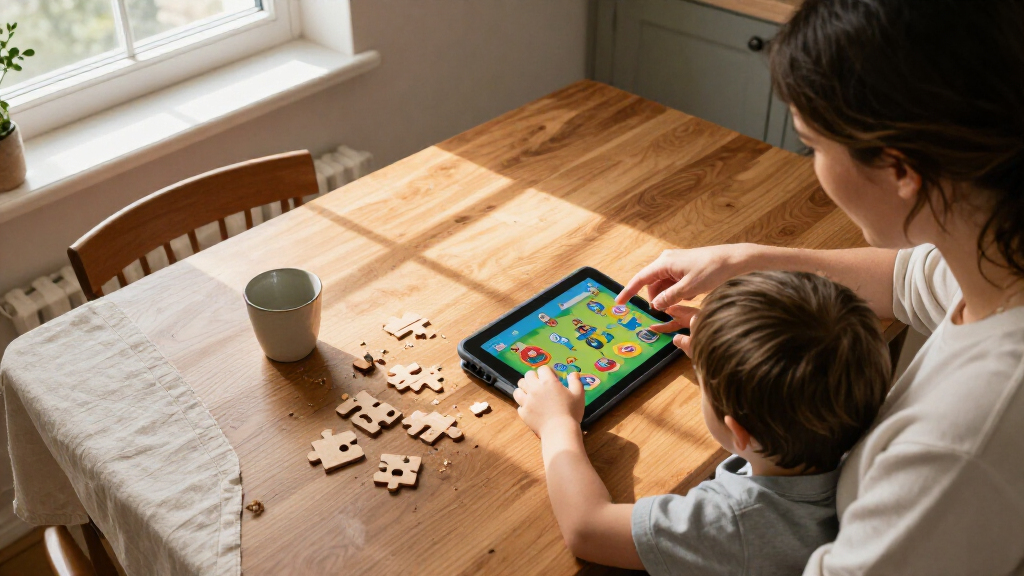
For families seeking a flexible device for learning apps and everyday use, the Amazon Kids Tablet 8.7-Inch is my best overall pick, pairing a larger screen with a Kids+ subscription and a protective case. The LeapFrog LeapPad Academy is a more focused choice for younger children who benefit from a learning-first environment, while the Evermyth 10-Inch Android 16 tablet suits families who want a bigger screen, stylus, and room for general Android apps. The main tradeoff is between a guided, child-centered experience and a more versatile tablet that calls for closer parental setup. Screen size, storage, durability, and content access also separate these options. Read on for the full breakdown and guidance on matching a tablet to your child’s age and routine.

Turn the school run and nap time into listening time
- Thousands of audiobooks, podcasts and originals
- Listen on your phone, tablet or Echo — also offline
- Cancel anytime
Complete the kit


Key Takeaways
- The Amazon Kids Tablet stands out as the most balanced all-rounder: its 8.7-inch display, Kids+ subscription, and case give it a stronger out-of-box family package than the smaller Android models.
- Learning style matters more than the word “kids” on the box: LeapPad Academy and Qiaojoy’s talking flash cards focus on structured, child-oriented learning, while Android tablets offer broader app flexibility.
- Seven-inch models favor portability, not roomy lessons: Zcobro, PEICHENG, Trayoo, and TOPELOTEK are easier to carry, but a larger display may feel better for reading, drawing, or shared activities.
- Memory and storage distinguish the Android options: Evermyth and Jeazans list 64GB, while several compact picks list 32GB; families should still check how much space apps and downloaded content require.
- Parental controls are not a substitute for setup: Android models list controls, but caregivers should check app access, account settings, and content limits before handing a tablet to a child.
| Qiaojoy Bilingual Kids Learning Tablet with Talking Flash Cards |  | Best Screen-Free Language Learning | Brand and model: Qiaojoy AC52 | Recommended age: 24 months–12 years | Languages: English and Spanish | VIEW LATEST PRICE | See Our Full Breakdown |
| Evermyth 10-Inch Android 16 Kids Tablet with Stylus and Protective Case, 64GB Storage |  | Best for Drawing and Hands-On Creativity | Brand and model: Evermyth KB1009 | Operating system: Android 16 | Screen size: 10 inches | VIEW LATEST PRICE | See Our Full Breakdown |
| Zcobro KIDS710 7-Inch Kids Tablet, 32GB, Blue |  | Best Compact Learning Tablet | Brand and model: Zcobro KIDS710, 11th Generation | Screen and display: 7-inch 1024 × 600 IPS | Operating system: Android | VIEW LATEST PRICE | See Our Full Breakdown |
| LeapFrog LeapPad Academy Kids’ Learning Tablet, Green |  | Best for Guided Early Learning | Brand and model: LeapFrog LeapPad Academy | Model year: 2019 | Age range: 3–8 years | VIEW LATEST PRICE | See Our Full Breakdown |
| Jeazans 10.1-Inch Kids Android Tablet, 64GB, 6000mAh, with Parental Controls |  | Best for a Larger, Sharper Screen | Brand and model: Jeazans KB1016, 3rd Generation | Operating system: Android 16 | Screen and resolution: 10.1-inch IPS, 1280 × 800 | VIEW LATEST PRICE | See Our Full Breakdown |
| PEICHENG 7-Inch Kids Tablet, Android 12, 4GB RAM, 32GB Storage, Parental Controls, Blue |  | Best for Flexible Storage | Operating system: Android 12 | Screen: 7-inch IPS, 1024 × 600 | Processor: Quad-core | VIEW LATEST PRICE | See Our Full Breakdown |
| Amazon Kids Tablet 8.7-Inch, 64 GB, with 1-Year Kids+ Subscription and Barbie Club 59 Slim Case |  | Best for Curated Learning Content | Screen size: 8.7 inches | Storage: 64GB | Battery life: Up to 14 hours of video playback | VIEW LATEST PRICE | See Our Full Breakdown |
| Trayoo 7-Inch Kids Tablet, 32GB, with Protective Case and Parental Controls, Pink |  | Best for Younger Beginners | Model: T9 | Screen size: 7 inches | Processor: Quad-core | VIEW LATEST PRICE | See Our Full Breakdown |
| TOPELOTEK 7-Inch Kids Tablet, 2GB RAM, 32GB Storage |  | Best for Offline Learning Activities | Model: ZIDS7001, 3rd Generation | Screen: 7-inch HD IPS | Processor: Allwinner | VIEW LATEST PRICE | See Our Full Breakdown |
| kids learning tablet | Brand and model | Operating system | Processor | Battery |
|---|---|---|---|---|
| Qiaojoy Bilingual Kids Learnin | Qiaojoy AC52 | — | — | — |
| Evermyth 10-Inch Android 16 Ki | Evermyth KB1009 | Android 16 | A333, up to 1.8GHz | 6000mAh |
| Zcobro KIDS710 7-Inch Kids Tab | Zcobro KIDS710, 11th Generation | Android | — | 3500mAh lithium-ion; listed battery life up to 10 hours |
| LeapFrog LeapPad Academy Kids’ | LeapFrog LeapPad Academy | Android 10 | — | — |
| Jeazans 10.1-Inch Kids Android | Jeazans KB1016, 3rd Generation | Android 16 | Five-core, up to 1.8GHz | 6000mAh; continuous-use estimate about 3.5–4 hours, with separate product information listing 10 hours average life |
| PEICHENG 7-Inch Kids Tablet | — | Android 12 | Quad-core | 11 Wh lithium-ion |
| Amazon Kids Tablet 8.7-Inch | — | — | — | — |
| Trayoo 7-Inch Kids Tablet | — | — | Quad-core | — |
| TOPELOTEK 7-Inch Kids Tablet | — | — | Allwinner | 3500 mAh lithium-ion, 4.9 Wh |
More Details on Our Top Picks
Qiaojoy Bilingual Kids Learning Tablet with Talking Flash Cards
The Qiaojoy is the clearest choice here for families who want structured English-and-Spanish practice without a screen. Its 20 durable cards cover 40 lesson pages, from letters and numbers to animals and vehicles, while quizzes and sound features give children more to do than simply repeat vocabulary. Compared with the LeapFrog LeapPad Academy, it has a narrower format and fewer kinds of activities, but it avoids apps, online content, and the screen-time decisions that come with a conventional tablet. That focus is also its main limitation: children learn through cards rather than video, drawing apps, or a broad digital library. The two-level volume control offers less fine adjustment than some families may want, and its broad age range does not mean the same cards will hold older children’s interest.
Pros:- Teaches English and Spanish with a language-switch button.
- Screen-free card format supports vocabulary practice without relying on apps or video.
- Twenty durable PVC cards provide 40 lesson pages across familiar topics.
- Word learning, sound exploration, and quizzes offer several ways to engage with the material.
Cons:- Card-based lessons do not provide the visual variety or app selection of the LeapFrog LeapPad Academy.
- Volume has only two settings, limiting sound adjustment.
Best for: Parents of preschool and early elementary children who want hands-on English and Spanish vocabulary practice without adding screen time.
Not ideal for: Families seeking a conventional tablet for videos, drawing, varied apps, or adjustable audio volume.
- Brand and model:Qiaojoy AC52
- Recommended age:24 months–12 years
- Languages:English and Spanish
- Learning cards:20 durable PVC cards
- Lesson pages:40
- Learning modes:Word learning, language switch, amazing sounds, basic quizzes, and advanced quizzes
- Word count and games:1000+ words and 100+ interactive games
- Volume control:2 levels
- Warranty:1 year
Our verdict“Choose the Qiaojoy for screen-free bilingual vocabulary practice; skip it if your child needs a full-featured tablet.”
Evermyth 10-Inch Android 16 Kids Tablet with Stylus and Protective Case, 64GB Storage
The Evermyth makes the most sense for children who learn by drawing, writing, and working on a larger screen. Its included stylus and 10-inch display create more room for creative activities than the 7-inch Zcobro KIDS710, while UKIDOZ Kids Space and parental controls add a child-oriented starting point. The protective case has an adjustable stand, so a child can prop it up for a lesson or video rather than hold it throughout. The tradeoff is that a larger device is less compact for small hands and travel. Its 64GB storage can be expanded, but the TF card is not included. The listing also describes 24GB RAM without explaining the configuration, so I would not use that figure to compare performance with models that specify physical memory clearly.
Pros:- Ten-inch display gives children more room for drawing, writing, and learning activities than 7-inch options.
- Included stylus supports handwriting and creative practice.
- UKIDOZ Kids Space and parental controls provide child-oriented content and management tools.
- Protective case includes a 180-degree adjustable stand and anti-slip, anti-scratch, and drop-resistant features.
Cons:- The TF card needed for storage expansion is not included.
- The advertised 24GB RAM figure is not explained in the product information.
- Its larger size is less convenient to carry than compact options such as the Zcobro KIDS710.
Best for: Families with children ages 3–12 who want a larger screen for drawing and writing, plus a stylus and stand in the box.
Not ideal for: Travel-focused families or buyers who want clearly documented memory details and included storage expansion.
- Brand and model:Evermyth KB1009
- Operating system:Android 16
- Screen size:10 inches
- Processor:A333, up to 1.8GHz
- Memory and storage:24GB RAM as listed; 64GB internal storage
- Expandable storage:Up to 1TB via TF card, not included
- Battery:6000mAh
- Cameras:5MP front; 8MP autofocus rear
- Connectivity:Wi-Fi 6 and Bluetooth 5.4
Our verdict“Pick the Evermyth if a stylus and generous drawing space matter more than compact size or fully specified memory.”
Zcobro KIDS710 7-Inch Kids Tablet, 32GB, Blue
The Zcobro is a practical fit for younger learners who need a small, protected tablet with offline activities. Its seven-inch screen and adjustable-stand silicone case are easier to manage than the larger Evermyth 10-Inch, and preloaded learning activities give children something educational to use without relying on a connection. Parental controls add filters, app approval, and screen-time limits, which help caregivers shape how the device is used. The compromises are its 1024 × 600 display and 2GB of RAM: this is better suited to basic learning and entertainment than demanding apps or a crisp, spacious reading experience. Its stated battery life is up to 10 hours, but actual runtime will depend on use. The 3500mAh capacity is modest beside the larger Evermyth and Jeazans batteries.
Pros:- Preloaded offline learning activities can be used without Wi-Fi.
- Parental controls include content filters, time limits, and app approval.
- Silicone protective case has a built-in adjustable stand.
- Storage can be expanded up to 512GB.
Cons:- The 1024 × 600 resolution is modest compared with the 10-inch Jeazans display.
- 2GB RAM is better suited to basic activities than demanding multitasking.
- The 3500mAh battery is smaller than the batteries in the Evermyth and Jeazans tablets.
Best for: Caregivers seeking a compact first tablet for basic learning activities, offline use, and hands-on screen-time controls.
Not ideal for: Children who need a larger, higher-resolution screen or families expecting demanding apps and strong performance headroom.
- Brand and model:Zcobro KIDS710, 11th Generation
- Screen and display:7-inch 1024 × 600 IPS
- Operating system:Android
- Processor and RAM:Quad-core Allwinner; 2GB RAM
- Storage:32GB
- Expandable storage:Up to 512GB
- Battery:3500mAh lithium-ion; listed battery life up to 10 hours
- Connectivity:2.4 GHz Wi-Fi and Bluetooth
- Warranty:2 years
Our verdict“Choose the Zcobro for a compact, parent-managed starter tablet with offline learning; look elsewhere for a sharper screen or more demanding use.”
LeapFrog LeapPad Academy Kids’ Learning Tablet, Green
The LeapPad Academy stands apart by putting educator-approved learning apps ahead of general-purpose tablet features. Its more than 20 included apps cover reading, math, writing, and coding for ages 3–8, making it a more guided starting point than the broad Android experience on the Zcobro KIDS710. A stylus, shatter-safe screen, removable bumper, and kickstand also suit younger children who need help handling a device. This focused approach is useful for families who want learning activities ready to go, but it limits flexibility compared with tablets that offer a more open app environment. The included LeapFrog Academy access lasts three months; continued access requires a subscription, and extra games, videos, music, and eBooks are sold separately. Its 2019 model year and Android 10 also make it an older platform than the Android 16 options here.
Pros:- More than 20 educator-approved apps cover reading, math, writing, and coding.
- Parental controls let caregivers manage apps and set time limits.
- Shatter-safe screen, removable bumper, and kickstand suit younger children.
- Included stylus supports writing and drawing activities.
Cons:- LeapFrog Academy access beyond the included three-month trial requires a subscription.
- Additional games, videos, music, and eBooks are sold separately.
- Its Android 10 platform is older than Android 16 models such as the Evermyth and Jeazans.
Best for: Parents of children ages 3–8 who want a curated set of early-learning apps and a kid-oriented design rather than a general Android tablet.
Not ideal for: Families seeking an open-ended tablet, newer listed software, or a learning library without ongoing subscription or add-on costs.
- Brand and model:LeapFrog LeapPad Academy
- Model year:2019
- Age range:3–8 years
- Operating system:Android 10
- Screen:7-inch shatter-safe screen
- Included learning apps:More than 20 educator-approved apps
- Cameras:2MP rear; 0.3MP front
- Included accessories:Stylus, removable silicone bumper with kickstand, USB Type-C cable, and wall adapter
- Warranty:2-year limited warranty
Our verdict“Choose the LeapPad Academy for a curated early-learning experience, but skip it if you want a newer, more open tablet without paid content add-ons.”
Jeazans 10.1-Inch Kids Android Tablet, 64GB, 6000mAh, with Parental Controls
For children who read, watch lessons, or use learning apps on a larger display, the Jeazans offers a useful step up from the 7-inch Zcobro KIDS710. Its 10.1-inch IPS panel has a listed 1280 × 800 resolution, while parental controls support profiles, content selection, and screen-time limits. Wi-Fi 6, Bluetooth 5.4, and expandable storage make it a more connected, flexible option than the LeapFrog’s curated app format. The battery information needs closer attention: the description estimates about 3.5–4 hours of continuous use, while another product detail lists an average of 10 hours. I would plan around the shorter estimate. Its stated 24GB RAM includes 21GB of virtual memory, leaving 3GB physical RAM, so that headline number should not be compared directly with actual memory capacity.
Pros:- 10.1-inch 1280 × 800 IPS display provides more viewing space than the 7-inch Zcobro.
- Customizable parental controls support profiles, content selection, and screen-time limits.
- Storage expands up to 1TB with a microSD card.
- Wi-Fi 6, Bluetooth 5.4, USB-C, and front and rear cameras provide useful everyday connectivity.
Cons:- The description estimates only about 3.5–4 hours of continuous use, despite a separate 10-hour average-life claim.
- The advertised 24GB RAM includes 21GB of virtual memory; physical RAM is 3GB.
- A microSD card for expanded storage is not listed among the included components.
Best for: Families who want a larger HD learning screen, customizable parental controls, and expandable storage for a child’s apps and media.
Not ideal for: Parents who need dependable long sessions away from a charger or who want memory and battery figures stated without conflicting claims.
- Brand and model:Jeazans KB1016, 3rd Generation
- Operating system:Android 16
- Screen and resolution:10.1-inch IPS, 1280 × 800
- Processor:Five-core, up to 1.8GHz
- Memory:24GB listed: 3GB physical RAM plus 21GB virtual memory
- Storage:64GB internal; expandable up to 1TB via microSD
- Cameras:5MP front; 8MP rear with autofocus and flash
- Battery:6000mAh; continuous-use estimate about 3.5–4 hours, with separate product information listing 10 hours average life
- Connectivity:Wi-Fi 6, Bluetooth 5.4, and USB Type-C
Our verdict“Pick the Jeazans for a larger, sharper learning display and flexible storage, but not for predictable long battery sessions.”
PEICHENG 7-Inch Kids Tablet, Android 12, 4GB RAM, 32GB Storage, Parental Controls, Blue
The PEICHENG stands out among these compact tablets for combining 4GB of listed RAM with storage expansion up to 512GB. That gives families room to add apps and downloaded learning material over time, unlike the Trayoo, whose TF-card support tops out at 64GB. Its parental controls include child profiles, app controls, screen-time limits, and web filtering, while the included case and adjustable stand help with hands-free lessons.
The tradeoff is the 1024 × 600 display, which is less detailed than many families may want for reading or visual learning. It also needs Wi-Fi for online content and has no cellular connection. I’d choose it over the TOPELOTEK when expandable capacity and broader app access matter more than its preloaded offline lessons.
Pros:- Parental controls cover child profiles, app management, web filtering, and screen-time limits.
- Supports microSD expansion up to 512GB.
- Includes a protective case with an adjustable stand.
- Google Play access, Wi-Fi, and Bluetooth support a broad range of apps and accessories.
Cons:- The 1024 × 600 resolution is relatively low for text-heavy learning activities.
- No cellular connectivity, so online features require Wi-Fi.
- The listed 32GB internal storage may fill quickly without an added card.
Best for: Families who want a small Android tablet with detailed parental settings and room to add substantial microSD storage.
Not ideal for: Children who do lots of reading or screen-based art, or families who need internet access away from Wi-Fi.
- Operating system:Android 12
- Screen:7-inch IPS, 1024 × 600
- Processor:Quad-core
- RAM:4GB (2GB + 2GB expansion)
- Storage:32GB; microSD expansion up to 512GB
- Cameras:2MP front, 5MP rear
- Connectivity:Wi-Fi, Bluetooth; no cellular
- Battery:11 Wh lithium-ion
Our verdict“Choose the PEICHENG if you want robust parental controls and large storage-expansion headroom in a compact tablet, and can accept its modest screen resolution.”
Amazon Kids Tablet 8.7-Inch, 64 GB, with 1-Year Kids+ Subscription and Barbie Club 59 Slim Case
For families who want content ready to browse, this Amazon tablet has the clearest learning-and-entertainment bundle in this group: a year of Kids+ with books, videos, games, and apps for ages 6–12. Its 8.7-inch screen and 64GB storage also give children more room for viewing and offline downloads than the 7-inch PEICHENG, Trayoo, and TOPELOTEK. Parents can set limits and review activity remotely through the Parent Dashboard.
The bundled service is the main reason to pick it, but it is not a permanent inclusion: Kids+ auto-renews after the first year, so families should check the subscription settings. The product information does not specify the processor, which makes performance harder to compare with the PEICHENG’s stated quad-core chip. This is better suited to guided content access than buyers seeking clearly documented hardware details.
Pros:- Includes one year of curated Kids+ books, videos, games, and apps.
- 64GB storage supports downloads for offline use.
- 8.7-inch display is larger than the 7-inch screens on the other three tablets here.
- Parent Dashboard offers screen-time controls and activity review.
Cons:- Kids+ auto-renews after the included first year unless the subscription is managed.
- Processor details are not specified, limiting hardware comparisons.
- The bundled content is most useful to families who want and will use the subscription.
Best for: Families with children ages 6–12 who want a larger screen, bundled curated content, and remote parental oversight.
Not ideal for: Buyers who want to avoid ongoing subscriptions or need clearly specified processor performance before choosing.
- Screen size:8.7 inches
- Storage:64GB
- Battery life:Up to 14 hours of video playback
- Included subscription:One year of Kids+; auto-renews after the first year
- Age range:6–12 years
- App access:Google Play Store
- Parental controls:Screen-time limits, activity review, and content suggestions through the Amazon Kids Parent Dashboard
- Case:Slim hard case with portrait and landscape kickstand
Our verdict“Pick this Amazon tablet for its larger screen and ready-made Kids+ library, but plan for the subscription renewal and unspecified processor.”
Trayoo 7-Inch Kids Tablet, 32GB, with Protective Case and Parental Controls, Pink
The Trayoo is a straightforward starter choice for younger children: it pairs a child-resistant case and stand with educational apps described as usable offline. That makes it less dependent on a steady Wi-Fi connection for basic learning than the Amazon Kids tablet’s internet-connected content offering. Its parental tools support profiles, app management, content filtering, and screen-time settings, giving caregivers useful control without requiring a larger tablet.
Compared with the PEICHENG, though, the Trayoo has 2GB RAM instead of a listed 4GB and supports only up to 64GB of TF-card expansion, so it offers less headroom as a child’s app collection grows. The stated battery life of up to 10 hours is also a ceiling, not a guarantee of all-day use. I’d favor it for a younger beginner who values a protective setup and offline apps over extra memory.
Pros:- Includes educational apps described as working without Wi-Fi.
- Parental controls support profiles, app management, filtering, and screen-time limits.
- Child-resistant case with stand helps with hands-free use.
- Supports optional TF-card storage expansion up to 64GB.
Cons:- 2GB RAM and 32GB built-in storage provide limited capacity for a growing app collection.
- Expandable storage is capped at 64GB, below the PEICHENG and TOPELOTEK limits.
- Up to 10 hours of battery life may not cover extended use without charging.
Best for: Parents introducing a young child to a first tablet and looking for offline educational apps, basic controls, and a protective stand case.
Not ideal for: Families planning to store a large media library or run many apps, given its 2GB RAM and 64GB maximum TF-card support.
- Model:T9
- Screen size:7 inches
- Processor:Quad-core
- RAM and storage:2GB RAM, 32GB storage
- Expandable storage:TF card up to 64GB
- Connectivity:Wi-Fi, Bluetooth
- Battery life:Up to 10 hours
- Parental controls:Profiles, app management, content filtering, and screen-time settings
Our verdict“Choose the Trayoo as a simple first tablet for a younger child who needs offline learning apps and a sturdy case, not extensive storage headroom.”
TOPELOTEK 7-Inch Kids Tablet, 2GB RAM, 32GB Storage
The TOPELOTEK has a distinctive learning angle for families who want material available without a connection: it comes with offline Montessori lessons, brain games, and STEM activities. Its controls also go beyond basic time limits, listing learning goals, privacy locks, and content filters. The rotatable kickstand and drop-resistant body suit everyday use, while storage can expand up to 512GB—far more room than the Trayoo allows for optional card storage.
That capacity does not change the tablet’s 2GB RAM and 7-inch screen, which may feel restrictive for multitasking or activities that benefit from a larger display. The listed battery life is eight hours, shorter than the Trayoo’s stated maximum of 10 hours and the Amazon tablet’s video-playback estimate. I’d choose it for preloaded offline activities, not for long sessions or a roomy screen.
Pros:- Includes offline Montessori lessons, brain games, and STEM activities.
- Parental controls list screen-time limits, learning goals, privacy locks, and content filters.
- Storage expands up to 512GB, matching the PEICHENG’s maximum and exceeding the Trayoo’s.
- Drop-resistant design and rotatable kickstand support everyday handling and viewing.
Cons:- The 7-inch display may feel cramped for some learning activities.
- Listed battery life is eight hours, less than the stated maximums for the Trayoo and Amazon tablet.
- 2GB RAM may limit multitasking compared with the PEICHENG’s listed 4GB.
Best for: Families seeking preloaded offline Montessori, brain-game, and STEM activities with parental controls and expandable storage.
Not ideal for: Children who need a larger display, longer stated battery life, or more memory for running several demanding apps.
- Model:ZIDS7001, 3rd Generation
- Screen:7-inch HD IPS
- Processor:Allwinner
- RAM:2GB
- Storage:32GB; expandable up to 512GB
- Battery:3500 mAh lithium-ion, 4.9 Wh
- Battery life:8 hours
- Included components:Tablet, Type-C cable, charger, and manual
Our verdict“Pick the TOPELOTEK for its offline learning activities and broad storage expansion, but look elsewhere if screen size or longer battery life matters more.”
How We Picked
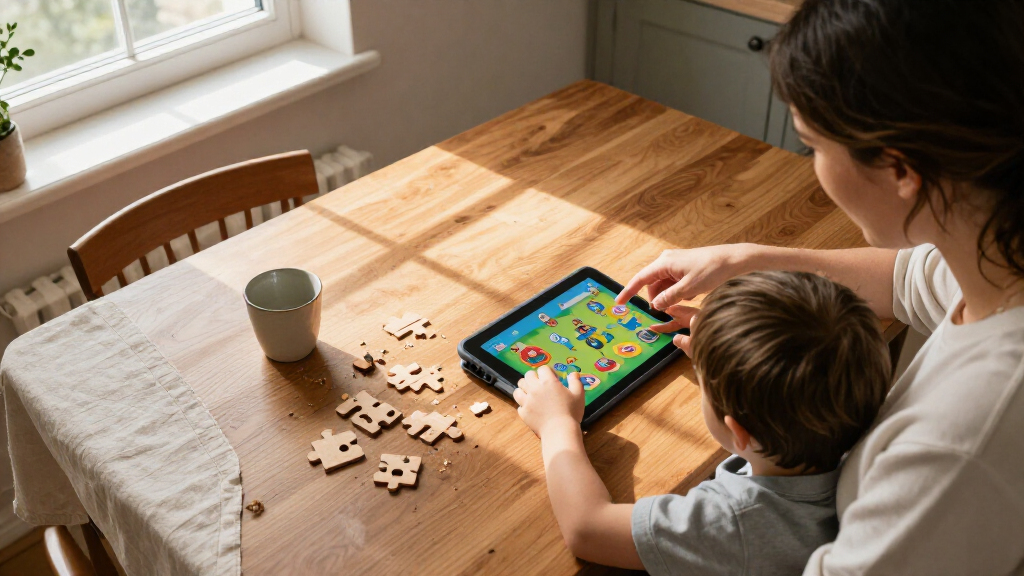
I compared these kids learning tablets by how well they serve different learning routines, from guided early-learning activities to flexible Android app use. The main criteria were the clarity of the product’s learning proposition, screen size, listed storage and memory, parental-control features, included accessories, and how practical the design appears for home or travel. I also weighed whether a tablet seems ready for a younger child or better suited to a family comfortable managing apps and settings.
The ranking favors useful learning fit and ease of choosing over the largest specification list. The Amazon Kids Tablet ranks first for its combination of a larger-than-compact screen, included Kids+ subscription, and case. LeapFrog earns a distinct place for focused learning, while Evermyth and Jeazans appeal to families wanting broader Android use. Smaller, lower-capacity models rank behind them because their portability can be appealing, but their compact screens and more limited listed storage make them less adaptable for mixed learning and entertainment routines.
| kids learning tablet | Brand and model | Operating system | Processor |
|---|---|---|---|
| Qiaojoy Bilingual Kids Learnin | Qiaojoy AC52 | — | — |
| Evermyth 10-Inch Android 16 Ki | Evermyth KB1009 | Android 16 | A333, up to 1.8GHz |
| Zcobro KIDS710 7-Inch Kids Tab | Zcobro KIDS710, 11th Generation | Android | — |
| LeapFrog LeapPad Academy Kids’ | LeapFrog LeapPad Academy | Android 10 | — |
| Jeazans 10.1-Inch Kids Android | Jeazans KB1016, 3rd Generation | Android 16 | Five-core, up to 1.8GHz |
| PEICHENG 7-Inch Kids Tablet | — | Android 12 | Quad-core |
| Amazon Kids Tablet 8.7-Inch | — | — | — |
| Trayoo 7-Inch Kids Tablet | — | — | Quad-core |
| TOPELOTEK 7-Inch Kids Tablet | — | — | Allwinner |
Factors to Consider When Choosing Kids Learning Tablets
Picking a tablet for a child is less about finding the most features and more about choosing the right balance of learning structure, caregiver control, and everyday usability. These broader checks can help you avoid buying a device that looks suitable but does not match your child’s routine.
Choose Between Guided Learning and Open App Access
Start by deciding whether your child needs a curated learning environment or a general-purpose tablet with educational apps. A dedicated learning device can make the experience simpler and more focused, while an Android tablet gives you more choice over apps and activities. That flexibility also means more setup work: caregivers may need to create accounts, review downloads, and set screen-time boundaries. A common mistake is to assume a tablet is educational simply because it is marketed to children. Check what learning content is included, what requires a separate subscription, and whether the activities suit your child’s age and interests.
Match Screen Size to the Activity
A compact screen is easier for small hands and travel, but it can feel cramped for reading, drawing, or working through longer lessons. Larger displays may be more comfortable for visual activities and can make shared use easier, though they take up more space in a bag. Think about where the tablet will be used most: a car ride may favor portability, while a desk or sofa learning session may favor more screen area. Do not choose by diagonal measurement alone; consider whether your child can hold the device comfortably and whether a case makes it bulkier. If drawing is a priority, check that the stylus and relevant apps fit the intended tasks.
Check Storage Against Offline Use
Listed storage is only part of the picture because the operating system and preinstalled apps use some space before your child downloads anything. Families who want videos, games, or lessons available without Wi-Fi should pay closer attention to capacity and any supported expansion options. A tablet used mainly for streaming at home may need less local storage than one that travels regularly. Before buying, look for details on removable storage and whether apps can be stored there; support varies by device and app. Avoid assuming that a larger storage figure automatically means more usable space for learning content.
Treat Parental Controls as a Setup Task
Parental controls can help limit content, purchases, and screen time, but the controls differ across operating systems and services. Before a child uses the tablet, set up a child profile, review age filters, and test what happens when a time limit or app restriction is reached. Check whether controls are managed on the device itself or through a caregiver account, since that affects how easily you can change settings. A frequent mistake is to rely on default settings without checking which apps or web features remain accessible. Families should also decide who can approve downloads and whether the tablet will be shared among siblings.
Think About Protection, Repairs, and Daily Handling
A protective case helps with everyday bumps, but it does not make every tablet indestructible. Look at how the case affects grip, access to ports, and carrying comfort, especially for a younger child. Also check whether the screen has any stated protection and how easy it would be to find a replacement case or charger. Consider where the device will be stored and whether it needs to survive frequent trips between home, school, and a caregiver’s house. Paying more for accessories makes sense when they address a real handling need; extra add-ons matter less if the tablet will stay in one supervised spot.
Compare the Full Cost of Content and Ownership
A tablet’s initial package may include a content subscription or useful accessories, while another model may leave those choices to the family. Work out whether the included content matches your child’s needs and what access looks like after any included subscription period ends. Also check warranty terms, software support, and whether the device can continue to run the apps your family expects. A lower-cost device can be a sensible first tablet if its limits fit the routine, but it may be a poor match if you later need a larger screen or more storage. Paying more is most justified when it buys a clear benefit your child will use regularly, not just a longer feature list.
Frequently Asked Questions
Should I choose a learning-focused tablet or a regular Android tablet for my child?
A learning-focused tablet is a good fit when you want a more guided experience and age-oriented activities to be central. A regular Android tablet offers a wider choice of apps, but caregivers usually have more setup and supervision to handle. For younger children who are just starting with digital learning, a simpler environment may make independent use easier. For older children or families with specific apps in mind, Android flexibility can be more useful. Compare the actual content and controls rather than relying on the product category alone.
Is a 7-inch kids tablet large enough for school-style learning?
A 7-inch screen can work for short lessons, basic games, and travel, especially when portability is a priority. It may feel cramped for extended reading, drawing, or activities that place several controls on screen at once. If your child will use the tablet mainly at a desk, a larger display may be more comfortable. Also remember that a protective case can make a compact device easier to grip but bulkier to carry. Match the screen to the activities rather than assuming one size suits every child.
How much storage should I look for if my child uses learning apps offline?
Start with the number and type of apps your child needs, then account for downloaded videos, lessons, and games if the tablet will be used without Wi-Fi. The advertised capacity is not all available for personal content because system files and preloaded apps take space. A 32GB model may suit a lighter routine, while families planning many downloads may prefer more room or a device with supported storage expansion. Check expansion compatibility before relying on it, since not every app can be moved to removable storage. Periodically removing unused downloads can also help keep a smaller tablet usable.
Does an included kids’ content subscription mean I do not need to manage apps?
No. An included subscription can provide a starting library, but families should still review what is available and whether it suits the child. Check how long the included access lasts, what happens when it ends, and whether renewal is optional. You may still want to control downloads, purchases, browsing, and screen time separately. A subscription is most useful when its content matches your child’s interests and learning goals rather than simply adding more choices.
What should I check before giving a kids tablet to a younger child?
Set up the child profile and parental controls before handing over the device, then test the limits yourself. Review the available apps, disable or restrict unwanted purchases, and decide how browsing and video access should work. Check that the case is comfortable for small hands and that the charging routine is manageable for your household. If the tablet is shared, confirm that profiles keep each child’s settings and content separate. A short supervised introduction can help you spot confusing menus or settings that need adjustment.
Conclusion
For most families seeking one device for learning and everyday use, I recommend the Amazon Kids Tablet 8.7-Inch as the best overall, thanks to its larger display, included Kids+ subscription, and case. The best value depends on your priorities: choose a compact 7-inch model such as PEICHENG or Trayoo when portability and listed parental controls matter more than screen space. For a best premium-style Android option, Evermyth brings a 10-inch screen, stylus, and 64GB of storage; Jeazans is another large-screen Android choice with parental controls and a listed 6000mAh battery. For beginners and younger learners, LeapFrog LeapPad Academy offers a more learning-centered direction, while Qiaojoy’s talking flash cards suit families seeking a focused bilingual activity rather than a general tablet. Choose Zcobro or TOPELOTEK if a simple, compact tablet best fits your child’s routine, and compare their listed specifications with the apps and controls you plan to use.