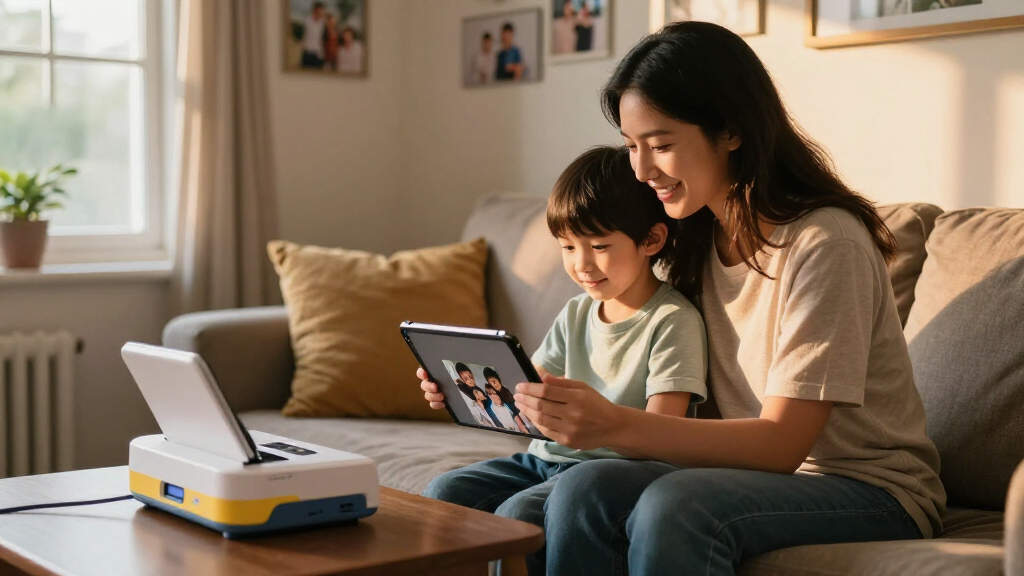

A great family photo printer should turn the thousands of phone photos your household accumulates into prints kids and grandparents can actually hold — without expensive ink surprises or complicated apps. My top pick is the Canon Selphy CP1500, which delivers the best balance of true-to-life color, low cost per print, and simple enough operation that a child can help. The KODAK Dock Plus (50-sheet bundle) stands out for families who want a docking station where phones snap in and print instantly, while the Liene M100 100-sheet bundle offers the best value if you plan to print in volume for scrapbooks and school projects. The main tradeoff in this category is between dedicated 4×6 dye-sublimation printers (cheaper per print, one job only) and inkjet all-in-ones like the HP Envy Photo 7975 (versatile, but higher photo costs and pricier ink). Read on for the full breakdown of all 13 models.

Turn the school run and nap time into listening time
- Thousands of audiobooks, podcasts and originals
- Listen on your phone, tablet or Echo — also offline
- Cancel anytime
Complete the kit


Key Takeaways
- Dye-sublimation models (Canon Selphy, Liene, HPRT, YOTON, KODAK 4PASS) dominated the comparison for photo quality and predictable costs — inkjets only made sense when families also need documents and homework printing.
- Bundled paper quantity changed the real price dramatically: the KODAK Dock Plus 50-sheet bundle and Liene M100 100-sheet bundle offered far better effective cost per print than identical hardware sold with 10 sheets.
- The Liene M100 appeared twice in the lineup with different bundles — the 100-sheet version is the clear buy, since the 54-sheet HPRT and YOTON bundles cost more per print for similar dye-sub output.
- Mini 2×3-inch printers (KODAK Mini 2 Retro, KODAK Step, Liene Pearl N200 Pro) are fun for kids and stickers but poor choices for a family’s main photo printer — small prints, higher per-square-inch costs, and Zink quality lags dye-sub.
- The HP Envy Photo 7975 and Epson XP-7100 were the only options that handle letter-size prints, scanning, and copying — pick them only if versatility outweighs photo cost, since ink adds up quickly with heavy photo use.


| family photo printer | Printer Type | Connectivity |
|---|---|---|
| KODAK Dock Plus 4×6 Photo Prin | 4PASS Dye Sublimation | Bluetooth, Docking, USB-C |
| HPRT Photo Printer 4×6” Wi-Fi | Dye Sublimation | Wi-Fi, hotspot |
| HP Envy Photo 7975 Wireless Co | Color Inkjet All-in-One | Wireless, mobile printing |
| YOTON Photo Printer with 54 Sh | Dye Sublimation | Wi-Fi, USB |
| Liene M100 4×6” Photo Printer | Thermal Dye Sublimation | Built-in Wi-Fi (multi-device) |
| Liene M100 4×6” Photo Printer | Thermal Dye Sublimation | Wi-Fi, USB Type C |
| Liene Amber M110 Bluetooth Pho | Thermal Dye Sublimation | Bluetooth, USB |
| KODAK Dock Plus 4×6 Photo Prin | 4PASS Dye Sublimation | Bluetooth, wired dock |
| Epson Expression Premium XP-71 | All-in-One Inkjet | Wireless, Ethernet, Wi-Fi Direct |
| Canon Selphy CP1500 Wireless C | Compact Dye Sublimation Photo Printer | Wi-Fi, USB, memory card |
| KODAK Mini 2 Retro 2×3 Portabl | Dye Sublimation (4PASS) | Bluetooth |
| Liene Pearl N200 Pro Portable | Thermal Dye Sublimation | Bluetooth, USB Type-C |
| KODAK Step Instant Smartphone | ZINK Zero Ink mobile printer | Bluetooth, NFC |
More Details on Our Top Picks
KODAK Dock Plus 4×6 Photo Printer, Smartphone Docking, 50 Sheets
KODAK’s Dock Plus earns the top spot because it solves the problem families complain about most: the messy middle step between phone and printer. The built-in docking station charges your phone while you scroll and print, which means the printer becomes a natural home base rather than a gadget you hunt for. Its 4PASS dye-sublimation prints resist water, fingerprints, and fading — a real advantage over Zink-based options like the KODAK Step, whose sticky-backed photos smudge more easily and fade faster. The tradeoffs are real, though: at 55 seconds per print, an after-dinner batch of 20 vacation photos becomes a patience test, and the 20-sheet capacity means reloading mid-session. Compared with the HPRT, it trades a bit of app polish for that dock, and I think the dock wins for families who print weekly.
Pros:- Docking station charges your phone while printing, turning the printer into a daily-use hub
- 4PASS prints resist water, fingerprints, and fading better than Zink alternatives
- Bluetooth plus USB-C gives flexible connection options across phones and tablets
- Includes 50 sheets to start, enough for several months of casual family printing
Cons:- 55 seconds per print is slow for high-volume sessions
- Only holds 20 sheets per media load, forcing mid-batch reloads
- Locked to 4×6 glossy paper — no other sizes or formats
Best for: Families who want a permanent charging-and-printing station on the counter and print photos in small batches throughout the week
Not ideal for: Households that print big batches after trips — the 55-second cycle and 20-sheet tray make volume printing tedious
- Printer Type:4PASS Dye Sublimation
- Maximum Media Size:4 x 6 inches
- Sheet Capacity:20 sheets
- Print Speed:55 seconds per print
- Connectivity:Bluetooth, Docking, USB-C
- Included Paper:50 sheets
- Dimensions:4.5″D x 8.5″W x 2″H
Our verdict“The most family-friendly all-around pick if you want a set-it-and-forget-it printing hub that doubles as a phone charger.”
HPRT Photo Printer 4×6” Wi-Fi for Phone Thermal Dye-Sublimation Beige
What sets the HPRT apart is what comes in the box: high-capacity ribbons and paper for 54 sheets, which pushes the true cost per print down compared with starter kits like the 10-sheet KODAK Dock Plus bundle. For budget-conscious families, consumables — not the printer — are where the money goes, so a generous bundle matters. The Wi-Fi and hotspot connectivity is also more flexible than Bluetooth-only rivals, holding a connection more reliably when multiple family members queue prints from different phones. Prints get a protective overcoat against dust, water, and scratches, matching the durability of the Liene M100. On the downside, HPRT doesn’t publish a print speed, which is a yellow flag if you print in volume, and the 18-sheet output tray is the smallest here. The beige finish is a nice touch for visible shelving, though it won’t please everyone.
Pros:- Bundle includes enough ribbon and paper for 54 prints, lowering the real startup cost
- Wi-Fi and hotspot connectivity supports multiple phones without pairing hassle
- Protective coating keeps prints resistant to dust, water, and scratches
- App includes editing templates that make casual family shots look polished
Cons:- No published print speed, making volume-printing expectations a gamble
- 18-sheet output capacity is the smallest in this lineup
- Fully dependent on the app and a compatible smartphone
Best for: Families on a budget who want to start printing immediately without buying extra ribbon and paper in the first month
Not ideal for: Anyone who prints long batches — the 18-sheet output capacity and unverified print speed make big sessions frustrating
- Printer Type:Dye Sublimation
- Resolution:300 x 300 dpi
- Maximum Media Size:4 x 6 inches
- Bundle Capacity:54 sheets included
- Connectivity:Wi-Fi, hotspot
- Weight:2.3 pounds
- Dimensions:11.7″D x 7.8″W x 3″H
Our verdict“The smartest spend if upfront consumables are your biggest concern and you print in modest batches.”
HP Envy Photo 7975 Wireless Color Inkjet Photo Printer
This is the only pick here that does double duty as a household workhorse. The Envy 7975 prints photos from a dedicated photo tray, then turns around and handles school reports, scanning, copying, and automatic duplex documents — something no dye-sublimation model like the Canon Selphy CP1500 or the Liene M100 can touch. For families who don’t want a second machine, that versatility justifies the larger footprint. The large touchscreen and AI-assisted print tools make it genuinely usable by kids and grandparents alike. But the tradeoffs are the classic inkjet ones: ink costs accumulate far faster than dye-sub ribbon pricing, color print speeds of 10 ppm feel sluggish during homework crunch, and it demands real desk space. If photo quality is your sole priority at 4×6, a dedicated dye-sub still produces more durable, water-resistant prints.
Pros:- Prints, scans, and copies, replacing the need for a separate document printer
- Dedicated photo tray means swapping paper for snapshots is not a chore
- Large touchscreen plus AI print tools make it approachable for kids and less tech-savvy relatives
- 3-month Instant Ink trial softens the running-cost sting at the start
Cons:- Ink costs over time exceed dye-sublimation consumable pricing
- Color print speeds of 10 ppm lag during high-volume household use
- Footprint is far larger than any dedicated 4×6 photo printer here
Best for: Busy households that want one machine for photos, schoolwork, scanning, and copying rather than a dedicated photo-only device
Not ideal for: Photo purists and small desks — ink costs per photo run higher than dye-sublimation, and the body is bulky
- Printer Type:Color Inkjet All-in-One
- Functions:Print, copy, scan
- Print Speed:15 ppm black / 10 ppm color
- Automatic Duplex:Yes
- Photo Tray:Separate dedicated photo tray
- Auto Document Feeder:Yes
- Connectivity:Wireless, mobile printing
Our verdict“Buy it if your family needs photos and everyday documents from one machine; skip it if snapshots are the whole job.”
YOTON Photo Printer with 54 Sheets (4×6) & Ink Ribbon
The YOTON’s party trick is AR video printing: you can embed a video clip into a photo that plays when scanned with the app, which turns printed snapshots into living keepsakes. No other printer in this lineup — not the HPRT, not the KODAK Dock Plus — offers that, and it’s a genuine hit with kids and grandparents at family gatherings. At under a kilogram and roughly the footprint of a paperback, it’s the most shelf-friendly of the 4×6 dye-subs here, and the 54-sheet included bundle matches the HPRT’s value. The catches: ribbons run out at 40–50 photos each, so the recurring cost is steady, batch printing is on the slow side, and like every dedicated dye-sub here, you’re locked to 4×6. Wi-Fi plus USB gives it a stability edge over Bluetooth-only models when laptops are in the mix.
Pros:- AR video printing turns still photos into interactive keepsakes kids love
- Compact, stylish body fits easily on a shelf or takes to relatives’ houses
- 54 included sheets plus ribbon deliver strong out-of-box value
- Wi-Fi and USB connectivity handles laptops as well as phones
Cons:- Ribbon replacements are needed every 40–50 photos, keeping running costs steady
- Slower output makes large post-vacation batches a chore
- AR and app features add setup complexity some family members won’t use
Best for: Families who love playful, shareable extras like AR video prints and want a light, attractive printer for gifts and keepsakes
Not ideal for: No-frills buyers who just want fast, cheap 4×6 prints — the AR features add complexity and the ribbon costs add up
- Printer Type:Dye Sublimation
- Resolution:300 x 300 dpi
- Maximum Media Size:4 x 6 inches
- Sheet Capacity:54 sheets
- Connectivity:Wi-Fi, USB
- Weight:972 g
- Dimensions:5.16″D x 7.08″W x 2.44″H
- Special Feature:AR video photo printing
Our verdict“The pick for families who see printing as entertainment, not just archiving — especially with kids old enough to enjoy the AR tricks.”
Liene M100 4×6” Photo Printer, Wi-Fi Picture Printer, Portable Thermal Dye Sublimation for iPhone, Android, Home Use
The Liene M100’s standout strength is shared access: its built-in Wi-Fi hotspot lets multiple devices connect at once, so siblings can queue prints from their own phones without a Bluetooth unpairing dance — a real frustration point with the KODAK Dock Plus. The companion app adds filters, frames, and borderless 4×6 prints, and the thermal dye-sub output is water-resistant with that familiar glossy finish. It works with Windows and Mac too, which the phone-first Kodak can’t claim. The tradeoffs mirror the category: a 20-sheet capacity per run and manual duplex handling keep it firmly in small-batch territory, and the app’s deeper editing menus can overwhelm less patient family members. At 2.2 pounds it travels well, though it’s slightly heftier than the YOTON. For a household where everyone prints from their own device, this is the smoothest experience of the bunch.
Pros:- Wi-Fi hotspot supports multiple simultaneous devices across iOS, Android, Windows, and Mac
- Borderless 4×6 prints with app filters and frames for easy customization
- Water-resistant glossy output at a crisp 300 dpi
- 2.2-pound portable body moves easily between home and gatherings
Cons:- 20-sheet capacity per run limits longer printing sessions
- Advanced features require navigating a fairly deep app interface
- Locked to 4×6 prints only, like every dedicated dye-sub here
Best for: Families with several phones, tablets, and computers where everyone wants to print from their own device without pairing conflicts
Not ideal for: Tech-averse users who want a one-button experience — the app-dependent workflow and multi-device setup add friction
- Printer Type:Thermal Dye Sublimation
- Print Resolution:300 x 300 dpi
- Maximum Media Size:4 x 6 inches
- Sheet Capacity:20 sheets
- Borderless Printing:Yes
- Connectivity:Built-in Wi-Fi (multi-device)
- Weight:2.2 pounds
- Warranty:12 months
Our verdict“The easiest shared printer for a multi-device household — as long as everyone in the family is comfortable using an app.”
Liene M100 4×6” Photo Printer, Portable Instant Photo Printer for iPhone and Android, Wi-Fi, Thermal Dye Sublimation, 100 Sheets & 3 Cartridges
Families new to dedicated photo printers will appreciate that the M100 arrives with 100 sheets and three cartridges, which means the cost of admission covers a real stack of prints rather than a starter pack that runs dry after a weekend. The thermal dye sublimation output produces glossy, water-resistant photos that hold up to sticky fingers far better than inkjet prints. Compared with the KODAK Dock Plus, the M100 trades dock-and-charge convenience for Wi-Fi connectivity that handles multiple devices at once — handy when three kids all want to print from their own phones. The tradeoffs are real: it is locked to 4×6 prints only, there is no Bluetooth, and everything routes through the Liene app. Refills are proprietary cartridges, so running costs stay moderate rather than cheap.
Pros:- Generous bundled supplies (100 sheets, 3 cartridges) lower the true entry cost
- Water-resistant dye sublimation prints survive handling by kids
- Wi-Fi supports multiple devices printing simultaneously
- Light 200 g core unit is easy to move between rooms
Cons:- Single 4×6 print size with no square or sticker option
- No Bluetooth — Wi-Fi or USB only
- App required for printing and customization
Best for: Families printing their first few hundred photos who want supplies included and multi-phone households that prefer Wi-Fi over pairing
Not ideal for: Anyone wanting sticker or square formats — this is strictly 4×6 — or buyers who dislike app-dependent printing
- Printer Type:Thermal Dye Sublimation
- Max Print Size:4 x 6 inches
- Resolution:300 x 300 DPI
- Connectivity:Wi-Fi, USB Type C
- Tray Capacity:20 sheets
- Compatible Devices:iPhone, Android, PC, Mac
- Warranty:12 months
Our verdict“If you want to start printing family photos immediately without shopping for refills, this bundle makes the most sense.”
Liene Amber M110 Bluetooth Photo Printer 80 Sheets, Portable Photo Printer for iPhone, Thermal Dye Sublimation, 60 Sheets 4×6 Paper & 20 Sheets 3” Square Sticker Paper & 2 Cartridges
The Amber M110 earns its spot with a dual-tray design that swaps between 4×6 prints and 3×3 square sticker paper — a format the standard Liene M100 simply cannot touch. For families, that flexibility matters: school projects, lunchbox notes, and scrapbook pages all call for stickers, while frames and albums want 4x6s, and this one printer covers both. Bluetooth pairing is faster and less fussy than the M100’s Wi-Fi setup, which makes spontaneous living-room printing sessions easier. Prints are water-, scratch-, and fade-resistant thanks to the same dye sublimation process Liene uses across its lineup. The compromises: it is print-only, each tray cycle maxes out at 20 sheets, and you are committed to Liene’s proprietary cartridges for the life of the printer.
Pros:- Dual trays switch between 4×6 photo paper and 3×3 sticker paper
- Fast Bluetooth pairing works across phones, tablets, and computers
- Water-, scratch-, and fade-resistant prints
- Bundle includes both paper formats and two cartridges
Cons:- Only 20 sheets per tray cycle means frequent reloads during big printing sessions
- Locked into Liene proprietary cartridges
- Print-only — no scanning or copying
Best for: Families with kids who want both album prints and peel-and-stick photos for crafts, journals, and school projects
Not ideal for: Households that only want plain 4×6 prints in bulk — the M100 bundle offers more prints per dollar
- Printer Type:Thermal Dye Sublimation
- Print Sizes:4×6 and 3×3 inches
- Resolution:300 x 300 dpi
- Connectivity:Bluetooth, USB
- Trays:2
- Tray Capacity:20 sheets
- Bundled Supplies:60 sheets 4×6, 20 sheets sticker, 2 cartridges
- Warranty:12 months
Our verdict“This pick makes the most sense for families whose photo habits mix keepsake prints with sticker fun.”
KODAK Dock Plus 4×6 Photo Printer, Smartphone Docking, 4PASS, 10 Sheets
What sets the Dock Plus apart is its integrated smartphone dock — your phone sits in the printer charging while you crop, edit, and print, which is a genuinely different workflow from the Liene Amber M110’s app-over-Bluetooth approach. For a kitchen counter or family command center, that always-docked setup keeps printing friction low. The 4PASS dye sublimation process layers color for prints that resist water and fading, and each 4×6 lands in about 55 seconds. It also supports borderless printing, which the entry-level bundle omits. The tradeoffs are meaningful: you only get 10 sheets per cartridge cycle versus 20 on the Liene models, print size is fixed at 4×6, and the bundled starter supplies run out fast — budget for a larger refill pack like the 50-sheet version from the start.
Pros:- Phone docks and charges while printing
- 4PASS prints are water- and fade-resistant
- Roughly 55-second print time per 4×6 photo
- Borderless printing for full-bleed photos
Cons:- Only 10 sheets per cartridge cycle
- Fixed 4×6 print size with no sticker or square option
- Requires the KODAK app and a compatible smartphone for full functionality
Best for: Families who keep the printer in one spot and want their phone charging while they edit and print photos
Not ideal for: Households wanting portability or non-4×6 formats — this is a stationary, single-size printer with a small 10-sheet capacity
- Printer Type:4PASS Dye Sublimation
- Max Print Size:4 x 6 inches
- Borderless Printing:Yes
- Connectivity:Bluetooth, wired dock
- Sheet Capacity:10 sheets per cartridge
- Print Speed:Approx. 55 seconds per photo
- Compatible Devices:iOS and Android smartphones, tablets
Our verdict“If your phone is always the family camera, the dock-and-print workflow here beats app-only competitors on everyday convenience.”
Epson Expression Premium XP-7100 Wireless Color All-in-One Inkjet Printer
Every other printer in this lineup does one thing — photos. The XP-7100 does everything: scanning old family prints for digitizing, copying school forms, two-sided document printing, and photos up to 8×10 inches, a size no dye-sub portable like the Canon Selphy CP1500 can reach. A 30-page auto document feeder and 4.3-inch touchscreen make it a genuine household workhorse rather than a novelty. The catch is the classic inkjet tradeoff: Epson requires genuine cartridges, warns that third-party ink can damage the machine, and photo printing costs more per page than dye sublimation. Inkjet photos also lack the water resistance that makes Liene and KODAK prints kid-friendly. This model suits families who need one device for the whole household, not a dedicated photo machine.
Pros:- Prints photos up to 8×10 inches, beyond any portable dye-sub option here
- Prints, scans, and copies with a 30-page auto document feeder
- Wireless, Ethernet, and Wi-Fi Direct connectivity
- Auto 2-sided printing and large 4.3-inch touchscreen
Cons:- Locked into genuine Epson cartridges with higher ongoing ink costs
- Inkjet prints are more vulnerable to water and smudging than dye sublimation
- Bulkier and less portable than dedicated photo printers
Best for: Families who want a single printer for homework, scanning, copying, and occasional photo prints up to 8×10
Not ideal for: Buyers focused purely on photo quality and durability — a dedicated dye-sub printer delivers more resistant prints at a lower cost per photo
- Printer Type:All-in-One Inkjet
- Max Photo Size:Up to 8 x 10 inches
- Connectivity:Wireless, Ethernet, Wi-Fi Direct
- Auto Document Feeder:30 pages
- Touchscreen:4.3 inches
- Media Compatibility:Photos, DVDs, specialty paper
- Functions:Print, scan, copy
Our verdict“Choose this if your family needs one machine for everything and only occasionally prints photos.”
Canon Selphy CP1500 Wireless Compact Photo Printer (Black)
The Selphy CP1500’s headline feature is print longevity rated up to 100 years — no other model here makes that claim, and it changes who this printer is for. Baby photos, holiday cards, and prints destined for frames and scrapbooks are exactly where that durability pays off. Compared with the Liene M100, the CP1500 also offers memory card slots and a 3.5-inch screen, so you can print straight from an SD card and edit on the printer itself without opening an app. Connectivity spans Wi-Fi, USB, and cards, giving it the widest input flexibility in this batch. The tradeoffs: full portability requires an optional battery sold separately, print sizes are limited to small formats, and the cost per print runs higher than Liene’s bundled economics.
Pros:- Prints rated to last up to 100 years for archival keepsakes
- Wi-Fi, USB, and memory card inputs plus on-printer editing via 3.5-inch screen
- Compact design with optional battery for portable use
- Water-resistant prints suitable for handling and display
Cons:- Battery for portability is an optional extra purchase
- Higher cost per print than bundled competitors like the Liene M100
- Limited print size options compared with inkjets like the Epson XP-7100
Best for: Families printing photos meant to be framed, archived, or kept for decades rather than casually handed around
Not ideal for: Budget-focused buyers printing in high volume — cost per print adds up, and the battery for true portability costs extra
- Printer Type:Compact Dye Sublimation Photo Printer
- Connectivity:Wi-Fi, USB, memory card
- Display:3.5-inch screen
- Print Durability:Up to 100 years
- Portability:Compact with optional battery
- Print Quality:High-quality, water-resistant prints
Our verdict“For prints you want your grandkids to find in a box someday, this is the durability pick of the lineup.”
KODAK Mini 2 Retro 2×3 Portable Photo Printer, 4PASS, 38 Sheets, White
Of all the pocket-sized printers in this roundup, the Mini 2 Retro leans hardest into fun rather than function. Its dye sublimation process (Kodak’s 4PASS) lays down an overcoat that makes prints waterproof and fingerprint-resistant, which matters a lot when prints end up in the hands of kids at a birthday party. Compared with the KODAK Step below, prints here look richer and more durable, though you pay more per sheet and wait roughly a minute each. Families who want keepsake-quality mini prints will prefer this over ZINK alternatives; those hoping to frame photos should step up to a 4×6 machine like the KODAK Dock Plus. The bundled 38 sheets soften the entry cost, but the small tray means frequent reloads during big printing sessions.
Pros:- Waterproof, fingerprint-resistant prints thanks to 4PASS dye sublimation overcoat
- Genuinely pocketable at roughly 255 grams
- Simple Bluetooth pairing with a polished editing app for iOS and Android
- Bundle of 38 sheets and cartridges gets you printing immediately
Cons:- Roughly 55 seconds per print makes batch printing tedious
- Per-sheet running costs are higher than ZINK-based rivals
- Small 15-sheet tray requires constant reloading
Best for: Families with school-age kids who want durable wallet-size prints for scrapbooks, lockers, and party favors
Not ideal for: Anyone building framed family albums — the 2.1 x 3.4-inch print size is too small for display purposes
- Printer Type:Dye Sublimation (4PASS)
- Print Size:2.1 x 3.4 inches
- Resolution:291 x 300 dpi
- Connectivity:Bluetooth
- Weight:255 g
- Print Media:Glossy photo paper
- Included Paper:38 sheets with cartridges
Our verdict“This is the pick for families who value print durability and nostalgic styling over speed or print size.”
Liene Pearl N200 Pro Portable Photo Printer, Instant Mini Picture Printer, Thermal Dye Sublimation, Bluetooth Sticker Printer, Gold
The Pearl N200 Pro is the most creativity-focused printer in this lineup. Its AI-enhanced editing and label/sticker media support make it feel more like a craft tool than a photo lab, which is exactly why it suits teens and DIY-minded households. The standout feature is group printing over Bluetooth — multiple people can send photos from their phones at a sleepover or family gathering, something neither the KODAK Mini 2 Retro nor the Step offers as cleanly. Output at 300 dpi edges out the Mini 2 Retro’s resolution, and the option for monochrome prints suits journaling projects. The tradeoffs are real: a 10-sheet capacity means constant reloading, and like every mini printer here, you’re capped at small prints. For serious archiving, the Liene M100 4×6 is the better sibling.
Pros:- Group printing lets multiple phones queue photos at once, ideal for gatherings
- AI editing tools and sticker/label media open up creative projects
- 300 dpi resolution with color and monochrome output
- Compact enough to toss in a backpack at 340 grams
Cons:- 10-sheet maximum capacity demands frequent reloading
- Occasional Bluetooth pairing hiccups reported with some devices
- Limited to 2×3 inch prints like other pocket models
Best for: Families with teens who journal, scrapbook, or want a shared party printer for group photos
Not ideal for: Households printing in volume — the tiny tray and per-sheet cost add up quickly
- Printer Type:Thermal Dye Sublimation
- Print Size:2 x 3 inches
- Resolution:300 x 300 dpi
- Connectivity:Bluetooth, USB Type-C
- Sheet Capacity:10 sheets
- Print Media:Photo paper, labels, stickers
- Warranty:12 months
Our verdict“Choose this if creative customization and shared printing matter more than raw speed or capacity.”
KODAK Step Instant Smartphone Photo Printer, Zink 2×3” Sticky-Back Photos, Bluetooth, White
The KODAK Step is the cheapest way into instant printing here, and its ZINK zero-ink technology means no cartridges to buy — just paper. That simplicity makes it the printer I’d hand to younger kids: no ribbons to snap, no ink to smudge, and each print has a sticky back for decorating notebooks and laptops. Print quality falls short of the dye-sub KODAK Mini 2 Retro, with less vibrant colors, but the low running cost and instant output feel like a fair exchange for casual use. Compared with the Liene N200 Pro, you lose AI editing and group printing but save meaningfully upfront. The 25-print battery covers a birthday party but not a marathon scrapbooking weekend. Anyone wanting larger or archival prints should look at the Canon Selphy CP1500 instead.
Pros:- No ink or cartridges to buy, keeping running costs low
- Sticky-back prints are instantly usable for crafts and decorating
- Under a pound with Bluetooth and NFC pairing
- Water-resistant, durable prints safe for young hands
Cons:- Battery limited to 25 prints per charge
- ZINK print quality trails dye-sub rivals in color richness
- Capped at 2×3 inch output like other pocket models
Best for: Budget-minded families buying a first printer for kids who love stickers and quick keepsakes
Not ideal for: Families wanting archival-quality prints — ZINK output is less sharp and less vibrant than dye sublimation
- Printer Type:ZINK Zero Ink mobile printer
- Print Size:2 x 3 inches
- Connectivity:Bluetooth, NFC
- Battery Life:25 photos per charge
- Weight:Under 1 pound
- Included Paper:Starter pack of ZINK photo paper
- Compatibility:iOS and Android
Our verdict“The most affordable, kid-friendly entry point in the roundup — accept softer print quality and you get simple, sticky fun.”
How We Picked
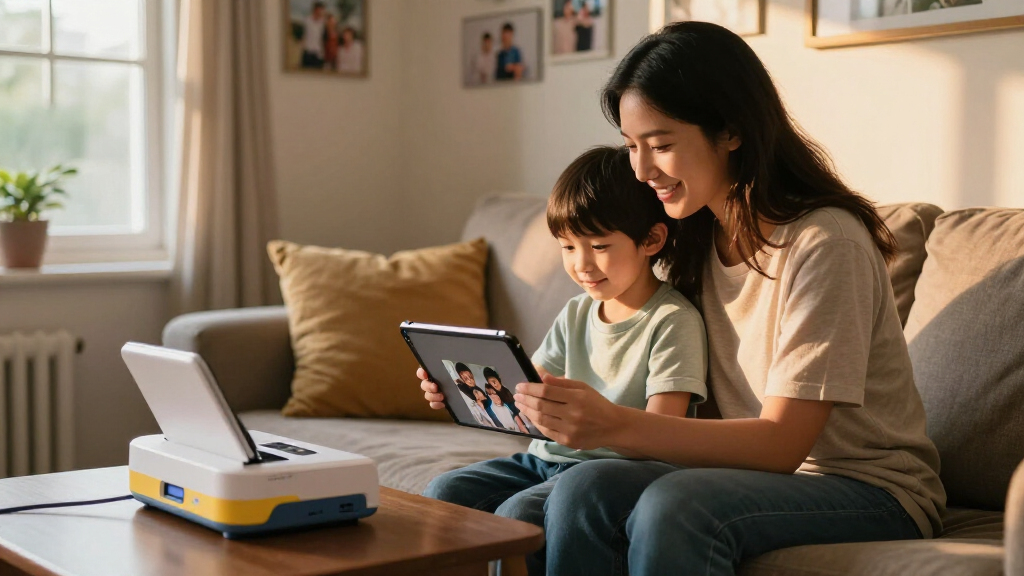
I evaluated every model through one lens: how well it serves a household that prints photos regularly. The criteria were print quality (color accuracy, sharpness, and durability of finished prints), true cost per print including required consumables like ribbon cartridges and paper bundles, ease of use for parents and kids working the app or docking mechanism, and speed and capacity for batch sessions after birthdays and holidays. I also weighed format flexibility, since some families want 4×6 prints only while others need stickers, mini prints, or full-page photos.
Ranking favored printers that keep long-term costs predictable — dye-sublimation models with bundled consumables scored well because their cartridge-plus-paper pricing is transparent, while inkjets were marked down for opaque ink economics. Models sold in multiple bundles were compared on effective price per sheet, which is why the 100-sheet Liene M100 outranks its smaller sibling. Fun-factor mini printers ranked lower as primary picks but earned spots for specific uses like kids’ sticker projects and on-the-go printing.
Factors to Consider When Choosing Family Photo Printer
Before picking a family photo printer, it helps to understand the bigger tradeoffs in this category — the wrong format choice can double your printing costs within a year.Dye-Sublimation vs. Inkjet vs. Zink: The Core Decision
The technology inside the printer matters more than any spec sheet, because it determines both quality and long-term cost. Dye-sublimation printers (Canon Selphy, Liene, HPRT, YOTON, KODAK 4PASS models) use a ribbon cartridge paired with exact paper counts, so every print costs a known amount and the output is water-resistant and scratch-resistant — a real advantage in a house with young kids. Inkjet printers like the HP Envy and Epson XP-7100 produce beautiful large prints and handle documents, but ink depletes unevenly and photo printing drains cartridges fast, making per-print costs hard to predict. Zink printers like the KODAK Step need no ink at all, which sounds appealing, but colors look flatter and prints fade faster. A common mistake families make is buying an inkjet “for everything” and then discovering photo printing costs three times what a dye-sub model charges.
Cost Per Print — Do the Math Before Buying
The sticker price of the printer is rarely the number that matters. A cheap printer sold with 10 sheets can cost more over two years than a pricier bundle with 100 sheets, because consumables are where manufacturers make their money. Before buying, calculate the price of a replacement cartridge-and-paper pack divided by the sheet count — that is your real cost per memory. In this comparison, bundled models like the KODAK Dock Plus 50-sheet version and the Liene M100 100-sheet version offered noticeably lower effective costs than their bare counterparts. Also watch for proprietary paper: dye-sub printers only accept their own brand, so there is no third-party discount the way there sometimes is with inkjet cartridges.
Print Size and What Your Family Actually Prints
Most families default to 4×6 prints for albums, frames, and sharing with grandparents, which is why dedicated 4×6 printers dominate this roundup. But think honestly about your habits: if your kids love decorating notebooks and water bottles, a sticker-capable mini printer like the KODAK Mini 2 Retro or Liene Pearl N200 Pro adds real value as a second machine. If you want to print 8×10 portraits or school projects, only an inkjet all-in-one covers that. Mini 2×3 prints cost more per square inch than 4×6 dye-sub prints, so households that print mainly for albums should not be tempted by the small-format models despite their lower upfront prices.
Kid-Friendliness and App Experience
Who will actually operate the printer? If the answer includes children or a less tech-savvy grandparent, the connection method deserves scrutiny. The KODAK Dock Plus’s physical docking removes the app friction entirely — you plug the phone in and tap print, with no Wi-Fi setup or account creation. App-based printers from Liene and Canon are still simple, but each requires connecting a device, installing an app, and granting photo permissions, which adds failure points when a nine-year-old just wants a picture. Also check whether the app allows basic editing like cropping and filters, since kids enjoy that step, and whether multiple family phones can connect without re-pairing each time.
Speed, Batch Printing, and Paper Handling
Families rarely print one photo at a time — they print forty after a vacation. Dye-sublimation printers typically output a 4×6 in about 45 to 60 seconds, and most handle their cartridge’s full capacity in one session without jamming, which makes batch printing painless. Inkjets are slower per photo and require paper swaps between photo stock and plain paper. One practical tip from comparing these models: buy a printer whose bundle covers a full event (50-100 sheets), because running out of proprietary paper mid-birthday-party with no local stock is a common frustration. Ports like the Canon Selphy’s card slots also help when photos live on a camera rather than a phone.
Placement, Power, and Portability
Think about where the printer will live. Docking models need counter space and always-available outlets, while pocket-sized printers like the KODAK Step and Liene Pearl travel to parties and print anywhere from battery power. Inkjet all-in-ones demand a dedicated spot and are the least portable option by far. A mistake I see often is buying a portable model as the household’s only printer, then finding battery life and small paper loads can’t keep up with family volume. Ideally, match the form factor to your workflow: stationary hub for home printing, portable unit as a complement, not a replacement.
Frequently Asked Questions
Is a dye-sublimation photo printer or an inkjet better for family photos?
For pure photo printing, dye-sublimation wins for most families because the prints come out dry, water-resistant, and resistant to fingerprints — helpful with kids handling them. Costs are also predictable, since each ribbon cartridge is rated for an exact number of sheets. Inkjets like the HP Envy Photo 7975 and Epson XP-7100 make sense when your household also needs homework printing, scanning, and copying, and they handle larger sizes like 8×10 that dye-sub models cannot. The tradeoff is that inkjet photo printing costs more per page and cartridges dry out if the printer sits unused for weeks, which is common in family settings where printing happens in bursts after events.
Why does the Liene M100 appear twice with different prices?
It is the same printer sold with different consumable bundles, and the bundle size changes the math completely. The version with 100 sheets and 3 cartridges drives the effective cost per print down considerably, while the smaller 54-sheet HPRT and YOTON bundles cost more per print for very similar dye-sublimation output. If you have already decided on this class of printer, always buy the largest bundle available — the hardware is identical, and replacement cartridges will be your main expense going forward. This duplication in the lineup actually illustrates the category’s most important lesson: the bundle, not the printer, determines value.
Are mini 2×3-inch printers good enough as a family’s only photo printer?
They are fun, but I would not recommend one as a household’s primary machine. Models like the KODAK Mini 2 Retro, KODAK Step, and Liene Pearl N200 Pro excel at stickers, wallet prints, and keeping kids entertained, and their small size makes them genuinely portable. However, 2×3 prints cost more per square inch than 4×6 dye-sub prints, and Zink-based options like the KODAK Step produce noticeably flatter colors that fade sooner. The strongest setup for many families is a 4×6 printer as the main unit plus a mini printer as a treat for the kids — but if you must choose one, go 4×6.
What does the KODAK Dock Plus docking feature actually get you?
The dock turns printing into a one-step ritual: you set the phone on the cradle, and it prints — no app navigation, Wi-Fi pairing, or account sign-ins. That matters in households where the least technical person, often a grandparent, wants prints without calling for help. The 4PASS dye-sub process also produces the durable, layered prints Kodak is known for, and the pass adds a protective overcoat layer. The limitation is compatibility: you are physically docking a phone, so anything living on a camera’s SD card or the cloud stays out of reach, which is where the Canon Selphy CP1500’s card slots and broader wireless options have an advantage.
How much should I expect to spend on paper and cartridges over a year?
For an average family printing two to four photos a week — roughly 150 to 200 prints a year — expect consumable costs in the range of $60 to $120 for a 4×6 dye-sub printer, depending on the brand and bundle sizes you buy. Zink and mini-format papers push that higher per print, sometimes double the cost of 4×6 dye-sub for the same image area. Inkjet families printing similar volumes can spend more, especially if the printer sits idle between sessions and nozzles need cleaning cycles that consume ink. The practical move is buying large bundles upfront (50-100 sheets) and storing the sealed cartridges properly, since that is consistently the cheapest path per print across every model compared here.
Conclusion
Matching the right printer to your household comes down to volume, versatility, and who is pressing the button. For best overall, the Canon Selphy CP1500 is the strongest all-around choice — excellent dye-sub print quality, card slots, and a proven track record for family batch printing. For best value, the Liene M100 100-sheet bundle delivers the lowest effective cost per print in the lineup, while the KODAK Dock Plus 50-sheet bundle is the value pick for families who prize plug-and-dock simplicity. For best premium, the Epson Expression Premium XP-7100 justifies its price when photos, documents, scanning, and large-format prints all live under one roof. For beginners and tech-shy households, the dock-based Kodak models remove app friction entirely. And for specific needs: the KODAK Mini 2 Retro and KODAK Step for kids’ stickers and portability, and the HPRT or YOTON bundles if you find them discounted below the Liene. Whatever you choose, buy the biggest consumable bundle you can — that single decision saves more money over a year than the printer choice itself.
Fall Picks
fall essentials
As an affiliate, we earn on qualifying purchases.