
TL;DR
The decision to build or buy an AI workstation now hinges on speed, support, and compatibility rather than just cost. Prebuilts offer validated thermals and quick setup, but custom builds provide control and upgrade flexibility. Price differences are less clear-cut in 2026, so compare carefully.
Are you still thinking that building your own AI workstation saves you money? Think again. The landscape has shifted dramatically. With component shortages driving prices up and vendors offering pre-validated, turnkey systems, the choice now is more about speed, support, and control than just budget.
If your goal is to start training models, run inference, or experiment with AI tools fast — a prebuilt might be your best move. But if customization, upgradeability, and learning are your priorities, then building might still hold appeal. This article cuts through the noise to help you decide what’s best for your workflow, budget, and future-proofing.
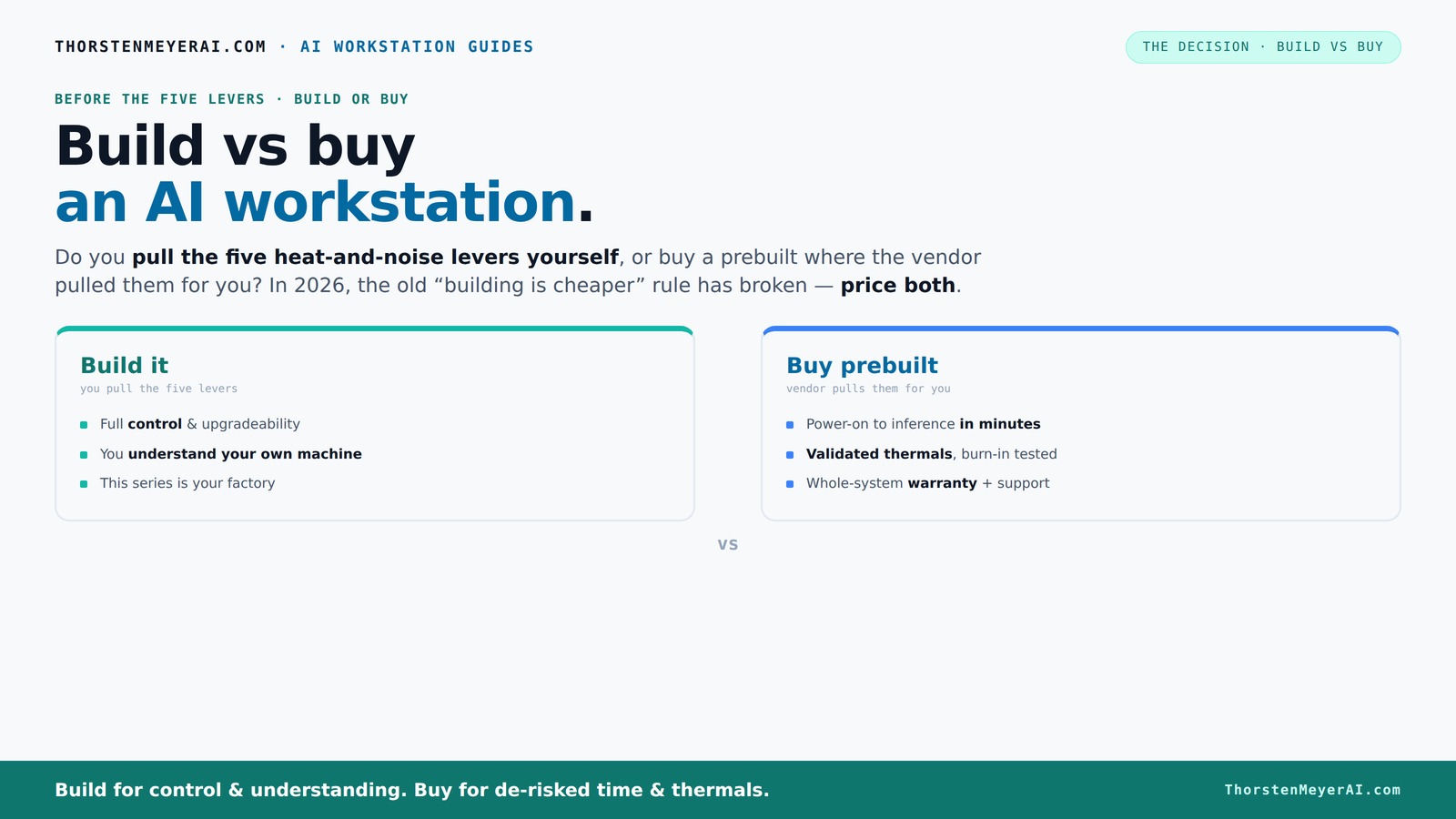
Build vs buy
an AI workstation.
The real question behind this whole series: do you pull the five heat-and-noise levers yourself, or buy a prebuilt where the vendor pulled them for you? And in 2026, the old “building is cheaper” rule has broken. Match your situation in Part 3.
Key Takeaways
- In 2026, prebuilt AI workstations can cost as much as or less than DIY builds due to component shortages and bulk buying.
- Support, warranty, and validated thermals make prebuilts attractive for quick deployment and peace of mind.
- Building offers full control over components, cooling, and upgrade paths, but proprietary parts can limit future flexibility.
- Software and hardware co-optimization in prebuilts can significantly boost AI workload performance.
- Choose building if you love customization and learning; opt for buying if you need fast, reliable, supported hardware.
As an affiliate, we earn on qualifying purchases.
Why 2026 Changes the Game: Building Isn’t Always Cheaper
Building your own AI workstation used to be the clear money-saver. Now, thanks to component shortages and bulk buying, prebuilt systems often cost the same or even less. A DIY build that used to cost around $1,000 now hits $1,250+ because high-end GPUs, DDR5 RAM, and SSDs have surged in price.[2]
Major vendors like Dell or Lambda buy components in bulk before prices spike, allowing them to offer systems at competitive prices. Sometimes, a prebuilt with validated thermals and support costs less than sourcing parts yourself and assembling. So, your old rule — build cheaper, buy faster — no longer applies universally.
This shift means you need to compare both options for your specific configuration. You can build vs buy a prebuilt AI workstation to see which suits your needs best. Don't assume DIY is cheaper; run the numbers with current prices and consider the value of support and speed.
As an affiliate, we earn on qualifying purchases.
Who Pulls the Levers? Understanding Thermal Tuning in Build vs Buy
When choosing build or buy, think about who handles the heat. A prebuilt vendor tunes the system at the factory, testing for thermals and noise. They optimize fan curves, apply water cooling if needed, and validate the system under load. This means you get a machine ready to go, with thermal issues already addressed.
Building it yourself puts the control in your hands. You pick a quiet GPU, undervolt it, choose a case with great airflow, and set up the fans. It’s rewarding if you enjoy tuning and want a machine perfectly tailored to your needs. But it also demands more time and expertise.
Example: BIZON systems advertise up to 30% lower noise and temperature because they validate thermals before shipping, saving you the headache of trial-and-error.[1]
As an affiliate, we earn on qualifying purchases.
Prebuilts: The Quick Route to AI Readiness and Support
If you need to deploy fast, a prebuilt AI workstation is a clear winner. They arrive with the OS, drivers, and AI software stack pre-installed — just turn it on and start training or inference.[1]
Plus, support and warranty come bundled. When a GPU throttles or a component fails, the vendor handles repairs. This reduces downtime and gives peace of mind, especially during long training runs. Vendors like Lambda or Puget test for hours and offer multi-year warranties, so you're not left troubleshooting hardware issues alone.[2][5]
This is perfect for teams that want to focus on AI, not hardware fixing.
As an affiliate, we earn on qualifying purchases.
Building Your Dream Machine: Control, Customization, and Future-Proofing
Building your own AI workstation means full control. You pick the GPU, CPU, RAM, cooling, and case — customizing for specific workloads like large VRAM, high memory capacity, or ultra-quiet operation. Learn more about building vs buying your AI system.[3] You also control the upgrade path, choosing standard parts that can be swapped out later. This is ideal if your AI projects evolve or you want to tinker.
But beware: proprietary motherboards or power supplies in some prebuilts can lock you into specific upgrade paths.[4] If future GPU upgrades are on your mind, verify whether the system supports standard PCIe slots and memory modules.
Example: A DIY enthusiast might start with a quiet CPU cooler and later add more RAM or upgrade to a faster GPU, extending the system’s lifespan.
Upgradability and Repairability: Can You Keep It Up-to-Date?
Upgradability is a hot topic. Prebuilts often use proprietary parts or non-standard connectors, making future upgrades tricky or costly.[4]
DIY builds typically use off-the-shelf components, which makes swapping out GPUs, adding RAM, or increasing storage straightforward. You can extend the life of your machine or adapt it to newer AI workloads without replacing the entire system.
Real-world scenario: Upgrading a GPU in a prebuilt might require replacing the entire motherboard or power supply, adding hidden costs and effort.
Support, Warranties, and Who Has Your Back
Support and warranty are often the deciding factors. Prebuilts come with vendor support, often offering multi-year warranties, on-site repairs, and dedicated support lines. For more insights, visit oneboredmommy.com.[2][5]
Building your own means you’re on your own or rely on individual component warranties. Troubleshooting hardware issues, BIOS settings, or driver conflicts falls on you. If you value peace of mind, a prebuilt can save headaches.
Example: If your AI training crashes unexpectedly, a prebuilt vendor might troubleshoot and fix within hours, whereas a DIY owner may spend days diagnosing problems.
AI Software Optimization: Is the Hardware Ready to Accelerate Your Work?
Modern AI workloads depend heavily on software-hardware co-optimization. Vendors like Dell and Lambda tune their systems for ISV-optimized software, offloading tasks to NPUs and reducing lag and power consumption.[1]
This means a prebuilt isn’t just about raw GPU power. It’s about how well the entire system works with your AI tools. Software stack readiness can make a big difference in performance and ease of use.
For example, a prebuilt with vendor-optimized drivers and software might run deepfake detection or VRAM-intensive training smoother than a DIY system assembled with generic parts.
Latest Trends: Turnkey AI Platforms and AI-Optimized Hardware
In 2026, prebuilt systems are marketed as turnkey AI platforms, integrating hardware, firmware, and software for maximum performance.[1][5] They’re aimed at teams that want to skip the hassle and get straight to training and inference.
AI-specific features like NPUs, vendor-optimized software, and offloading capabilities are becoming standard selling points. This trend pushes the decision toward prebuilts for those who prioritize speed, support, and reliable performance.[1]
And while prices remain competitive, budget-conscious buyers still compare value per dollar, especially when considering future upgrade paths or potential proprietary parts.[2]
Who Should Build, Who Should Buy? Deciding Based on Your Goals
If you love tinkering, want full control, and have the time, building your own AI workstation can be rewarding. It offers maximum customization and upgrade flexibility, especially if your AI needs are evolving.[3]
However, if you need a reliable, ready-to-run system with support and warranty, a prebuilt makes sense. It’s ideal for teams or individuals who prioritize speed, stability, and peace of mind without the hassle of assembly and troubleshooting.[2][5]
Consider your workflow, budget, and future plans. Are you experimenting or deploying? Do you value control or convenience? The right choice aligns with your goals.
Frequently Asked Questions
Is a prebuilt AI workstation more expensive than building one?
Not necessarily. Due to component shortages and bulk buying, prebuilts often cost as much as or less than DIY builds, especially when factoring in support and validation costs.[2]Will a prebuilt perform as well as a custom build for AI tasks?
Prebuilts are increasingly optimized for AI workloads, with vendor-tuned hardware and software, often matching or exceeding DIY performance in real-world scenarios.[1]Can I upgrade a prebuilt later, especially the GPU and RAM?
It depends. Many prebuilts use proprietary parts, which can limit upgrade options. Always check whether the system supports standard components before buying.[4]Do prebuilts have better warranties and support?
Yes. Reputable vendors include multi-year warranties and support, reducing downtime and troubleshooting hassle for critical AI projects.[2][5]Are proprietary parts a real problem in prebuilts?
They can be. Proprietary motherboards or connectors may restrict future upgrades, making it harder to adapt your system as your AI needs grow.[4]Conclusion
Deciding whether to build or buy your AI workstation boils down to your priorities. Want control and future-proofing? Building might suit you. Need speed, support, and peace of mind? A prebuilt could be the smarter move.
In a world where component prices shift and software optimization matters more than ever, your choice should match your workflow, budget, and future plans. The best system is the one that gets you working — fast, stable, and ready for AI’s next frontier.