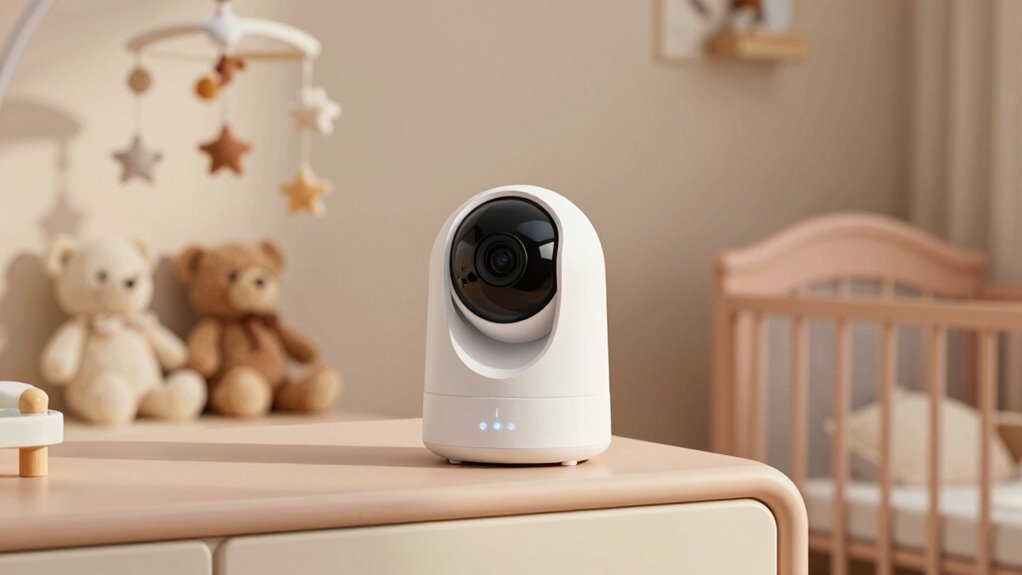

The best smart nursery camera overall in this roundup is the Dr.Care VistaView, which pairs a dedicated 5-inch screen with Wi-Fi viewing and a clip mount. The VTech VM901 is another strong option for parents who want a screen and app access, while the Nanit suits families willing to pay more for a purpose-built camera and floor stand. The main tradeoff is between a dedicated parent unit and phone-based flexibility; budget indoor cameras can offer useful coverage but may lack baby-monitor-specific design. Camera resolution, two-way audio, mounting, and reliance on home Wi-Fi also vary widely. Read on for the full breakdown and guidance on matching a camera to your nursery and monitoring habits.

Turn the school run and nap time into listening time
- Thousands of audiobooks, podcasts and originals
- Listen on your phone, tablet or Echo — also offline
- Cancel anytime
Complete the kit


Key Takeaways
- Hybrid viewing is the clearest differentiator: Dr.Care VistaView and VTech VM901 combine a dedicated parent screen with Wi-Fi access, while several Tapo and other indoor cameras rely on app-based viewing.
- Purpose-built baby monitors and security cameras solve different problems: Infant Optics DXR-8 PRO focuses on dedicated monitoring and active noise reduction, while the Tapo C210 emphasizes pan-and-tilt coverage.
- More cameras help most when monitoring separate zones: Jartoo includes two 2K cameras, and Anona comes as a two-pack; one camera with a wide field of view may be simpler for a single crib.
- High resolution does not replace nursery-friendly setup: Anona’s 4K and several 2K options offer detailed video, but mounting, Wi-Fi reliability, and convenient night viewing still shape everyday usefulness.
- The Nanit and Owlet stand apart as premium, app-centered picks: they make more sense for buyers seeking a specialized smart-monitoring experience than for families who mainly need a basic live video feed.
| Dr.Care VistaView 5-Inch 1080p Smart Wi-Fi Baby Monitor with Camera and Clip Mount |  | Best Hybrid Monitor | Parent screen: 5 inches | Camera resolution: 1080p | Connectivity: 2.4 GHz FHSS and Wi-Fi | VIEW ON AMAZON | See Our Full Breakdown |
| TP-Link Tapo C210 2K Pan/Tilt Indoor Security Camera | 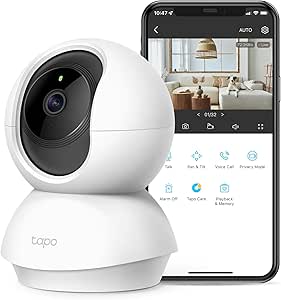 | Best Budget-Friendly Smart-Home Pick | Resolution: 2K | Pan and tilt: 360° horizontal and 114° vertical | Night vision: Up to 30 feet | VIEW ON AMAZON | See Our Full Breakdown |
| Infant Optics DXR-8 PRO 5-Inch HD Video Baby Monitor with Active Noise Reduction | 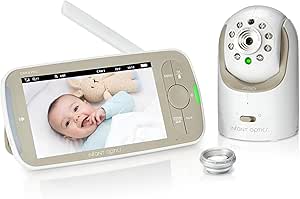 | Best for Offline Monitoring | Monitor screen: 5 inches | Video resolution: 720p | Connectivity: Wireless FHSS | VIEW ON AMAZON | See Our Full Breakdown |
| Jartoo 5.5-Inch Video Baby Monitor with Two 2K Cameras |  | Best for Two-Room Coverage | Display: 5.5 inches | Cameras: 2 | Camera resolution: 2K | VIEW ON AMAZON | See Our Full Breakdown |
| Anona 4K UHD Indoor Security Camera, 2-Pack |  | Best for High-Detail App Viewing | Pack size: 2 cameras | Resolution: 4K UHD, 8 MP | Pan and tilt: 360° pan and 110° tilt | VIEW ON AMAZON | See Our Full Breakdown |
| Cinnado 2K Indoor Security Camera for Pets, Dogs & Babies – 1 Pack | 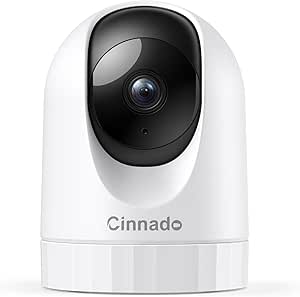 | Best for Wide-Angle Room Coverage | Resolution: 2K (2000 pixels) | Viewing angle: 360° | Field of view: 320° | VIEW ON AMAZON | See Our Full Breakdown |
| VTech VM901 Smart Wi-Fi Baby Monitor with 1080p Camera and 5-Inch Screen |  | Best for a Dedicated Parent Screen | Model: VM901 | Video resolution: 1080p | Parent unit screen: 5 inches | VIEW ON AMAZON | See Our Full Breakdown |
| Owlet Dream Sight Smart Baby Monitor with 2K HD Wi-Fi Camera |  | Best for Nursery Condition Alerts | Video resolution: 2K HD | Night vision: Yes | Zoom: 4x | VIEW ON AMAZON | See Our Full Breakdown |
| Nanit Smart Baby Video Monitor with Camera and Floor Stand, 1080p Wi-Fi |  | Best for Sleep Insights and Flexible Mounting | Video resolution: 1080p HD | Connectivity: Wi-Fi; local network viewing during internet outages | Audio: Two-way audio | VIEW ON AMAZON | See Our Full Breakdown |
| TP-Link Tapo C100 1080p Indoor Security Camera |  | Best for Local Recording | Resolution: 1080p | Use: Indoor | Power: Corded electric | VIEW ON AMAZON | See Our Full Breakdown |
| Blemil 5.5-Inch Smart Wi-Fi Baby Monitor with Camera and Audio |  | Best for Flexible Local and Remote Monitoring | Display: 5.5-inch IPS | Connectivity: 2.4 GHz Wi-Fi | Camera movement: 285° pan, 60° tilt | VIEW ON AMAZON | See Our Full Breakdown |
| smart nursery camera | Connectivity | Audio |
|---|---|---|
| Dr.Care VistaView 5-Inch 1080p | 2.4 GHz FHSS and Wi-Fi | — |
| TP-Link Tapo C210 2K Pan/Tilt | 2.4 GHz Wi-Fi | Two-way audio with built-in siren |
| Infant Optics DXR-8 PRO 5-Inch | Wireless FHSS | — |
| Jartoo 5.5-Inch Video Baby Mon | Dedicated connection; no Wi-Fi or internet required | — |
| Anona 4K UHD Indoor Security C | — | — |
| Cinnado 2K Indoor Security Cam | — | Two-way audio with built-in microphone and speaker |
| VTech VM901 Smart Wi-Fi Baby M | — | — |
| Owlet Dream Sight Smart Baby M | 2.4 GHz and 5 GHz Wi-Fi; Bluetooth | Two-way talk |
| Nanit Smart Baby Video Monitor | Wi-Fi; local network viewing during internet outages | Two-way audio |
| TP-Link Tapo C100 1080p Indoor | — | Two-way audio |
| Blemil 5.5-Inch Smart Wi-Fi Ba | 2.4 GHz Wi-Fi | Two-way audio |
More Details on Our Top Picks
Dr.Care VistaView 5-Inch 1080p Smart Wi-Fi Baby Monitor with Camera and Clip Mount
The VistaView suits parents who want a dedicated screen at home without giving up phone access when they step away. Its 5-inch parent unit works alongside a smartphone app, while motion, sound, temperature, and humidity alerts add context beyond a live picture. Unlike the Wi-Fi-free Infant Optics DXR-8 PRO, this model supports remote app viewing, but that flexibility depends on Wi-Fi and its connection is limited to 2.4 GHz. You can record to an SD card or choose optional cloud storage; the card is not included, so local recording requires an extra purchase. The Wi-Fi-off mode and stated 256-bit AES encryption may appeal to privacy-minded buyers, though using the app means accepting a connected setup. Pan, tilt, and zoom help adjust the view without moving the camera.
Pros:- Combines a 5-inch parent screen with smartphone app access.
- Provides motion, sound, temperature, and humidity alerts.
- Supports local SD recording and optional cloud storage.
- Removable 5000 mAh battery and stated range up to 1279 feet.
Cons:- SD card is not included, and cloud storage is optional.
- Wi-Fi app connectivity supports only the 2.4 GHz band.
Best for: Parents who want a dedicated nursery screen at home plus smartphone access and environmental alerts when away from the monitor.
Not ideal for: Households with only 5 GHz Wi-Fi or parents who want a fully offline monitor and do not need app viewing.
- Parent screen:5 inches
- Camera resolution:1080p
- Connectivity:2.4 GHz FHSS and Wi-Fi
- Camera movement:300° rotation and 65° tilt
- Zoom:2X and 4X
- Battery:Removable 5000 mAh; up to 11 hours continuous streaming or 15 hours in VOX mode
- Local storage:SD cards up to 128GB; card not included
- Night vision range:197 inches
Our verdict“Choose the VistaView if you want both a dedicated screen and app access, and can work with 2.4 GHz Wi-Fi.”
TP-Link Tapo C210 2K Pan/Tilt Indoor Security Camera
The Tapo C210 is a smart-home camera adapted for nursery monitoring, rather than a complete baby-monitor kit. Its 2K video, full 360° horizontal pan, and 114° tilt give caregivers broad coverage from a fixed indoor camera. Baby-cry, person, and motion detection can send phone alerts, and local microSD recording avoids a required cloud plan. Compared with the Dr.Care VistaView, the Tapo offers wider camera movement and larger listed local-storage capacity, but it does not include a dedicated parent screen. That makes it a better fit for caregivers comfortable checking a phone or compatible Alexa or Google Assistant device. Its 2.4 GHz Wi-Fi requirement limits network flexibility, and the microSD card is sold separately. Two-way audio is useful for brief reassurance, though this security-camera format lacks the bundled parent-unit experience of baby-monitor-focused options.
Pros:- 2K video with 360° horizontal pan and 114° vertical tilt.
- Detects motion, people, and baby crying for push alerts.
- Supports local microSD recording up to 512 GB.
- Works with Amazon Alexa and Google Assistant.
Cons:- Requires 2.4 GHz Wi-Fi and does not include a dedicated parent screen.
- microSD card is not included; cloud storage requires a subscription.
Best for: Caregivers who already use a phone and smart-home system and want broad camera coverage with local recording.
Not ideal for: Parents who need a dedicated handheld monitor, an offline connection, or support for 5 GHz Wi-Fi.
- Resolution:2K
- Pan and tilt:360° horizontal and 114° vertical
- Night vision:Up to 30 feet
- Storage:microSD up to 512 GB or optional cloud storage
- Connectivity:2.4 GHz Wi-Fi
- Detection:Motion, person, and baby-cry detection
- Audio:Two-way audio with built-in siren
- Smart-home compatibility:Amazon Alexa and Google Assistant
Our verdict“Pick the Tapo C210 if broad app-based coverage and local recording matter more than a dedicated baby-monitor screen.”
Infant Optics DXR-8 PRO 5-Inch HD Video Baby Monitor with Active Noise Reduction
The Infant Optics DXR-8 PRO prioritizes a direct, private monitor connection over app features. Its FHSS link works without Wi-Fi, an app, or cloud access, which can suit families who want nursery viewing independent of their home network. Active Noise Reduction targets steady background sounds such as fans and appliances, helping caregivers focus on nursery audio. Remote pan, tilt, and zoom provide useful adjustment, while interchangeable standard and optical zoom lenses let buyers alter the view. Compared with the app-enabled Dr.Care VistaView, the DXR-8 PRO gives up smartphone access and lists lower 720p resolution, but avoids Wi-Fi setup and cloud decisions. Only one camera is included, and the wide-angle lens is sold separately, so multi-room coverage or a broader view can add complexity. It is best for straightforward, local monitoring rather than connected features.
Pros:- Private FHSS connection operates without Wi-Fi, an app, or cloud access.
- Active Noise Reduction filters background sounds from appliances and fans.
- Remote pan, tilt, and zoom controls adjust the camera view.
- User-replaceable rechargeable battery and interchangeable lenses.
Cons:- The included camera provides 720p video, below the 1080p VistaView and 2K options.
- Only one camera is included; the wide-angle lens is sold separately.
Best for: Parents who want a Wi-Fi-independent monitor with a dedicated screen and noise filtering for a room with steady background sounds.
Not ideal for: Caregivers who need phone viewing, multiple included cameras, or higher listed resolution such as the 2K Jartoo system.
- Monitor screen:5 inches
- Video resolution:720p
- Connectivity:Wireless FHSS
- Camera count:1
- Camera controls:Remote pan, tilt, and zoom
- Noise reduction:Active Noise Reduction (ANR)
- Battery:User-replaceable rechargeable lithium-ion
- Included lenses:Standard lens and optical zoom lens
Our verdict“Choose the DXR-8 PRO if offline operation and cleaner nursery audio matter more than app access or higher resolution.”
Jartoo 5.5-Inch Video Baby Monitor with Two 2K Cameras
For parents monitoring two sleep spaces, the Jartoo JBM360-2C makes multi-room coverage its main advantage: two 2K cameras come with a 5.5-inch display, and the system does not need Wi-Fi or internet. Cry and motion detection, human tracking, two-way audio, and temperature and humidity readings add more nursery-specific monitoring than a basic indoor security camera such as the Tapo C210. It also avoids the network setup required by the Tapo, though it does not offer the same app-based access. The stated range reaches 1860 feet in open areas, but walls reduce that figure, so it should not be treated as an indoor guarantee. Local SD recording is available, but the card is not included. Its 5000 mAh battery is listed for up to 12 hours of regular use or 24 hours in power-saving mode.
Pros:- Includes two 2K cameras and a 5.5-inch display.
- Dedicated connection works without Wi-Fi or internet.
- Combines cry and motion detection with human tracking and two-way audio.
- Monitors temperature, humidity, and noise; power-saving mode is listed for up to 24 hours.
Cons:- Local SD card is not included.
- The stated 1860-foot range applies to open areas and decreases through walls.
Best for: Families who want one offline monitor to watch two nursery spaces, such as a bedroom and playroom.
Not ideal for: Caregivers who need remote phone access or expect the advertised open-area range to hold through multiple walls.
- Display:5.5 inches
- Cameras:2
- Camera resolution:2K
- Connectivity:Dedicated connection; no Wi-Fi or internet required
- Detection:Cry and motion detection with human tracking
- Monitoring:Temperature, humidity, and noise
- Battery:5000 mAh; up to 12 hours regular use or 24 hours in power-saving mode
- Storage:Local SD card storage; card not included
Our verdict“Choose the Jartoo if you need two-camera nursery coverage without Wi-Fi and can accept reduced range indoors.”
Anona 4K UHD Indoor Security Camera, 2-Pack
The Anona 4K two-pack is aimed at caregivers who want detailed app-based views across more than one room. Each camera offers 4K video, 8× digital zoom, 360° pan, and 110° tilt, while motion tracking can follow activity across the frame. Person, pet, and baby-cry detection broaden its usefulness beyond a nursery, and dual-band Wi-Fi 6 offers more network flexibility than the 2.4 GHz-only Tapo C210. Anona is still a security-camera setup, not a dedicated monitor: it depends on Wi-Fi and a phone app rather than supplying a parent screen. Its listed 15 fps frame rate is a tradeoff for buyers who value detail over smoother motion. Local microSD recording is supported, but cards are not included; encrypted cloud storage is another option for those who prefer remote storage.
Pros:- Two cameras provide 4K UHD video with 8× digital zoom.
- 360° pan, 110° tilt, and motion tracking cover broad areas.
- Detects people, pets, and baby crying with app alerts.
- Supports dual-band Wi-Fi 6 plus local microSD or encrypted cloud storage.
Cons:- The 15 fps frame rate may look less smooth than higher-frame-rate video.
- Requires Wi-Fi and app access; no dedicated parent screen is listed.
- microSD cards are not included.
Best for: Caregivers who want two high-resolution, app-controlled cameras for a nursery and another room, with flexible Wi-Fi support.
Not ideal for: Parents who need a dedicated parent unit, offline monitoring, or a higher frame rate for smoother motion.
- Pack size:2 cameras
- Resolution:4K UHD, 8 MP
- Pan and tilt:360° pan and 110° tilt
- Zoom:8× digital
- Wi-Fi:Dual-band 2.4 GHz and 5 GHz; Wi-Fi 6
- Detection:Person, pet, and baby crying
- Storage:microSD up to 512 GB or encrypted cloud storage
- Frame rate:15 fps
Our verdict“Pick the Anona two-pack if detailed, flexible app viewing in two rooms outweighs the need for a dedicated monitor or offline use.”
Cinnado 2K Indoor Security Camera for Pets, Dogs & Babies – 1 Pack
The Cinnado 2K is a practical pick for parents who want to pan around a nursery rather than keep a fixed view of the crib. Its 360° pan-tilt coverage and 2K video can help follow movement across a room, while 940 nm infrared LEDs provide night vision without relying on visible illumination. Two-way audio adds a way to speak through the camera, and motion alerts with a siren offer security functions beyond basic baby monitoring.
Compared with the TP-Link Tapo C100, Cinnado adds higher resolution and room-spanning movement, but both need wired power and 2.4 GHz Wi-Fi. Its security-camera style app and motion alerts are less nursery-focused than the VTech VM901, which includes temperature alerts and a dedicated parent screen. The microSD card is not included, so local recording requires an extra purchase.
Pros:- 2K video and 360° pan-tilt coverage help monitor more of the room than a fixed camera
- Four 940 nm IR LEDs provide night vision
- Two-way audio supports remote communication with a child
- Works with Alexa and Google Assistant and supports multiple user accounts
Cons:- Requires a wired power connection, limiting placement options
- Connects only to 2.4 GHz Wi-Fi
- MicroSD card for local storage is not included
Best for: Parents who want a remotely steerable camera to monitor a larger nursery and already have 2.4 GHz Wi-Fi near a power outlet
Not ideal for: Families who need a portable, battery-powered camera, rely on 5 GHz-only Wi-Fi, or want a dedicated parent unit
- Resolution:2K (2000 pixels)
- Viewing angle:360°
- Field of view:320°
- Night vision:Four 940 nm IR LEDs
- Audio:Two-way audio with built-in microphone and speaker
- Storage:MicroSD up to 128 GB (card not included) and optional cloud storage
- Connectivity and power:2.4 GHz Wi-Fi; wired power
- Compatibility and mounting:iOS, Android, Alexa, Google Assistant; wall-mounted oval dome
Our verdict“Choose Cinnado if broad, steerable room coverage matters more than nursery-specific alerts or a dedicated parent screen.”
VTech VM901 Smart Wi-Fi Baby Monitor with 1080p Camera and 5-Inch Screen
The VTech VM901 suits caregivers who want a familiar handheld-style viewing option at home without giving up app access when away. Its 5-inch parent unit keeps the live feed separate from a phone, while the MyVTech Baby app provides remote viewing and shared access for other caregivers. The camera also offers 1080p video, automatic night vision, remote pan-tilt-zoom, and movement and temperature alerts—useful nursery details that a general-purpose camera such as the Cinnado 2K does not list.
The tradeoff is that app monitoring depends on an internet connection, and the parent unit’s stated range reaches up to 1,000 feet. Compared with the Nanit Smart Baby Video Monitor, VTech has the advantage of a dedicated screen, while Nanit offers local network viewing during internet outages and humidity alerts. Choose VTech for a straightforward split between at-home viewing and app access, not for advanced sleep analysis.
Pros:- 5-inch parent unit provides a separate screen for at-home monitoring
- MyVTech Baby app supports remote viewing and shared caregiver access
- Remote pan, tilt, and up to 10x zoom help adjust the view
- Movement and temperature alerts add nursery-specific notifications
Cons:- Remote app monitoring requires an internet connection
- Parent unit range is listed as up to 1,000 feet
- Does not list humidity alerts or advanced sleep insights
Best for: Caregivers who want a dedicated screen for routine at-home monitoring plus phone access for additional family members
Not ideal for: Parents who need app viewing during internet outages or want sleep analytics, humidity alerts, or a camera with a longer stated parent-unit range
- Model:VM901
- Video resolution:1080p
- Parent unit screen:5 inches
- Camera control:Pan, tilt, and up to 10x zoom
- Night vision:Automatic
- Parent unit range:Up to 1,000 feet
- App:MyVTech Baby
- Alerts and access:Movement and temperature alerts; multi-user app access
Our verdict“Pick the VM901 if you prefer a dedicated parent screen alongside app access and do not need sleep-analysis features.”
Owlet Dream Sight Smart Baby Monitor with 2K HD Wi-Fi Camera
The Owlet Dream Sight is aimed at parents who want more than a live picture: it pairs 2K video with customizable sound, motion, and crying alerts, plus temperature and humidity tracking. Those room readings make it a more nursery-oriented choice than the general-purpose Cinnado 2K, which emphasizes pan-tilt coverage and siren alerts. Night vision, 4x zoom, two-way talk, and 256-bit encryption round out a feature set built for app-based monitoring.
Dual-band Wi-Fi and Bluetooth pairing provide broader connectivity options than the TP-Link Tapo C100, which is listed with 1080p video and local microSD recording. Owlet’s tradeoff is a closer tie to its app ecosystem: some features require the Dream App, and Owlet360 functions may require an upgrade. Families already using the Dream Sock may get more value from that integration; those seeking a simple, standalone camera may prefer a less ecosystem-dependent option.
Pros:- 2K video, night vision, and 4x zoom provide detail and closer views
- Customizable alerts cover sound, motion, and crying
- Tracks nursery temperature and humidity
- Supports two-way talk and 256-bit encryption
Cons:- Some features require the Owlet Dream App
- Owlet360 features may require an upgrade
- The listed feature set does not specify local recording or a dedicated parent screen
Best for: Parents who want high-resolution app monitoring with crying alerts, room-condition tracking, and possible Dream Sock integration
Not ideal for: Buyers who prefer a standalone monitor with fewer app-dependent features or do not want to rely on Owlet’s ecosystem
- Video resolution:2K HD
- Night vision:Yes
- Zoom:4x
- Connectivity:2.4 GHz and 5 GHz Wi-Fi; Bluetooth
- Alerts:Sound, motion, crying, temperature, and humidity
- Audio:Two-way talk
- Encryption:256-bit
- App and compatibility:Owlet Dream App; compatible with Owlet Dream Sock
Our verdict“Choose the Dream Sight if room-condition alerts and Owlet integration matter more than a dedicated screen or listed local storage.”
Nanit Smart Baby Video Monitor with Camera and Floor Stand, 1080p Wi-Fi
The Nanit Smart Baby Video Monitor is a strong fit for families who want a baby-focused app and flexibility in where the camera sits. It includes a floor stand and wall-mount option, plus 1080p video, infrared night vision, two-way audio, and alerts for motion, sound, temperature, and humidity. Core monitoring features work without a paid subscription, so parents can use it as a camera without committing to ongoing analytics. Compared with the VTech VM901, Nanit lacks a listed dedicated parent unit but adds local network viewing during internet outages.
A three-month trial of Nanit Insights Sleep Plan provides access to advanced sleep insights and video history; those features require a paid plan after the trial. That makes Nanit a better match for parents who want the option of sleep data than for buyers seeking a subscription-free analytics package. Its setup also requires internet access and Wi-Fi, unlike a monitor designed around a separate parent unit.
Pros:- Floor stand and wall-mount options suit different nursery layouts
- Core monitoring features are available without a paid subscription
- Local network viewing can continue during internet outages
- Multiple caregivers can receive access with permissions
Cons:- Advanced sleep insights and video history require a paid subscription after the three-month trial
- Initial camera setup requires internet access and Wi-Fi
- Does not list a dedicated parent unit
Best for: Parents who want a flexible floor-stand or wall-mounted setup, multiple caregiver access, and the option to add sleep insights
Not ideal for: Families who want a dedicated handheld screen, fully offline initial setup, or ongoing sleep insights without a subscription
- Video resolution:1080p HD
- Connectivity:Wi-Fi; local network viewing during internet outages
- Audio:Two-way audio
- Night vision:Infrared
- Alerts:Motion, sound, room temperature, and humidity
- Mounting:Floor stand or wall mount
- Caregiver access:Multiple users with access permissions
- Security and trial:256-bit AES encryption and two-factor authentication; three-month Nanit Insights Sleep Plan trial
Our verdict“Choose Nanit if mounting flexibility and core app monitoring matter, with paid sleep insights available as an optional extra.”
TP-Link Tapo C100 1080p Indoor Security Camera
The TP-Link Tapo C100 makes sense for parents who want a simple indoor camera with local recording rather than a dedicated baby-monitor system. It records 1080p video, offers night vision up to 30 feet, and supports motion, person, and baby-crying detection. A microSD card can store recordings locally, with capacity up to 512 GB, while two-way audio provides a basic way to respond from the app. That storage option is a meaningful difference from the VTech VM901, whose listed strengths center on a parent unit and nursery alerts.
Compared with the Cinnado 2K, the Tapo has lower resolution and no listed pan-tilt coverage, but it supports much larger microSD cards. It is still a wired security camera, not a full-featured nursery monitor: cloud storage and some features require a subscription, and the card is sold separately. Choose it for straightforward recording and voice-assistant compatibility, not advanced nursery analytics.
Pros:- Supports local microSD recording up to 512 GB
- Night vision reaches up to 30 feet
- Motion, person, and baby-crying detection support different alert needs
- Two-way audio and Alexa and Google Assistant compatibility
Cons:- Requires a wired power connection
- MicroSD card is not included, and cloud storage requires a subscription
- 1080p video and fixed coverage offer less detail and flexibility than the Cinnado 2K
Best for: Parents who want a compact, wired camera with high-capacity local recording and basic baby-crying detection
Not ideal for: Families who need a dedicated parent screen, pan-tilt coverage, or nursery temperature and humidity alerts
- Resolution:1080p
- Use:Indoor
- Power:Corded electric
- Night vision range:Up to 30 feet
- Audio:Two-way audio
- Local storage:MicroSD up to 512 GB
- Compatibility:Amazon Alexa, Google Assistant, RTSP/ONVIF
- Dimensions and weight:2.66 x 2.15 x 3.89 inches; 270 g
Our verdict“Pick the Tapo C100 if local recording capacity and basic alerts matter more than pan-tilt control or dedicated baby-monitor features.”
Blemil 5.5-Inch Smart Wi-Fi Baby Monitor with Camera and Audio
The Blemil pairs a dedicated 5.5-inch parent screen with smartphone access, so caregivers can check in without keeping a phone tied up. Its motion-tracking camera pans 285° and tilts 60°, while sound, crying, and motion alerts can flag activity when nobody is watching the screen. Compared with the Infant Optics DXR-8 PRO, which is a dedicated-monitor option, Blemil adds remote viewing and local or cloud storage; the tradeoff is dependence on 2.4 GHz Wi-Fi for app connectivity. The parent unit’s stated up-to-22-hour ECO runtime supports longer stretches away from an outlet, but the camera itself needs corded power. This makes Blemil a flexible fit for households that want both a standalone screen and app access, rather than a fully wireless camera setup.
Pros:- Combines a 5.5-inch parent unit with remote smartphone viewing
- Sound, crying, and motion alerts can notify caregivers without continuous screen watching
- Automatic movement tracking and broad pan-and-tilt coverage
- Supports MicroSD card and encrypted cloud storage
Cons:- Wi-Fi pairing supports 2.4 GHz networks only
- Camera requires corded electric power, limiting placement
- Remote app viewing depends on a working Wi-Fi connection
Best for: Caregivers who want a dedicated parent display for home use plus smartphone viewing when away, with alerts and recording options.
Not ideal for: Households with only 5 GHz Wi-Fi or caregivers who need a battery-powered camera that can be placed away from an outlet.
- Display:5.5-inch IPS
- Connectivity:2.4 GHz Wi-Fi
- Camera movement:285° pan, 60° tilt
- Video resolution:1296p, 720p
- Audio:Two-way audio
- Storage:MicroSD card and encrypted cloud
- Monitor battery:5000 mAh; up to 22 hours in ECO mode
- Transmission range:Up to 1000 ft in open areas
- Power:Battery-powered monitor; corded electric camera
Our verdict“Choose Blemil if you want both a dedicated parent screen and remote app access, and can place its camera near power on a 2.4 GHz network.”
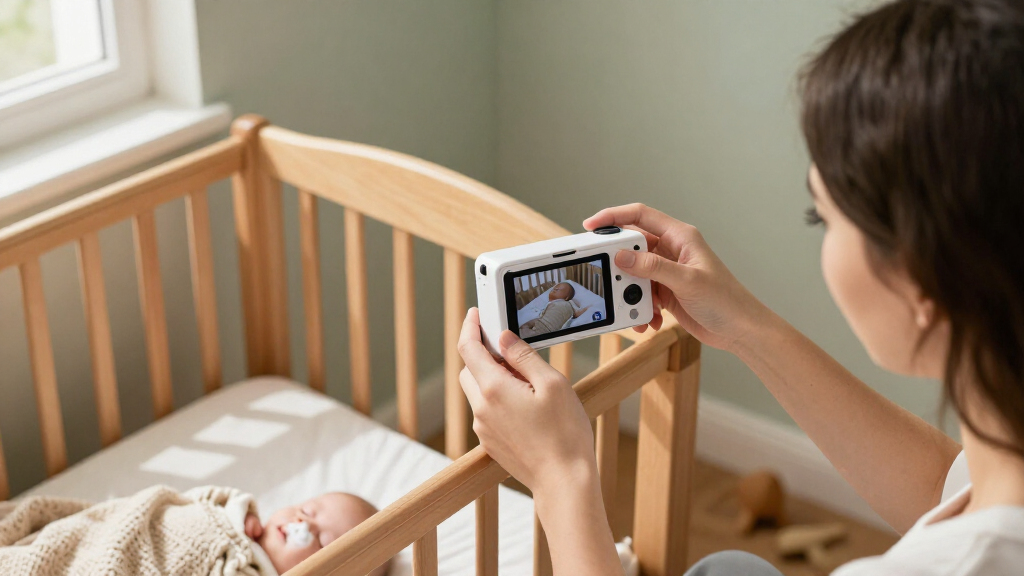
How We Picked
I compared these smart nursery cameras by how well their designs match common monitoring needs: viewing a sleeping baby from a dedicated screen, checking in through a phone, covering more than one area, and setting up a camera in a nursery. I weighed the stated resolution and camera movement alongside mounting options, audio features, and whether a product is purpose-built as a baby monitor or adapted from an indoor security camera. Those distinctions matter more than a resolution number alone: a sharp image is less helpful if the camera is awkward to position or the family needs a separate parent unit.
The ranking gives preference to flexible, nursery-ready setups that make sense for a broad range of households, which is why hybrid screen-and-Wi-Fi models lead. Dedicated monitors rank well for buyers who value a parent unit or specialized audio features; security cameras earn their place for coverage, multi-camera use, or simpler app-based monitoring. Premium smart options rank for their specialized use case, not as the default choice for every family. I also considered practical tradeoffs, including dependence on Wi-Fi, phone-only viewing, and whether a product’s strengths justify choosing it over a simpler alternative.
| smart nursery camera | Audio |
|---|---|
| Dr.Care VistaView 5-Inch 1080p | — |
| TP-Link Tapo C210 2K Pan/Tilt | Two-way audio with built-in siren |
| Infant Optics DXR-8 PRO 5-Inch | — |
| Jartoo 5.5-Inch Video Baby Mon | — |
| Anona 4K UHD Indoor Security C | — |
| Cinnado 2K Indoor Security Cam | Two-way audio with built-in microphone and speaker |
| VTech VM901 Smart Wi-Fi Baby M | — |
| Owlet Dream Sight Smart Baby M | Two-way talk |
| Nanit Smart Baby Video Monitor | Two-way audio |
| TP-Link Tapo C100 1080p Indoor | Two-way audio |
| Blemil 5.5-Inch Smart Wi-Fi Ba | Two-way audio |
Factors to Consider When Choosing Smart Nursery Cameras
Before choosing among these smart nursery cameras, decide how you expect to monitor day to day. The right fit depends on where you watch, how dependable your home network is, and whether you need a single crib view or coverage across multiple spaces.
Choose between a parent screen and phone-only viewing
A dedicated screen lets a caregiver check the crib without opening an app or keeping a phone nearby. A Wi-Fi camera can be more convenient when you want to check in from another room or away from home, but it ties viewing to a phone, app, and network connection. Hybrid models bridge those habits, though they add another device to charge and keep track of. Think about who will use the monitor overnight, since a second caregiver may prefer a screen that is ready at a glance. A common mistake is buying app-only because it sounds flexible, then finding that the phone is needed for other tasks or is not within reach. If you want both viewing styles, confirm that the model actually supports both rather than assuming Wi-Fi implies a parent display.
Match camera coverage to the nursery layout
Camera movement and placement affect whether you can see the crib clearly as the room changes. Pan-and-tilt can help cover a wider room, while a fixed camera may be enough if it can be mounted at a suitable angle. A clip mount is useful when you need a flexible attachment point, but it may not suit every crib or shelf. Two-camera packages can cover separate sleep spaces or rooms, although they add setup and may require managing multiple views. Avoid buying extra cameras just because a bundle includes them; first decide whether you need simultaneous coverage or would rather move one camera. Check the intended mounting method and the distance from the camera to the crib before settling on a design.
Treat resolution as one part of image usability
Resolution can help show fine details, but the number alone does not tell you how easy a feed will be to use at night or on a small screen. A well-positioned camera with a clear view may be more useful than a higher-resolution model pointed through bars or placed too far away. Think about the device on which you will watch: a parent unit and a phone may present the same image differently. Higher-resolution feeds can also depend on a strong home connection, so a weak signal may limit the benefit. Compare stated resolution alongside camera angle, placement options, and the viewing method. Do not pay extra for sharper video if your main need is a simple, stable view of one sleep space.
Check how the camera depends on Wi-Fi
Wi-Fi access can make remote check-ins possible, but it also makes network quality and app access part of the monitoring setup. A nursery at the edge of your home’s coverage may have a less reliable feed than a room near the router. Consider whether your household wants the camera available only at home or also when a caregiver is away. Before installation, check the manufacturer’s stated connection requirements and whether the camera offers a viewing method that fits your routine. A common buying error is treating the word “smart” as a guarantee of uninterrupted viewing. If you rely on the camera overnight, think through what you will do if the phone, app, or network is unavailable.
Decide whether you need a baby monitor or an indoor camera
Indoor security cameras can be practical for nursery viewing, especially when app access, movement, or multiple rooms matter more than a dedicated parent screen. Purpose-built baby monitors may better match families who want a monitor-oriented setup or features such as active noise reduction. Neither category automatically suits every household: a security camera may make phone use central, while a dedicated monitor may offer less flexibility for general home coverage. Consider who will check the feed and whether the same camera will be used outside the nursery. Do not choose by product label alone; compare the actual viewing and mounting setup with your needs. This distinction helps prevent paying for features that solve a different problem.
Pay more only for features your routine will use
Premium smart models make the most sense when their specialized design fits a clear need, such as a dedicated nursery installation or a particular app-centered monitoring routine. A basic live-view camera may be a better match if all you need is a remote look at one crib. Multi-camera packs can add value when separate sleep spaces need coverage, but can be unnecessary for a single room. Include setup and maintenance in your decision: every extra camera, mount, or viewing device adds something to place, power, or manage. List the features you expect to use regularly before comparing tiers. This keeps a higher-resolution label or a longer feature list from outweighing practical fit.
Frequently Asked Questions
Should I choose a baby monitor with a screen or a Wi-Fi camera?
Choose a dedicated screen if you want to check the nursery without using a phone, especially during overnight monitoring. A Wi-Fi camera suits households that value app-based viewing or want to check in from elsewhere. Hybrid models such as the Dr.Care VistaView and VTech VM901 offer both approaches, but they add a parent unit to maintain. Think about your network too: app access depends on a suitable Wi-Fi connection, while a screen-based setup may fit a different routine. The best choice is the viewing method caregivers will actually keep available.
Is a 2K or 4K nursery camera worth choosing over 1080p?
Higher resolution can provide more image detail, but it does not by itself make a camera easier to use in a nursery. Camera angle, distance, lighting, and the screen used to view the feed all affect what you can see. Models such as the Anona 4K and the 2K options may appeal if detailed video is a priority, while 1080p models can be enough for a straightforward crib view. A stronger Wi-Fi connection may also matter for higher-resolution streaming. Compare the full setup rather than choosing by resolution alone.
Can an indoor security camera replace a dedicated baby monitor?
It can suit families who mainly want app-based video and whose home network supports dependable viewing. Indoor cameras such as the Tapo models provide an alternative to dedicated monitors, but they may not offer the same style of parent-screen setup. The Infant Optics DXR-8 PRO, by contrast, is aimed at buyers who want a monitor-oriented device and active noise reduction. Ask whether a phone is an acceptable viewing device for every caregiver and time of day. If not, prioritize a model with a dedicated screen or a hybrid setup.
Do I need a two-camera package for a nursery?
Two cameras are useful when you need to watch separate sleep spaces or rooms without moving one device. The Jartoo two-camera package and Anona two-pack speak to that kind of coverage need. For a single crib, a second camera may add setup and extra equipment without improving the view. First decide whether you need to monitor two places at the same time or simply want a wider view of one room. Camera movement or a suitable mounting position may be a simpler answer for one nursery.
What should I check before mounting a nursery camera?
Check that the included mounting approach fits the place you plan to attach the camera, and confirm that the camera can capture the crib from a useful angle. Clip mounts offer flexibility, while a floor stand or fixed placement may suit a different room layout. Make sure the camera is within reach of the power connection and, for Wi-Fi models, has a suitable signal where it will be used. Avoid choosing a camera before deciding where it can be positioned; a strong feature set cannot fix a blocked or poorly angled view. Follow the manufacturer’s installation and safety instructions for the device and mount.
Conclusion
For most families seeking a balance of a dedicated screen and app access, I recommend the Dr.Care VistaView as the best overall. The TP-Link Tapo C100 is my best value pick for buyers who want a straightforward indoor camera and are comfortable with app-based viewing. New parents who prefer a dedicated monitor-style setup can start with the VTech VM901, while the Nanit is my best premium choice for families drawn to a specialized smart nursery setup with a floor stand. For specific needs, choose the Jartoo or Anona when two-camera coverage matters, the Tapo C210 when pan-and-tilt is a priority, or the Infant Optics DXR-8 PRO when active noise reduction and a dedicated monitor format matter more than app flexibility. The best choice is the one that fits your viewing routine, room layout, and connection needs—not simply the one with the biggest resolution number.
Halloween Picks
halloween
As an affiliate, we earn on qualifying purchases.