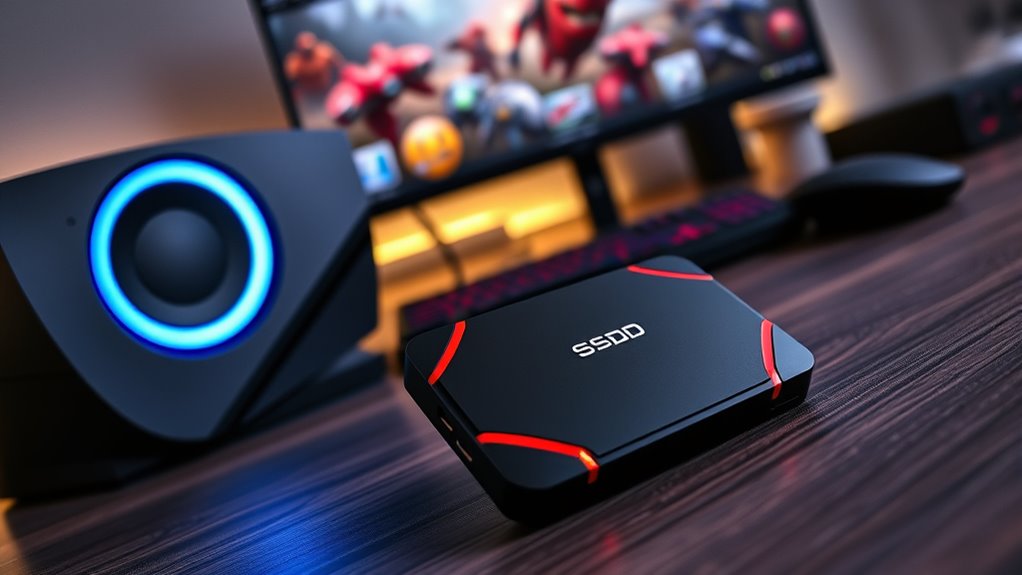

The best overall external SSD for PS5 in this roundup is the SanDisk 2TB Extreme Portable SSD for PS5, which pairs ample capacity with a portable design and listed read speeds up to 1050MB/s. For a straightforward console-focused option, the Seagate Game Drive 2TB offers a PS4/PS5-specific fit, while the Buffalo 2TB External SSD is a simpler capacity-focused alternative. The main tradeoffs are how much storage you need, whether you want a console-oriented or multipurpose drive, and how much you value portability over specialized features. Remember that PS5 games stored on external USB storage can be played from a compatible drive only when they are PS4 games; PS5 games can be stored there but must be copied back to the console’s internal storage to play. Read on for the full breakdown, selection criteria, and advice for matching a drive to your game library.

Turn the school run and nap time into listening time
- Thousands of audiobooks, podcasts and originals
- Listen on your phone, tablet or Echo — also offline
- Cancel anytime
Complete the kit


Key Takeaways
- The SanDisk 2TB Extreme Portable SSD for PS5 leads the lineup by combining a stated read speed of up to 1050MB/s with 2TB capacity and a portable format; its speed does not make PS5 games playable directly from USB storage.
- Capacity is a clearer differentiator than headline speed for PS5 use. The 1TB Buffalo and SanDisk options suit smaller libraries, while 2TB models give more room for PS4 games and PS5 game archives.
- The Seagate Game Drive is the most explicitly console-oriented pick, while the SanDisk Extreme models and Addlink P30 are more suited to buyers who also value portability or use across other devices.
- The Addlink P30’s USB4 speed claim is not a guarantee of the same performance on PS5. The console’s USB interface limits the benefit of buying a drive chiefly for its higher USB4 specification.
- The 512GB and 256GB dual-port drives prioritize compactness and convenience over library capacity. They make more sense for a small set of files or a limited PS4 game rotation than for a large collection.


| external ssds for ps5 | Capacity | Read speed | Interface | Compatibility |
|---|---|---|---|---|
| 512GB USB 3.2 Solid State Driv | — | — | USB 3.2 Gen 2 | iOS, Android, Windows, macOS, Linux |
| Buffalo External SSD 2.0TB | 2.0TB | — | — | PS5, PS4 |
| Buffalo External SSD 1TB | 1TB | — | USB-C, USB-A | PS4, PS5, Windows, Mac |
| Seagate Game Drive for PS4/PS5 | — | 130MB/s | USB 3.0 | — |
| SanDisk 2TB Extreme Portable S | 2TB | Up to 1050MB/s | USB-C, USB 3.2 Gen 2 | — |
| iDsonix 256GB External SSD USB | 256GB | Up to 1073MB/s | — | Windows, Mac, Linux, Android, and iPhone 15 or later |
| Lexar ES3 1TB Portable SSD Sil | 1TB | Up to 1050MB/s | USB 3.2 Gen 2 | — |
| SanDisk 1TB Extreme Portable S | 1TB | Up to 1000MB/s | — | PlayStation 5 and PC |
| SanDisk 2TB Extreme Portable S | 2TB | Up to 1050MB/s | — | PlayStation 5 and PC |
| Addlink P30 2TB External SSD U | 2TB | Up to 4000MB/s | USB4 Type-C | — |
More Details on Our Top Picks
512GB USB 3.2 Solid State Drive with Dual USB-C and USB-A Ports
Dual USB-C and USB-A ports make this compact 512GB drive easy to connect across devices, and its listed transfer speed of up to 550MB/s is suitable for moving PS5 game files and storing games. Compared with the Buffalo External SSD 2.0TB, it offers less than a third of the capacity, but its dual-interface design is more flexible for people who also move files between phones and computers. The zinc alloy body and four heat-dissipation vents add practical protection in a small form factor. Its key limitation for PS5 owners is capacity: a modest library can fill 512GB quickly. Also, external storage can store PS5 games, but PS5 games need to be copied to console storage before they can be played. I’d choose this for mixed-device use, not as a main archive for a large game collection.
Pros:- USB-C and USB-A interfaces suit a range of devices without relying on a single connector type.
- Up to 550MB/s transfer speed supports moving game files and other large data.
- Zinc alloy construction and four vents provide a sturdy, ventilated enclosure.
- Plug-and-play operation avoids extra setup software.
Cons:- 512GB capacity can fill quickly with a PS5 game library.
- Listed peak speed may decrease after initial transfers.
- Some Android phones require OTG to be enabled, and Lightning devices are incompatible.
Best for: PS5 owners who want a small drive for a limited game rotation and frequent file transfers between USB-C and USB-A devices.
Not ideal for: Players building a large PS5 game archive; 512GB is substantially less storage than the 1TB and 2TB alternatives.
- Storage capacity:512GB
- Transfer speed:Up to 550MB/s
- Interface:USB 3.2 Gen 2
- Connectors:USB-C and USB-A
- Compatibility:iOS, Android, Windows, macOS, Linux
- Material:Zinc alloy
- Heat dissipation:Four vents
Our verdict“Choose it for flexible connections and a small PS5 game rotation, but pick a 1TB or 2TB drive if capacity matters more.”
Buffalo External SSD 2.0TB – Compatible with PS5 & PS4
The 2TB capacity and stick-style connection make this Buffalo a straightforward way to keep a substantial PS4 and PS5 game archive attached without a separate cable. Compared with the Seagate Game Drive for PS4/PS5 2TB, it also offers 2TB, but its compact, cable-free form is the clearer fit for a tidy setup with minimal clutter. Its USB 3.2 Gen 2 Type-A connection is designed for console use, though that single connector type makes it less adaptable than the Buffalo External SSD 1TB, which supports both USB-C and USB-A. One PS5 limitation applies to all external USB drives: PS5 games can be stored there, but must be copied back to console storage to play. I’d favor this model when space and a clean connection matter more than connector flexibility or portability between varied devices.
Pros:- 2TB capacity gives a game archive more room than the 512GB and 1TB options.
- Stick-style design connects without a separate cable.
- Listed as compatible with both PS5 and PS4.
- USB 3.2 Gen 2 connection is suited to transferring game data.
Cons:- Type-A-only connection is less versatile than dual USB-C and USB-A alternatives.
- PS5 games stored externally must be copied to console storage before play.
- No extra accessories are listed beyond a setup guide and warranty.
Best for: PS5 and PS4 owners who want a 2TB game-storage drive that connects directly and keeps cables off the console area.
Not ideal for: Buyers who need USB-C connectivity or want to play PS5 games directly from external storage.
- Capacity:2.0TB
- Compatibility:PS5, PS4
- Connection:USB 3.2 Gen 2 Type-A
- Design:Compact stick-type
Our verdict“Pick this Buffalo for a cable-free 2TB console game archive, provided Type-A connectivity and PS5’s external-play restriction suit your setup.”
Buffalo External SSD 1TB – Compatible with PS4/PS5, Windows/Mac – USB‑C & USB‑A – USB 3.2
This 1TB Buffalo balances a useful game-storage capacity with a pocketable, shock-resistant build. It suits players who want more room than the 512GB dual-port drive but don’t need the 2TB capacity of the Buffalo External SSD 2.0TB. Its USB-C and USB-A support also makes it easier to share files with computers than that Type-A-only Buffalo. The shock-resistant design is a practical advantage for carrying the drive between home and another setup, while USB 3.2 is intended to support brisk transfers. The tradeoff is that the listing doesn’t give a specific speed figure, and no cable or adapter is included, so check your connection needs before buying. As with other external drives, PS5 games stored here must be copied to the console’s internal storage to play.
Pros:- 1TB capacity offers a middle ground between 512GB and 2TB options.
- USB-C and USB-A support works across a wider range of devices.
- Shock-resistant construction is useful for frequent transport.
- Listed compatibility includes PS4, PS5, Windows, and Mac.
Cons:- No specific read or write speed is provided in the product data.
- A cable or adapter is not included.
- The stated three-year warranty requires registration; otherwise it is two years.
Best for: PS5 owners who want a portable 1TB drive for a moderate game archive and transfers between console, Windows, and Mac devices.
Not ideal for: Players who need the largest library capacity, a stated speed benchmark, or an included connection cable.
- Capacity:1TB
- Interface:USB-C, USB-A
- USB standard:USB 3.2
- Compatibility:PS4, PS5, Windows, Mac
- Shock resistance:Yes
- Warranty:Three years when registered; two years when unregistered
Our verdict“Choose this Buffalo if a portable, shock-resistant 1TB drive fits your library better than the larger 2TB alternatives.”
Seagate Game Drive for PS4/PS5 2TB External SSD 2.5″ USB 3.0 Blue LED Lighting
The Seagate’s strongest case is its PlayStation licensing and 2TB capacity, which make it a recognizable console-focused storage option with room for a sizable game archive. But the supplied specifications list 130MB/s read and 150MB/s write speeds, and the product data describes HDD technology despite calling it an SSD. That makes it a weaker performance choice than the true solid-state SanDisk 2TB Extreme Portable SSD, whose listed read speed reaches 1050MB/s. Its USB 3.0 connection and 2.5-inch enclosure are straightforward, while the blue LED is a cosmetic extra rather than a functional advantage. I’d consider this only if the licensed branding and stated console compatibility outweigh speed concerns. PS5 games stored on an external USB drive still need to be moved to console storage before play.
Pros:- Officially licensed for PS4 and PS5.
- 2TB capacity provides room for a larger game archive.
- USB 3.0 connection supports simple plug-and-play setup.
- Blue LED offers a visible console-area accent.
Cons:- The product data identifies HDD technology, despite the SSD title.
- Listed read and write speeds are modest compared with the SanDisk 2TB Extreme Portable SSD.
- Blue LED color is fixed and not customizable.
Best for: PlayStation owners who prioritize an officially licensed, 2TB console-storage drive and are comfortable with modest listed transfer speeds.
Not ideal for: Buyers seeking NVMe-class transfer performance or a clearly specified true SSD; the supplied data lists HDD technology and modest speeds.
- Storage capacity:2TB
- Interface:USB 3.0
- Form factor:2.5-inch
- Compatible devices:PlayStation 4, PlayStation 5
- Read speed:130MB/s
- Write speed:150MB/s
- Lighting:Blue LED
- Enclosure material:Aluminium or glass
Our verdict“Choose this for licensed PlayStation branding and 2TB storage, not for the faster transfers offered by true SSD alternatives.”
SanDisk 2TB Extreme Portable SSD
For buyers who want fast transfers and 2TB of space, the SanDisk is the strongest performance-led option in this group. Its listed read speed of up to 1050MB/s and write speed of up to 1000MB/s exceed the figures supplied for the 512GB USB 3.2 Solid State Drive and the Seagate Game Drive, while IP65 protection and 3-meter drop protection make it better suited to travel than a simple console-only stick. The carabiner loop and hardware encryption add useful portability and security for files shared across devices. That capability comes with a catch for PS5 buyers: PS5 games stored externally still need to be copied to console storage before they can be played, so high transfer speeds mainly help with moving data and storing games. Maximum performance also depends on a compatible USB-C or USB 3.2 Gen 2 port.
Pros:- Up to 1050MB/s read and 1000MB/s write speeds lead the listed figures in this batch.
- 2TB capacity supports a sizeable game and file archive.
- IP65 water and dust resistance plus 3-meter drop protection suit travel.
- 256-bit AES hardware encryption and a carabiner loop add security and carrying convenience.
Cons:- Maximum speeds depend on the host device and compatible connection.
- Fast external storage does not let PS5 games run directly from the drive.
- USB-C or USB 3.2 Gen 2 support is needed to reach the stated performance.
Best for: PS5 owners who also move large files between devices and want a durable, high-capacity drive with fast stated transfer speeds.
Not ideal for: Players who only need basic game storage or who lack compatible USB-C or USB 3.2 Gen 2 connections for the drive’s listed maximum speeds.
- Capacity:2TB
- Interface:USB-C, USB 3.2 Gen 2
- Read speed:Up to 1050MB/s
- Write speed:Up to 1000MB/s
- Durability:IP65 water and dust resistance; 3-meter drop protection
- Encryption:256-bit AES hardware encryption
- Model number:SDSSDE61-2T00-G25
- Non-operating temperature:-20°C to 85°C
Our verdict“Pick the SanDisk for fast transfers, 2TB capacity, and rugged portability, especially if you’ll use it beyond PS5 game storage.”
iDsonix 256GB External SSD USB Flash Drive with Dual Ports and High Speed
The iDsonix is the smallest-capacity pick here, but its USB-A and USB-C connectors make it handy for moving files between devices without carrying an extra adapter. Its listed speeds reach 1073MB/s read and 963MB/s write, though performance depends on the host connection. For PS5 use, treat it as a compact drive for storing and transferring games, not as a way to run PS5 games directly: games stored on USB extended storage need to be copied back to the console to play.
Compared with the Lexar ES3 1TB, this drive gives up substantial capacity and encryption features in favor of built-in dual ports and a sliding cover. Its 256GB capacity can fill quickly with large games, so it suits occasional transfers better than a growing library. The aluminum shell adds protection, but the small form factor is easier to misplace.
Pros:- Built-in USB-A and USB-C ports simplify transfers between older and newer devices.
- Listed read and write speeds are high for a compact drive when paired with a compatible connection.
- Sliding design covers the connectors when not in use.
- Aluminum alloy housing is sturdier than an exposed plastic connector.
Cons:- 256GB offers much less room than the 1TB Lexar ES3 and 2TB SanDisk options.
- PS5 games stored on external USB storage must be copied to console storage before they can be played.
- Actual speed varies by host device, and it does not connect to Lightning ports.
Best for: PS5 owners who mainly transfer a small selection of games and files between USB-A and USB-C devices.
Not ideal for: Players building a sizable game archive or looking for space to keep many large titles; 256GB is limited for that use.
- Capacity:256GB
- USB ports:USB-A 3.2 Gen 2 and USB-C
- Read speed:Up to 1073MB/s
- Write speed:Up to 963MB/s
- Design:3-stage push-pull sliding
- Material:Aluminum alloy
- Compatibility:Windows, Mac, Linux, Android, and iPhone 15 or later
Our verdict“Choose the iDsonix for small-scale PS5 game transfers and easy USB-A/USB-C sharing, not for long-term library storage.”
Lexar ES3 1TB Portable SSD Silver
The Lexar ES3 balances capacity and portability: 1TB gives a PS5 owner more room for stored games than the 256GB iDsonix, while its 42g weight and 10.5mm thickness keep it easy to carry. USB 3.2 Gen 2 supports listed speeds of up to 1050MB/s read and 1000MB/s write, but those figures depend on the connected port. On PS5, external USB storage is useful for keeping games and moving them back to console storage; it does not let you play PS5 games directly from the drive.
Unlike the SanDisk Extreme 1TB for PS5, the ES3 emphasizes broad device use and includes 256-bit AES encryption software, rather than PlayStation licensing and ruggedness claims. That versatility comes with less PS5-specific reassurance. The included Type-C cable is useful, but buyers with older USB ports may not reach its advertised performance, and its stated iPhone compatibility excludes iPhone 14 and earlier.
Pros:- 1TB capacity is a practical middle ground between the 256GB iDsonix and 2TB drives.
- Compact 42g body and 10.5mm thickness are easy to carry alongside a console or laptop.
- Listed USB 3.2 Gen 2 speeds support brisk game transfers on compatible devices.
- Includes 256-bit AES encryption software and a Type-C cable.
Cons:- PS5 games stored on the drive must be copied to console storage before playing.
- Older or slower USB connections can limit transfer performance.
- Its stated iPhone compatibility does not include iPhone 14 and earlier, and it lacks MagSafe support.
Best for: PS5 owners who want a lightweight 1TB drive for storing games and also moving files among compatible phones and computers.
Not ideal for: Buyers who want a rugged, PlayStation-branded drive or need compatibility with iPhone 14 and earlier models.
- Capacity:1TB
- Interface:USB 3.2 Gen 2
- Read speed:Up to 1050MB/s
- Write speed:Up to 1000MB/s
- Weight:42g
- Thickness:10.5mm
- Encryption:256-bit AES software
- Included accessory:Type-C cable
Our verdict“Pick the Lexar ES3 if you want a light, versatile 1TB drive and value everyday portability more than PS5-specific branding or rugged protection.”
SanDisk 1TB Extreme Portable SSD for PS5
PlayStation licensing is this SanDisk’s main differentiator: it is described as officially licensed and tested for PS5, giving console-focused buyers a more targeted choice than the general-purpose Lexar ES3. Its 1TB capacity and up-to-1000MB/s read speed suit keeping a rotating set of games on external storage and transferring them back when needed. As with other USB drives, PS5 games cannot be played directly from external USB storage; the drive is for storage and transfers.
Compared with the SanDisk Extreme 2TB, this model offers the same stated durability features in a smaller capacity, making it a better fit for a modest game rotation than a large archive. IP65 water and dust resistance and 3-meter drop protection help if the drive travels, while the five-year limited warranty adds reassurance. The tradeoff is straightforward: 1TB may run short for players who keep many large games stored, and actual speeds depend on the host connection.
Pros:- Official PlayStation licensing makes it a console-focused alternative to general-purpose drives such as the Lexar ES3.
- Up to 1000MB/s read speed supports quick transfers on compatible connections.
- IP65 water and dust resistance plus 3-meter drop protection suit portable use.
- Includes a five-year limited warranty.
Cons:- 1TB may be limiting for a large collection of current-generation games.
- PS5 games on external USB storage must be copied back to console storage before play.
- Actual performance varies with the host device and interface.
Best for: PS5 owners who want a PlayStation-licensed 1TB drive for a manageable rotation of stored games and value added physical protection.
Not ideal for: Players who want to keep a large game library on one external drive; the SanDisk 2TB model offers twice the capacity.
- Capacity:1TB
- Read speed:Up to 1000MB/s
- Compatibility:PlayStation 5 and PC
- PlayStation licensing:Officially licensed for PlayStation
- Water and dust resistance:IP65
- Drop protection:Up to 3 meters
- Warranty:5-year limited warranty
Our verdict“Choose this SanDisk if you want a rugged, PlayStation-licensed 1TB drive for storing and transferring a smaller set of PS5 games.”
SanDisk 2TB Extreme Portable SSD for PS5, Up to 1050MB/s Read Speeds
Capacity is the clearest reason to pick this SanDisk: its 2TB gives you twice the space of the SanDisk Extreme 1TB, making it better for keeping a broader selection of games stored between play sessions. The listed read speed reaches 1050MB/s, and PlayStation licensing plus stated PS5 compatibility make it a console-oriented choice. That storage is for archiving and transfers, though: PS5 games on external USB storage need to be copied back to console storage to play.
It also carries IP65 water and dust resistance, 3-meter drop protection, and a five-year warranty, a stronger travel-minded package than the more general Lexar ES3. The tradeoff is that a 2TB drive still has a finite ceiling, and its speed depends on the host connection and conditions. The included Discord Nitro trial is a limited extra, not a reason to choose it over the 1TB version.
Pros:- 2TB capacity provides twice the storage of the SanDisk Extreme 1TB model.
- Official PlayStation licensing and stated PS5 compatibility suit console-focused storage.
- IP65 water and dust resistance and 3-meter drop protection support travel use.
- Includes a five-year warranty and lists read speeds up to 1050MB/s.
Cons:- PS5 games stored externally must be copied to console storage before playing.
- Actual transfer speeds vary with the connected host and conditions.
- 2TB may still be insufficient for players who want to keep an especially large library stored at once.
Best for: PS5 players who regularly rotate through many games and want 2TB of external space in a PlayStation-licensed, rugged drive.
Not ideal for: Buyers who only need a small transfer drive, or anyone expecting to play PS5 games directly from USB storage.
- Capacity:2TB
- Read speed:Up to 1050MB/s
- Water and dust resistance:IP65
- Drop protection:Up to 3 meters
- Warranty:5 years
- Compatibility:PlayStation 5 and PC
- PlayStation licensing:Officially licensed for PlayStation
Our verdict“Choose this model over the 1TB SanDisk if keeping more PS5 games stored at once matters more than minimizing the drive’s size.”
Addlink P30 2TB External SSD USB4 4000 MB/s Type-C with Thunderbolt 4, Tesla, iPhone 15/16 & iPad & Mac, Steam Deck, Android, PS5 & Smart TV, MagSafe ProRes 4K 120fps, Includes USB4.0 Cable and Aluminum Case
The Addlink P30 is the speed-focused outlier: its USB4 connection is rated for up to 4000MB/s read and 3600MB/s write, far beyond the USB 3.2 Gen 2 figures listed for the Lexar ES3 and SanDisk drives. That headroom is aimed at demanding file work and compatible devices, not a promise of faster PS5 gameplay. For PS5, it serves as external storage for games and transfers; PS5 games stored on USB drives must be copied back to console storage before playing.
At 2TB, it matches the larger SanDisk Extreme in capacity and adds a slim 45g aluminum body, a USB4 cable, and broad device support. The catch is that the headline speeds require a USB4 or Thunderbolt 4 host; a PS5 or other slower connection will not deliver those figures. That makes it a better fit for someone sharing one SSD across a capable computer and a console than for a PS5-only buyer.
Pros:- USB4-rated speeds of up to 4000MB/s read and 3600MB/s write suit compatible high-throughput workflows.
- 2TB capacity matches the larger SanDisk Extreme while supporting a broad range of devices.
- Compact 45g aluminum enclosure is easy to carry.
- Includes a USB4 cable and a three-year warranty.
Cons:- Advertised USB4 speeds require a USB4 or Thunderbolt 4 connection and will not carry over to slower hosts.
- Its extreme speed rating does not let PS5 games run directly from external USB storage.
- The product data does not list PlayStation licensing or a PS5-specific durability rating.
Best for: PS5 owners who also work with large video files on a USB4 or Thunderbolt 4 computer and want one compact 2TB drive for both.
Not ideal for: PS5-only buyers seeking a drive whose main advantage is console-specific validation; its premium speed depends on host connections that PS5 does not provide.
- Capacity:2TB
- Interface:USB4 Type-C
- Read speed:Up to 4000MB/s
- Write speed:Up to 3600MB/s
- Dimensions:64mm × 12mm
- Weight:45g
- Enclosure material:Aluminum
- Warranty:3 years
Our verdict“Pick the Addlink P30 if you can use its USB4 speed on a compatible computer and want the same 2TB drive to handle PS5 game storage too.”

How We Picked
I ranked these drives around how well their listed features match actual PS5 storage needs: usable capacity, connection type, stated performance, portability, and clarity of console compatibility. I also gave weight to the difference between a drive designed or marketed for console use and a broadly compatible portable SSD. Because PS5 games cannot be played directly from external USB storage, I treated external drives mainly as space for PS4 games and an archive for PS5 titles—not as a substitute for the console’s internal game storage.
The ranking favors products with a useful balance of capacity and PS5-relevant features over models whose standout specification may not translate into a console benefit. That puts the 2TB SanDisk Extreme for PS5 first, followed by options that offer clear capacity or console fit. Smaller dual-port drives rank lower because their storage is limited, while the USB4 Addlink P30’s high speed is less persuasive for a PS5-only buyer. Product names and listed specifications are the basis for this comparison; where the supplied details do not state a feature, I do not assume it.
| external ssds for ps5 | Interface | Compatibility |
|---|---|---|
| 512GB USB 3.2 Solid State Driv | USB 3.2 Gen 2 | iOS, Android, Windows, macOS, Linux |
| Buffalo External SSD 2.0TB | — | PS5, PS4 |
| Buffalo External SSD 1TB | USB-C, USB-A | PS4, PS5, Windows, Mac |
| Seagate Game Drive for PS4/PS5 | USB 3.0 | — |
| SanDisk 2TB Extreme Portable S | USB-C, USB 3.2 Gen 2 | — |
| iDsonix 256GB External SSD USB | — | Windows, Mac, Linux, Android, and iPhone 15 or later |
| Lexar ES3 1TB Portable SSD Sil | USB 3.2 Gen 2 | — |
| SanDisk 1TB Extreme Portable S | — | PlayStation 5 and PC |
| SanDisk 2TB Extreme Portable S | — | PlayStation 5 and PC |
| Addlink P30 2TB External SSD U | USB4 Type-C | — |
Factors to Consider When Choosing External Ssds For Ps5
Choosing an external SSD for PS5 starts with the job you want it to do. I would first separate playing PS4 games from storing PS5 games, then match capacity and connection to your setup instead of buying on speed claims alone.
Choose a drive for the right kind of game storage
An external USB SSD can run compatible PS4 games and can hold PS5 games that you are not currently playing. A PS5 title stored on the external drive has to be copied back to the console’s internal storage before you can play it. That distinction changes what “fast” means for a buyer: a quicker external drive may shorten transfers, but it does not remove the copy-back requirement. If you mainly need a home for PS5 titles between play sessions, capacity may matter more than chasing the highest advertised speed. If you want to play a PS4 backlog directly from an external drive, check that the model’s connection and compatibility suit the console.
Match capacity to your library, not a headline number
Think about how many games you want installed or archived at once, and whether you regularly delete and reinstall titles. A 256GB or 512GB drive can suit a small rotation, but it will fill quickly if you keep several large games available. Moving up to 1TB or 2TB reduces library housekeeping, though it may be unnecessary if the drive is only a temporary archive. Leave room for the games you actually return to rather than assuming every title needs to stay on the drive. A larger drive also helps avoid repeated transfers, but it cannot expand the PS5’s internal space for games that must run from internal storage.
Treat speed claims as interface-dependent
Advertised read speeds are measured under particular conditions and do not promise identical results on a PS5. A USB4 drive such as the Addlink P30 may be appealing for a computer setup, but the console cannot take full advantage of every faster interface. For PS5 use, confirm the drive can connect through a compatible USB port and focus on the balance between capacity, reliable connection, and your transfer habits. If your main use is moving PS5 games into storage and back, faster performance can be useful, but it does not let you play those games from the external drive. Avoid paying extra solely for a maximum speed figure that your console cannot use.
Check the ports, cable, and where the drive will sit
Look at the supplied connection options and cable before buying, especially if you plan to move the SSD between a PS5 and other devices. Dual USB-C and USB-A designs can make device switching easier, but those ports do not create more storage or guarantee faster console performance. A small portable drive is easier to tuck beside a console or carry elsewhere; a console-styled model may suit a fixed gaming setup better. Plan to connect the SSD directly to a compatible console port rather than relying on an unverified hub or adapter. If the product listing does not specify a needed cable or connection detail, confirm it before purchase.
Pay for features you will use beyond the console
A multipurpose SSD can be a better buy when you also need portable storage for a computer, tablet, or phone. In that case, rugged construction, device compatibility, and connection flexibility can matter more than a PS5 label. A console-focused model may be the simpler choice if the drive will stay beside the system and hold games. Extra features such as USB4 only make sense when another device in your setup can use them. Compare the drive’s role in your whole setup, not just its advertised peak speed or broad compatibility list.
Frequently Asked Questions
Can I play PS5 games directly from an external SSD?
No. PS5 games can be stored on an external USB SSD, but you must move them back to the console’s internal storage before playing. Compatible PS4 games can be played from external USB storage. If your main goal is expanding the space for games you want to play without moving them, an external SSD will not replace the PS5’s internal storage expansion option. Decide whether you want an archive, a PS4 game drive, or more playable PS5 storage before choosing.
Is a 2TB external SSD worth choosing over 1TB for a PS5?
It depends on how many games you keep installed or archived at once. A 2TB model gives you more room for a large PS4 library and a broader collection of stored PS5 titles, which can reduce how often you manage files. A 1TB drive may be enough for a smaller rotation or for storing games you are not playing right now. Neither capacity lets you play PS5 games directly from the external drive, so extra space is most helpful when you want to keep more titles ready to copy back.
Will a USB4 SSD be faster on PS5 than a regular USB 3.2 SSD?
Not necessarily. The PS5’s supported USB connection places a limit on the performance available from an external drive, so a USB4 model cannot automatically deliver its computer-focused speed claims on the console. A faster drive may still be useful with compatible computers or other devices, but that benefit depends on the rest of your setup. For a PS5-only purchase, compare capacity, compatibility, and practical portability before paying extra for USB4. Treat peak speed figures as interface-specific rather than a promise of console performance.
Should I format a new external SSD before using it with my PS5?
A drive intended for extended storage needs to be set up through the PS5’s storage settings before the console can use it for games. Formatting erases existing data, so copy any files you need elsewhere before connecting and preparing the drive. Do not assume that a drive containing computer files is ready to store PS5 games without setup. If you plan to share the SSD between a console and a computer, check the console’s formatting behavior and keep a separate backup of important files.
Is an external SSD still useful if I already have an internal M.2 SSD?
Yes, if you want a separate place for compatible PS4 games or an archive of PS5 titles that you are not currently playing. An internal M.2 SSD is the more direct way to add space for PS5 games you want to play from storage, while an external USB SSD serves a different role. Using both can reduce how often you uninstall games, but it adds another drive to manage. If your only aim is to play more PS5 titles without copying them, prioritize internal expansion instead of buying an external drive for that purpose.
Conclusion
For most PS5 owners, I would choose the SanDisk 2TB Extreme Portable SSD for PS5 as the best overall balance of capacity, portability, and stated performance. The Buffalo 2TB External SSD is a sensible value-oriented choice for buyers who want 2TB without needing the SanDisk’s listed speed emphasis, while the Seagate Game Drive 2TB is the clearest beginner-friendly pick for a console-focused setup. For a premium, multi-device option, the Addlink P30 makes more sense when USB4 can benefit other devices in your setup—not for PS5 speed alone. Choose a 1TB model if your library is modest, or one of the dual-port compact drives if small size and connection flexibility matter more than holding many games. Whatever you pick, treat external storage as a place to play compatible PS4 games and archive PS5 titles, not as a way to run PS5 games directly.
Evergreen bestsellers Picks

TCL 43-Inch 4K UHD Smart LED Roku TV (43S435, 2021 Model)

Shark AV2501S AI Ultra Robot Vacuum with Self-Empty Base

Ninja Flip Toaster Oven and Air Fryer, 8-in-1, Stainless Steel, SP151
As an affiliate, we earn on qualifying purchases.