Shopping for kids’ educational tablets means balancing three things that rarely coexist: robust parental controls, hardware that survives being dropped off a couch, and a price that doesn’t sting when your child outgrows it in two years. After comparing this lineup, the COLORROOM 2026 Android 15 tablet (Blue) stands out as the best overall pick thanks to its 10.1-inch screen, octa-core processor, and genuinely usable Kids Space software. For tighter budgets, the Amazon Fire 7 Kids delivers the strongest parental controls per dollar, while the YosaToo 7-inch earns points for offline learning apps that work without Wi-Fi. The main tradeoff in this category is screen size and speed versus price, plus the choice between locked-down ecosystems like Amazon’s and open Android with Google Kids Space. Keep reading for the full breakdown, including who each tablet is right for and which ones to skip.

Turn the school run and nap time into listening time
- Thousands of audiobooks, podcasts and originals
- Listen on your phone, tablet or Echo — also offline
- Cancel anytime
Complete the kit


Key Takeaways
- The COLORROOM 2026 variants dominated the top of this comparison because they’re the only tablets here running Android 15 with 10GB of RAM, meaning learning apps and video content load without the lag that frustrates kids on budget hardware.
- Amazon‘s two entries (Fire 7 Kids and Fire HD 8 Kids Pro) offer the strongest parental controls and content curation in the lineup, but the closed ecosystem means you can’t install apps outside Amazon’s Appstore — a real limitation for families using school-specific apps.
- Screen size split the lineup into two camps: 10.1-inch models like the EDDBNi and COLORROOM suit drawing, reading, and video lessons, while 7-inch tablets like the PEICHENG and Contixo fit small hands better and cost far less.
- Three of the eleven tablets are essentially the same COLORROOM device in different colors, so the real choice among them comes down to color preference rather than features — I treated them as a single pick in the ranking.
- Storage mattered more than expected: 16GB models like the Fire 7 Kids fill up quickly once educational apps, videos, and photos accumulate, so expandable storage (up to 1TB or 2TB on several picks) became a key differentiator.


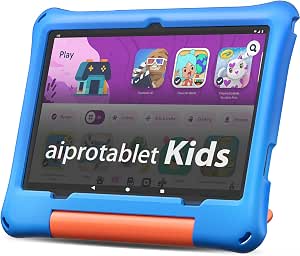

| kids’ educational tablet | Storage | Display | RAM | Processor |
|---|---|---|---|---|
| EDDBNi Kids Tablet Android 15 | 64GB | 10.1-inch HD IPS | — | Quad-core |
| Amazon Fire 7 Kids Tablet | 16 GB (expandable up to 1TB) | 7 inches | — | — |
| PEICHENG Kids Tablet 7 inch | 32GB | 7-inch IPS (1024×600) | 4GB | Quad-core |
| Contixo 7-inch Kids Tablet | 32 GB (microSD expandable) | 7-inch shatter-safe HD touchscreen | 2 GB | — |
| Kids 7-inch Android Tablet wit | 32GB | 7-inch IPS (1024×600) | 4GB | Quad-core |
| COLORROOM 2026 Upgraded Androi | 64GB, expandable to 1TB via MicroSD | 10.1 inches HD | 10GB (4GB+6GB) | Octa-core CPU |
| COLORROOM 2026 Upgraded Androi | 64GB internal, expandable to 1TB | 10.1-inch HD (1280×800), anti-blue light | 10GB (4GB+6GB) | Octa-core CPU |
| COLORROOM 2026 Upgraded Androi | 64GB, expandable to 1TB | 10.1 inches HD, 1280×800 | 10GB (4GB+6GB) | Unisoc T606 octa-core, 2GHz |
| Amazon Fire HD 8 Kids Pro Tabl | 64GB, expandable up to 1TB (card sold separately) | — | Up to 4GB | Hexa-core |
| Kids Tablet | 64GB, expandable to 2TB microSD | 10.1 inch, 1280×800 IPS | 30GB | T7280 octa-core, up to 2.2GHz |
| YosaToo Kids Tablet | 32GB, expandable to 64GB | 7 inches | 4GB | — |
More Details on Our Top Picks
EDDBNi Kids Tablet Android 15, 10.1-inch, 64GB, Dual Camera, Parental Controls
Among budget kids’ tablets, a 10.1-inch HD IPS display is rare at this price, and it changes how a child actually uses the device — reading apps, drawing programs, and split-screen learning games all feel less cramped than on the 7-inch options like the PEICHENG Kids Tablet. The EVA kid-proof case and Google Kids Space give it the same safety foundation as smaller rivals, but with more room to grow. Compared with the Contixo V9, the newer Android 15 OS and 64GB of base storage mean fewer update headaches and less reliance on a microSD card from day one. The tradeoff: quad-core performance is serviceable but lags the octa-core COLORROOM 2026 models, and the vague battery spec is a gap parents should question before buying.
Pros:- Large 10.1-inch HD IPS display with eye-comfort mode
- Modern Android 15 with Google Kids Space
- 64GB storage expandable to 1TB microSD
- Durable EVA case and 2-year warranty
Cons:- Quad-core processor is slower than octa-core rivals
- Battery capacity unspecified by manufacturer
Best for: Parents of kids aged 5-10 who want a larger screen for reading apps, videos, and drawing without paying premium prices
Not ideal for: Toddler households wanting a light, one-hand device — a 10.1-inch slate is heavy and awkward for small hands compared with 7-inch models
- Display:10.1-inch HD IPS
- Processor:Quad-core
- Storage:64GB
- Expandable Storage:Up to 1TB microSD
- Camera:Dual camera
- OS:Android 15
- WiFi:2.4G
- Warranty:2 years
Our verdict“The best choice when screen size matters most and you want a modern OS that will stay current through your child’s elementary years.”
Amazon Fire 7 Kids Tablet, 7-Inch, 16 GB, Blue
What sets this apart from every Android rival here — the EDDBNi, the YosaToo, the Pink 7-inch tablet — is content, not hardware. The bundled 1-year Amazon Kids+ subscription delivers a curated, ad-free library of books, games, and videos that generic Android tablets simply can’t match out of the box, which matters enormously for parents who don’t want to hunt for age-appropriate apps themselves. Amazon’s 2-year worry-free guarantee (free replacement if a child breaks it) is also unmatched — the others offer standard warranties only. The hardware itself is modest: 16GB of storage and a 7-inch screen that the Contixo V9 roughly equals. And that Kids+ subscription auto-renews at $7.99/month after year one, so the real cost depends on how long you stay in Amazon’s ecosystem.
Pros:- Full year of ad-free Amazon Kids+ content included
- 2-year worry-free replacement guarantee
- Up to 10 hours of real battery life
- Storage expandable to 1TB
Cons:- Kids+ auto-renews at $7.99/month after year one
- Only 16GB internal storage without a microSD card
- Locked to Amazon’s Appstore, not full Google Play
Best for: Parents of 3-7 year olds who want a turnkey, curated content experience with zero app-hunting and a genuine breakage guarantee
Not ideal for: Families outside the Amazon ecosystem or on tight long-term budgets — the recurring Kids+ fee and locked-down Appstore get restrictive
- Display:7 inches
- Battery Life:Up to 10 hours
- Storage:16 GB (expandable up to 1TB)
- Age Range:3-7 years
- Included Subscription:1 year Amazon Kids+
- Color:Blue
- Warranty:2-year worry-free guarantee
Our verdict“The easiest first tablet for young kids — pick it for the content library and breakage policy, not the specs.”
PEICHENG Kids Tablet 7 inch, Android 12, 4GB RAM, 32GB, Shockproof Case (Blue)
This model earns its spot by solving the biggest complaint about cheap kids’ tablets: sluggish performance. With 4GB of RAM, it doubles the memory of the Contixo V9 (2GB), which translates to fewer frozen apps and less frustration when a child switches between a learning game and a video. Unlike the Fire 7 Kids, it runs full Android with access to Google Play, so parents aren’t confined to one store’s catalog. The shockproof case with a built-in stand is a practical touch for hands-free video watching. It isn’t flawless — the 1024×600 screen resolution is noticeably softer than the EDDBNi’s HD panel, and the parental-control default password (0000) should be changed immediately. Battery life is unspecified, which is a real omission next to Amazon’s clear 10-hour claim.
Pros:- 4GB RAM for smoother multitasking than 2GB rivals
- Full Google Play access with parental controls
- Shockproof case with adjustable stand
- microSD expansion up to 512GB
Cons:- Low 1024×600 screen resolution
- Battery life not specified
- Weak default parental-control password (0000)
Best for: Budget-conscious parents who want smooth full-Android performance and Google Play access without subscription fees
Not ideal for: Buyers who prioritize display quality or documented battery life — the low-res screen and missing battery specs are weak points here
- Display:7-inch IPS (1024×600)
- Processor:Quad-core
- RAM:4GB
- Storage:32GB
- MicroSD Support:Up to 512GB
- Camera:Front 2.0MP, Back 5.0MP
- OS:Android 12
- Connectivity:WiFi, Bluetooth
Our verdict“The smartest cheap Android option if you care more about responsive performance and app freedom than screen sharpness.”
Contixo 7-inch Kids Tablet, 32GB, Android 11 Go (Purple)
The Contixo V9 takes a different value proposition than the PEICHENG: instead of more RAM, it spends your money on physical protection — a silicone case, a three-layer screen protector, and a kickstand all ship in the box, so there’s nothing extra to buy before handing it to a four-year-old. Pre-installed learning games mean it works out of the package much like the Fire 7 Kids, but without a subscription hanging over you. The compromises are real, though. Android 11 Go with 2GB of RAM is the weakest software platform in this lineup, so expect loading pauses and occasional app closures that the PEICHENG simply doesn’t have. Around 6 hours of battery also trails the Fire 7’s 10-hour claim. It suits light, supervised use rather than heavy daily sessions.
Pros:- Case, 3-layer screen protector, and kickstand all included
- Pre-installed learning games, no subscription needed
- Up to 6 hours of stated battery life
- Customizable multiple kids’ profiles
Cons:- 2GB RAM causes lag and app slowdowns
- Older Android 11 Go OS with limited update runway
- Basic performance unsuitable for demanding apps
Best for: Parents of young kids who want the most complete out-of-box protection package at the lowest possible price
Not ideal for: Older or impatient kids — 2GB of RAM and Android 11 Go will feel slow within a year or two of app updates
- Display:7-inch shatter-safe HD touchscreen
- OS:Android 11 Go
- RAM:2 GB
- Storage:32 GB (microSD expandable)
- Battery Life:Up to 6 hours
- Included:Kid-proof silicone case, screen protector, kickstand
- Warranty:1 year manufacturer defect
Our verdict“A sensible first tablet for little ones, as long as you accept it’s built for protection and light use rather than longevity.”
Kids 7-inch Android Tablet with Parental Controls, 32GB, Shockproof Case (Pink)
Where most generic kids’ tablets bury streaming behind workarounds, this one explicitly supports Netflix and YouTube alongside its pre-installed kids apps, making it the pick of the 7-inch Android field for families whose children watch as much as they learn. Its 4GB of RAM matches the PEICHENG and outpaces the Contixo V9, so video playback stays smooth, and the adjustable stand built into the shockproof case is genuinely useful for hands-free watching on a car ride or kitchen counter. Parental controls cover screen time and browsing limits. The weaknesses mirror its budget siblings: battery capacity is undisclosed (streaming drains fast, so pack a charger), and the 1024×600 display is fine for cartoons but not crisp for small-text reading apps. The 2MP rear camera is also weaker than PEICHENG’s 5MP shooter.
Pros:- Native support for Netflix and YouTube out of the box
- 4GB RAM for smooth video playback
- Shockproof case with adjustable viewing stand
- microSD expansion up to 512GB
Cons:- Battery capacity not specified despite streaming-heavy use case
- 1024×600 resolution is soft for text-heavy content
- Weak 2MP rear camera
Best for: Families who want a durable tablet primarily for video streaming and app-based entertainment for kids aged 3-9
Not ideal for: Buyers focused on reading-heavy or camera use — the low-res screen and weak 2MP cameras fall short for those tasks
- Display:7-inch IPS (1024×600)
- Processor:Quad-core
- OS:Android 12
- RAM:4GB
- Storage:32GB
- Expandable Storage:microSD up to 512GB
- Camera:Front 2.0MP, Back 2.0MP
- Connectivity:WiFi, Bluetooth
- Included:Shockproof case, adjustable stand
Our verdict“The right pick when entertainment is the priority — just plan around the unknown battery life for long trips.”
COLORROOM 2026 Upgraded Android 15 Kids Tablet, 10.1 inch, Pink
This pink COLORROOM stands out for delivering a 10.1-inch HD display with anti-blue light filtering at a price point where most rivals — like the PEICHENG 7-inch or Contixo 7-inch — offer screens nearly three inches smaller. That extra screen real estate matters for reading apps and educational videos, where cramped 7-inch displays force constant scrolling. The 10GB of combined RAM keeps Google Kids Space responsive, and the 6000mAh battery realistically covers a full school day of mixed use. Compared with the blue COLORROOM variant below, this one is the pick if you simply want the biggest safe learning canvas for the least money. The tradeoff: the 64GB of onboard storage fills fast with downloaded videos, and you’ll need to budget for a MicroSD card to actually reach that 1TB ceiling.
Pros:- Large 10.1-inch eye-friendly HD display with anti-blue light technology
- Octa-core CPU with 10GB RAM handles multitasking smoothly
- Full parental controls plus Google Kids Space
- 6000mAh battery supports 8-12 hours of use
Cons:- Storage expansion requires a MicroSD card sold separately
- No published weight, so portability for very young kids is uncertain
Best for: Parents of kids aged 3-8 who want a large, eye-friendly screen for reading and video-based learning without paying a premium
Not ideal for: Families who plan to load lots of offline videos immediately — the 64GB base storage fills up fast without a separately purchased MicroSD card
- Display:10.1 inches HD
- Processor:Octa-core CPU
- RAM:10GB (4GB+6GB)
- Storage:64GB, expandable to 1TB via MicroSD
- Battery:6000mAh
- Operating System:Android 15
- Connectivity:Wi-Fi 6, Bluetooth, USB-C 3.0
- Includes:EVA case, USB cable, manual
Our verdict“The smart buy if a big, comfortable screen for learning apps is the priority and you don’t need the extras pricier tablets add.”
COLORROOM 2026 Upgraded Android 15 Kids Tablet, 10.1-inch, Blue
What separates the blue COLORROOM from its pink and green siblings is the dual stereo speaker setup, which changes how the tablet gets used. Audiobooks, phonics apps, and language-learning programs sound noticeably fuller than on a single-speaker budget tablet like the YosaToo 7-inch, and that matters for kids who learn by listening as much as watching. Under the hood it’s the familiar formula: octa-core processor, 10GB RAM, the same 1280×800 anti-blue light display, and Google Kids Space with granular parental controls. The honest tradeoff is the same one across this whole COLORROOM line — it’s a 10.1-inch slab, and parents of three-year-olds may find it bulky compared with a lighter 7-inch option like the Fire 7 Kids. If bedtime stories and audio-heavy learning are the mission, though, this configuration earns its spot.
Pros:- Dual stereo speakers deliver fuller audio for story and music apps
- Eye-friendly 1280×800 display with anti-blue light design
- Smooth multitasking from octa-core CPU and 10GB RAM
- Robust parental controls and Google Kids Space
Cons:- MicroSD card for expansion sold separately
- Bulky size for very small children
- Battery life drops with heavy video playback
Best for: Families whose kids lean on audiobooks, music, and voice-driven learning apps where speaker quality shapes the experience
Not ideal for: Parents of toddlers under 4 who need a lightweight device — the 10.1-inch footprint is bulky for small hands
- Display:10.1-inch HD (1280×800), anti-blue light
- Processor:Octa-core CPU
- RAM:10GB (4GB+6GB)
- Storage:64GB internal, expandable to 1TB
- Battery:6000mAh
- Operating System:Android 15
- Kids Features:Google Kids Space, parental controls, educational apps
- Audio:Dual stereo speakers
Our verdict“Pick this over the pink COLORROOM when sound quality for audiobooks and audio learning matters as much as the screen.”
COLORROOM 2026 Upgraded Android 15 Kids Tablet, 10.1-inch, Green
The green COLORROOM is the most transparently specced of the trio, and it’s the one I’d point creative kids toward. It names its silicon — a Unisoc T606 octa-core at 2GHz — and adds front and rear cameras with 4K video capture, which neither the pink nor blue version advertises. For children who want to film stop-motion animations, record video diaries, or video-call grandparents, that camera hardware turns the tablet from a consumption device into a creation tool. It still runs the same Google Kids Space ecosystem and parental controls, so the safety story matches its siblings. Compared with the generic 10-inch kids tablet later in this list, the tradeoff is storage headroom: 1TB expansion here versus 2TB there, though few families will ever need more than 1TB. Note that some Kids Space content requires an internet connection, so offline use is thinner than it first appears.
Pros:- Front and rear cameras with 4K video capture for creative projects
- Named Unisoc T606 octa-core processor at 2GHz
- Dual stereo speakers and full Kids Space with parental controls
- 1TB storage expansion for years of media
Cons:- Some features require an internet connection
- MicroSD card sold separately
- Battery life varies with camera and video use
Best for: Kids aged 6-10 who want to shoot video, take photos, and create — not just consume content
Not ideal for: Households relying on offline use during travel, since several features and content streams need an internet connection
- Display:10.1 inches HD, 1280×800
- Processor:Unisoc T606 octa-core, 2GHz
- RAM:10GB (4GB+6GB)
- Storage:64GB, expandable to 1TB
- Battery:6000mAh lithium polymer, 8-12 hours
- Operating System:Android 15
- Cameras:Front and rear, 4K UHD video
- Audio:Dual stereo speakers
Our verdict“The COLORROOM to buy when your kid is a maker, not just a watcher — the 4K cameras justify choosing it over the pink and blue versions.”
Amazon Fire HD 8 Kids Pro Tablet (2024 Release), 8-inch, Hello Teal
The Fire HD 8 Kids Pro plays a different game than the COLORROOM tablets: instead of raw hardware, it sells a curated ecosystem. The bundled 6-month Amazon Kids+ subscription hands your 6-to-12-year-old thousands of books, apps, and videos ad-free from day one — content the COLORROOM line leaves you to curate yourself. Its 8-inch size hits a sweet spot the 10.1-inch tablets miss: big enough for reading, small enough for a backpack. Battery life of up to 13 hours beats every Android tablet in this lineup, including the Fire 7 Kids’ smaller cell. The catch is the business model — after six months, Kids+ renews at $7.99/month, and the tablet is heavily tied to Amazon’s app store rather than Google Play. It’s less a device purchase and more a subscription commitment with a tablet attached.
Pros:- 6-month ad-free Amazon Kids+ subscription included
- Up to 13 hours of battery life — best in this lineup
- Slim, durable kid-proof case in a backpack-friendly 8-inch size
- Mature parental controls suited to older kids
Cons:- Kids+ renews at $7.99/month after the trial
- Locked to Amazon’s app ecosystem rather than Google Play
- Age design of 6-12 makes it a poor fit for preschoolers
Best for: Parents of kids aged 6-12 who want a hand-picked, ad-free content library and don’t mind an ongoing subscription
Not ideal for: Budget-conscious families averse to recurring fees — the $7.99/month Kids+ renewal after six months adds up to roughly $96 a year
- Screen:8 inches HD
- Storage:64GB, expandable up to 1TB (card sold separately)
- Battery Life:Up to 13 hours
- Processor:Hexa-core
- RAM:Up to 4GB
- Color:Hello Teal
- Release Year:2024
Our verdict“The easiest all-in-one choice for elementary and middle-schoolers — as long as you’re comfortable paying for content after month six.”
Kids Tablet, 10-inch Android Octa-Core with Case, 30GB RAM, 64GB Storage (Blue)
On paper, this blue 10-inch tablet is the hardware heavyweight of the roundup: 30GB of RAM (partly virtual, certainly, but still), a T7280 octa-core chip clocked up to 2.2GHz, Android 16, and expansion to 2TB. Compared with the COLORROOM green’s Unisoc T606, the higher clock speed and larger memory pool mean fewer stutters when a child jumps between a learning app, YouTube Kids, and a video call. The included adjustable stand built into the case is a genuinely practical touch for hands-free drawing or watching, and Bluetooth 5.4 pairs more reliably with headphones and speakers than older chips in the Contixo or Fire 7. The honest tradeoff: all that power is largely wasted on a five-year-old tapping shape-matching games, and the AI-powered interactive guidance features can feel overcomplicated for the youngest users this tablet is rated for (3+).
Pros:- 30GB RAM and 2.2GHz octa-core deliver the smoothest performance here
- 2TB storage expansion — double most rivals
- Adjustable stand case for hands-free learning and viewing
- Android 16 with Bluetooth 5.4 for modern connectivity
Cons:- Overkill complexity for very young children
- MicroSD card needed to reach maximum storage
- Battery life dips below 8 hours under intensive use
Best for: Tech-comfortable families with kids aged 7+ who multitask across apps and will still be using the tablet in three or four years
Not ideal for: Parents buying for a 3- or 4-year-old — the advanced features go unused and add complexity to setup
- Display:10.1 inch, 1280×800 IPS
- Processor:T7280 octa-core, up to 2.2GHz
- RAM:30GB
- Storage:64GB, expandable to 2TB microSD
- Battery Life:Over 8 hours use, 7 days standby
- Charging Time:2 hours
- Connectivity:WiFi, Bluetooth 5.4
- Operating System:Android 16
- Includes:Protective case, adjustable stand
Our verdict“Buy it for an older kid who outgrows entry-level tablets quickly; skip it for a preschooler who only needs simplicity.”
YosaToo Kids Tablet, 7-inch Android Tablet for Kids with Drop-proof Case, 4GB RAM, 32GB Storage, Parental Controls, Offline Learning Apps, WiFi, for Ages 3-12
Where most tablets in this roundup lean on streaming apps and WiFi-dependent content, the YosaToo Kids Tablet carves out a niche with preloaded offline learning apps. That matters for road trips, airplanes, and waiting rooms where connectivity disappears — a real weakness for the Amazon Fire 7 Kids Tablet, which centers its experience on WiFi-first content. Compared with the PEICHENG Kids Tablet, which shares the same 4GB/32GB configuration, YosaToo adds Google Kids Space, giving parents a curated library rather than an open Play Store free-for-all. The shockproof silicone case holds up to the same rough handling as the Contixo’s. Tradeoffs are real, though: 32GB fills fast once you download content for offline use (64GB expansion helps but costs extra), and the battery life isn’t specified — a vague spec parents should question before a long trip. Parental controls work but take patience to configure properly.
Pros:- Preloaded offline learning apps work without WiFi, unlike most streaming-dependent rivals
- 4GB of RAM matches the PEICHENG and outpaces the Fire 7 Kids for smoother app switching
- Google Kids Space provides a curated, age-appropriate content library
- Shockproof silicone case absorbs the drops and tumbles typical of ages 3-12
Cons:- Battery life is not specified, making it hard to plan for long outings
- 32GB of base storage fills quickly with downloaded offline content
- Parental controls can feel complex and time-consuming to set up initially
Best for: Families who travel frequently or live in areas with spotty WiFi and need learning content that works without a connection
Not ideal for: Parents who want guaranteed all-day battery life — the unspecified battery makes this a gamble for long flights or car rides
- Display:7 inches
- Operating System:Android 16
- RAM:4GB
- Storage:32GB, expandable to 64GB
- Age Range:3-12 years
- Connectivity:WiFi
- Case:Shockproof silicone case
- Included Apps:Pre-installed offline learning apps, Google Kids Space
Our verdict“This pick makes the most sense for families whose kids need educational content that keeps working when the WiFi doesn’t.”
How We Picked
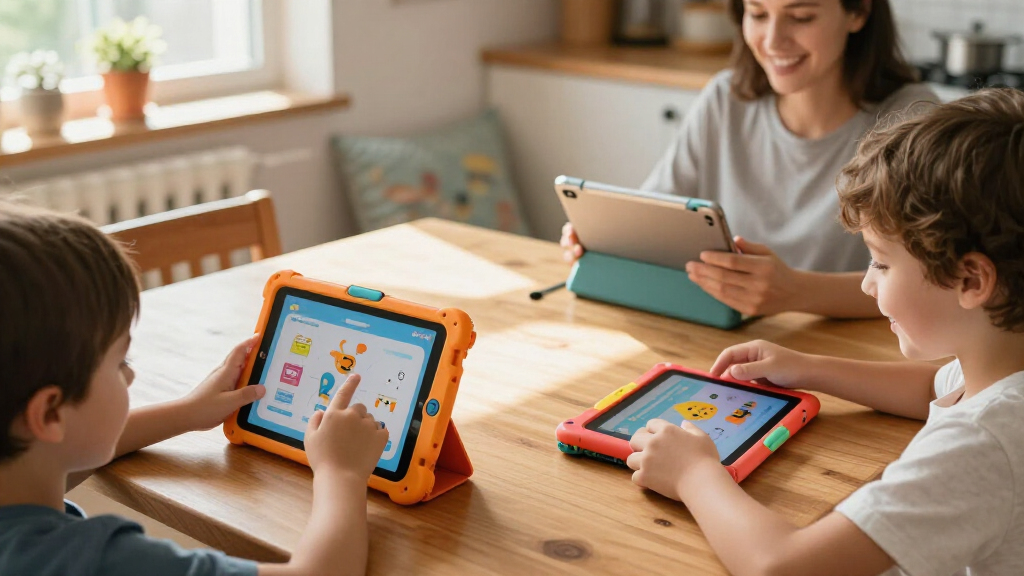
My ranking logic starts with parental controls and content quality, because that’s the entire point of an educational tablet — a fast device with weak guardrails is just a regular tablet in a rubber case. I weighed how each system handles screen time limits, app approval, and content filtering, favoring platforms like Amazon Kids+ and Google Kids Space that curate age-appropriate educational content out of the box. Next came performance and software longevity: Android 15 with 10GB of RAM will stay usable for years, while Android 11 Go on the Contixo already feels dated and may stop receiving security updates sooner.
Durability and design were the third pillar — every pick here ships with a shockproof or drop-tested case, but I gave higher marks to models with reinforced corners and kickstands that actually work for hands-free video lessons. Finally, I scored value for money: a $60 tablet that lasts two school years often beats a $180 one with features a six-year-old will never touch. Budget models ranked lower when their tradeoffs (16GB storage, sluggish chips, dim screens) directly undermined the educational experience, not just the spec sheet.
| kids’ educational tablet | Processor |
|---|---|
| EDDBNi Kids Tablet Android 15 | Quad-core |
| Amazon Fire 7 Kids Tablet | — |
| PEICHENG Kids Tablet 7 inch | Quad-core |
| Contixo 7-inch Kids Tablet | — |
| Kids 7-inch Android Tablet wit | Quad-core |
| COLORROOM 2026 Upgraded Androi | Octa-core CPU |
| COLORROOM 2026 Upgraded Androi | Octa-core CPU |
| COLORROOM 2026 Upgraded Androi | Unisoc T606 octa-core, 2GHz |
| Amazon Fire HD 8 Kids Pro Tabl | Hexa-core |
| Kids Tablet | T7280 octa-core, up to 2.2GHz |
| YosaToo Kids Tablet | — |
Factors to Consider When Choosing Kids’ Educational Tablets
Before settling on a specific model, it helps to understand the broader landscape of kids’ tablets — the mistakes families make, the tradeoffs manufacturers hide, and where spending more actually pays off.Ecosystem Choice: Amazon Kids vs. Open Android
This is the single biggest decision, and most buyers don’t realize they’re making it. Amazon’s Fire Kids tablets lock you into Amazon’s Appstore and the Kids+ subscription ecosystem, which means excellent curation and controls but no Google Play and no sideloading school-issued apps without workarounds. Open Android tablets like the COLORROOM or EDDBNi give you Google Kids Space and full Play Store access, which matters if your child’s school uses specific apps like Seesaw or Khan Academy Kids. The tradeoff: open Android requires more setup effort from parents to get controls right, and cheap Android tablets sometimes ship with outdated software versions. If you want a set-and-forget device, Amazon wins. If you want flexibility, go open Android — and check which Android version it runs before buying, since anything below 12 is a red flag in 2026.
RAM and Storage: Where Cheap Tablets Cut Corners
Parents often fixate on storage capacity and ignore RAM, but RAM is what keeps educational apps from stuttering mid-lesson. A tablet with 2GB of RAM will struggle with interactive learning games that mix animation and audio; 4GB is the realistic floor, and 8-10GB (as on the COLORROOM models) means headroom for years of app growth. On storage, don’t trust the advertised number: a “64GB” tablet may have only 40GB free after the operating system and pre-installed apps. The 16GB Fire 7 is the cautionary example here — it works fine for streaming but fills fast with downloaded content. Prioritize models with microSD expansion, and factor a $10-15 card into your budget. Also note that “10GB RAM” listings sometimes combine physical RAM with virtual memory, so read the fine print.
Screen Size Should Match the Child’s Age and Use
A 10.1-inch screen sounds like an upgrade, but for a three- or four-year-old it’s heavy, awkward to hold, and more likely to hit the floor corner-first. Seven-inch tablets suit ages 3-7 — small hands, light weight, easier gripping in a chunky case. Ten-inch tablets shine for ages 7 and up, when reading e-books, following drawing tutorials, and watching math videos benefit from the extra real estate. Eight inches, like the Fire HD 8 Kids Pro, splits the difference and tends to be the sweet spot for the 6-10 range. A common mistake is buying big “for the future” and watching the tablet go unused because it’s physically unwieldy today. Match the screen to the child you have, not the one you’ll have in three years.
Parental Controls: Depth Beats Promises
Every tablet in this category advertises parental controls, but the implementations vary enormously. The best systems — Amazon’s parental dashboard and Google Family Link — let you set per-app time limits, approve downloads individually, and review activity reports. Weaker implementations on generic Android tablets often just offer a generic time lock with no per-app granularity and no content filtering on the web browser. Before buying, check whether the parental controls require a separate app on your phone and whether they work offline. One overlooked point: controls are only as good as your password discipline. Kids figure out lock-screen PINs quickly, so use a genuine password rather than a 4-digit code they can watch you type. Also confirm you can create multiple profiles if more than one child will share the device.
Battery Life and Charging Realities
Manufacturer battery claims are measured with the screen dimmed and nothing running, so discount them by 30-40%. What actually matters is real-world runtime during video playback, which drains fastest, and how the tablet handles charging. Larger batteries like the COLORROOM’s 6000mAh cell comfortably cover a school day’s worth of lessons; smaller 7-inch tablets often last only 3-4 hours of active video. Look for USB-C charging, which is now standard but still absent on some budget models — micro-USB is slower and the cables break constantly. A practical tip: tablets used at bedtime for reading benefit from a low-battery-use reading mode, and some parental systems let you schedule automatic shutdown, which quietly solves the “one more video” negotiation.
The Subscription Trap and Total Cost of Ownership
The sticker price is rarely the full cost. Amazon Fire Kids tablets ship with a year of Kids+ bundled, but after that it’s a monthly fee unless you cancel — and the tablet’s best content lives behind that subscription. Generic Android tablets avoid subscriptions but may bombard you with ads in pre-installed apps, or upsell “premium” learning content inside free apps. When comparing prices, add up two years of ownership: device plus any subscriptions plus a microSD card plus possibly a replacement if the warranty is weak. Amazon’s two-year worry-free guarantee, which replaces a broken tablet no questions asked, is genuinely valuable and effectively lowers the Fire line’s real cost. On the Android side, check the return window and whether the seller offers any accidental damage coverage at all.
Frequently Asked Questions
Are kids’ educational tablets actually educational, or just toys with pre-installed apps?
The honest answer is that the hardware is only as educational as the software you put on it. Amazon’s Kids+ library and Google Kids Space both curate genuinely well-reviewed learning apps, but studies on screen time suggest content quality matters far more than device type. A generic Android tablet with Khan Academy Kids, Duolingo ABC, and a good e-reader app can outperform a “dedicated” educational tablet filled with ad-supported games. What you’re really paying for with kids’ tablets is the parental control layer and the durable case, not magical educational content. Set up the tablet with 5-10 quality apps rather than letting a child roam an app store, and treat the device as a delivery mechanism for content you’ve chosen deliberately.
Is 16GB of storage really a problem on the Amazon Fire 7 Kids?
It depends entirely on whether your child downloads content or streams it. If your home Wi-Fi is reliable and you’ll mostly use Kids+ streaming, 16GB holds a handful of apps comfortably. The problem arrives on car trips, plane rides, and grandparent visits where offline downloads are the point — a few episodes of video plus a couple of large learning apps can consume the available space in a week. The Fire 7 does support microSD expansion, so a $12 card largely fixes this, but budget for it from day one. If offline use is a regular scenario for your family, the Fire HD 8 Kids Pro with 64GB is the smarter buy, or step up to one of the 64GB Android options like the COLORROOM.
Which tablet in this lineup works best without Wi-Fi?
The YosaToo 7-inch is specifically designed around offline learning apps, making it the clear pick for families who travel frequently or have unreliable internet. Beyond that, any tablet supports offline use if you plan ahead: download videos to storage, install apps that work without a connection, and enable offline mode in reading apps. The catch is that most parental control dashboards need occasional internet sync to update settings, so offline mode can delay rule changes. Also be aware that cheaper Android tablets sometimes include ad-supported apps that misbehave without connectivity. If offline learning is a priority, prioritize storage capacity and app selection over screen size.
Should I buy a dedicated kids’ tablet or hand down my old regular tablet?
A hand-me-down can work well, especially if it’s a recent iPad or decent Android device, because you can add Google Family Link or Apple’s Screen Time controls for free. The downsides are real, though: an unprotected adult tablet will get broken by younger children, and setting up proper restrictions on an adult device takes more effort than a purpose-built kids’ environment. Dedicated kids’ tablets also keep your child off your accounts, photos, and messages entirely — a cleaner separation than profiles on a shared device. My rule of thumb: hand-me-downs suit kids 8 and up who can be careful with hardware; dedicated kids’ tablets win for ages 3-7 where the case and simplified interface matter most. The $60-100 you spend on a kids’ tablet is partly insurance against a $400 device meeting a tile floor.
What age are these tablets actually appropriate for?
Most manufacturers label these tablets for ages 3-12, but that range is too wide to be useful. The 7-inch models with chunky cases — PEICHENG, Contixo, YosaToo, Fire 7 Kids — genuinely suit ages 3-7, with interfaces and cases designed for preschool motor skills. The 10.1-inch models like the COLORROOM and EDDBNi fit ages 6-12 better; older kids benefit from the bigger screen for reading and homework-adjacent tasks, and the faster processors handle the more demanding apps that elementary students use. Around age 10-11, many children start wanting a “real” tablet or laptop, so don’t overspend on a kids’ device they’ll age out of quickly. Match the purchase to the next two to three years, not the next six.
Conclusion
After comparing all eleven tablets, the right pick depends less on specs and more on your child’s age and how much setup effort you’re willing to invest. For best overall, the COLORROOM 2026 Android 15 (Blue) combines a fast octa-core chip, 10.1-inch display, 64GB of expandable storage, and Google Kids Space — a tablet that will still feel responsive in three years. For best value, the Amazon Fire 7 Kids delivers unbeatable parental controls and content curation at the lowest real-world cost, especially with its two-year replacement guarantee. Families wanting a middle path should look at the Fire HD 8 Kids Pro, which adds a sharper screen and more storage for older elementary kids.
For young beginners ages 3-6, the YosaToo 7-inch stands out with its drop-proof case and offline learning apps, while the PEICHENG covers the same ground at a similar price if offline content matters less. For specific needs: choose the EDDBNi 10.1-inch if you want a large screen on a tighter budget, and the Contixo only if you find it deeply discounted — its older Android 11 Go software is the main reason it sits lower in this lineup. Whatever you choose, add a microSD card if storage is under 32GB, and spend the first evening setting screen time limits before handing the tablet over.