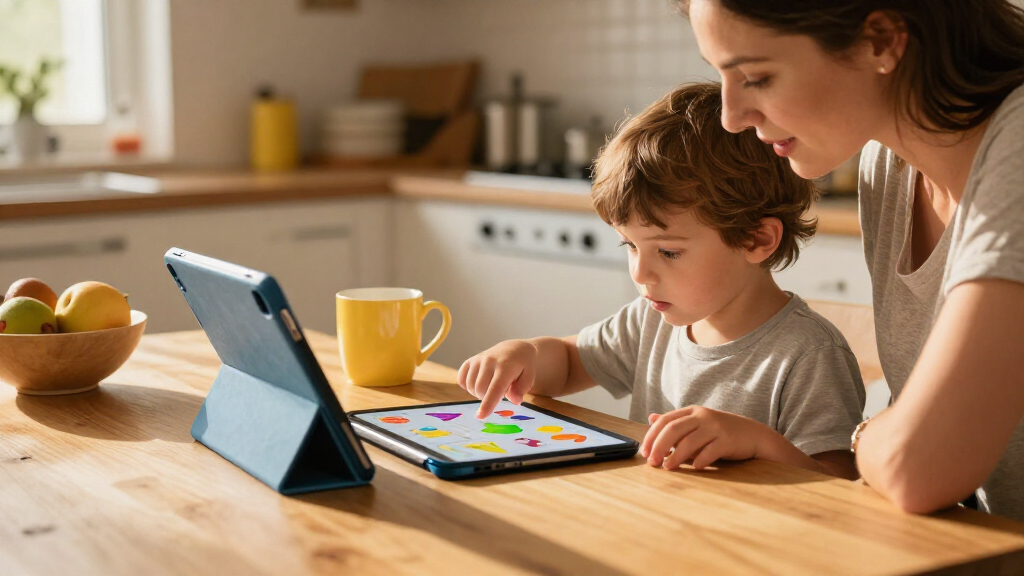

Kids tablets for learning range from purpose-built devices with guided educational content to Android tablets that can run a wider mix of apps. My best overall pick is the LeapFrog LeapPad Academy for families who want a learning-first experience, while the Evermyth 10-Inch Android 16 stands out for a larger screen and included stylus. The ApoloSignage K103A is another strong fit for families who want expandable storage and room for downloaded content. The main tradeoff is between a curated, child-focused environment and the flexibility of a general Android tablet, which can call for more parental setup. Read on for the full breakdown, ranking logic, and advice on choosing the right screen size and learning setup.

Turn the school run and nap time into listening time
- Thousands of audiobooks, podcasts and originals
- Listen on your phone, tablet or Echo — also offline
- Cancel anytime
Complete the kit


Key Takeaways
- The LeapFrog LeapPad Academy is the learning-first choice. Its dedicated educational focus separates it from the Android models, which offer broader app flexibility but require families to choose and manage learning content.
- The Evermyth’s included stylus gives it a distinct role. It may suit handwriting, drawing, and tracing activities better than tablets that rely on touch alone, though families should check which apps support stylus input.
- ApoloSignage and COLORROOM offer more listed storage than many 32GB options. That can help when lessons and media need to be available offline, but storage figures alone do not tell you how much usable space remains after setup.
- The 7-inch models favor portability over lesson comfort. They are easier for small hands and travel, while a 10-inch display is generally better for reading, drawing, and split attention between on-screen instructions and activities.
- Included accessories and parental controls are not interchangeable benefits. A keyboard, case, or control feature can help with a particular routine, but families still need to check content suitability, app access, and how controls work before buying.
| Evermyth 10-Inch Android 16 Kids Tablet with Stylus and Protective Case |  | Best for Creative Learning | Operating system: Android 16 | Processor: A333, up to 1.8GHz | Screen size: 10 inches | VIEW LATEST PRICE | See Our Full Breakdown |
| Zcobro KIDS710 Kids Tablet, 7-Inch, 32GB, Blue |  | Best Compact Starter | Operating system: Android | Screen size: 7 inches | Display: 1024 × 600 IPS | VIEW LATEST PRICE | See Our Full Breakdown |
| COLORROOM 10.1-Inch Android 15 Kids Tablet, 10GB RAM, 64GB Storage, Pink |  | Best for Google Kids Space | Operating system: Android 15 | Processor: Octa-core | Display: 10.1-inch, 1280 × 800 | VIEW LATEST PRICE | See Our Full Breakdown |
| EDUAITABLET K10D 10.1-Inch Kids Tablet, Android 16, Teal |  | Best for Managed Screen Time | Operating system: Android 16 | Processor: UNISOC T7200 octa-core, 1.8GHz | Display: 10.1-inch IPS, 1280 × 800 | VIEW LATEST PRICE | See Our Full Breakdown |
| Aiprotablet A30Pro 10-Inch Kids Android Tablet with Case, Keyboard, Mouse, and Stylus |  | Best for Keyboard-Based Learning | Operating system: Android 16 | Processor: Unisoc T7280 octa-core, up to 2.2GHz | Display: 10-inch IPS, 1280 × 800 | VIEW LATEST PRICE | See Our Full Breakdown |
| LeapFrog LeapPad Academy Kids’ Learning Tablet, Green |  | Best for Guided Learning | Age range: 3–8 years | Operating system: Android 10 | Screen: 7-inch shatter-safe display | VIEW LATEST PRICE | See Our Full Breakdown |
| PEICHENG 7-Inch Kids Tablet, Android 12, 4GB RAM, 32GB Storage, Parental Controls, Blue |  | Best for Expandable Learning Libraries | Operating system: Android 12 | Display: 7-inch IPS, 1024 × 600 | RAM: 4GB listed (2GB + 2GB expansion) | VIEW LATEST PRICE | See Our Full Breakdown |
| Trayoo 7-Inch Kids Tablet, 32GB, Pink, with Protective Case and Parental Controls |  | Best for Offline Activities | Screen size: 7 inches | RAM: 2GB | Storage: 32GB | VIEW LATEST PRICE | See Our Full Breakdown |
| TOPELOTEK 7-Inch Kids Tablet, 2GB RAM, 32GB Storage |  | Best for Preloaded STEM and Montessori Content | Screen size: 7 inches | RAM: 2GB | Storage: 32GB, expandable to 128GB | VIEW LATEST PRICE | See Our Full Breakdown |
| HOTTABLET 7-Inch Kids Tablet, 4GB RAM, 32GB Storage, Parental Controls, Wi-Fi and Bluetooth, Dual Cameras, Protective Case, Blue |  | Best for Eye-Comfort Features | Operating system: Android 12 | Display: 7-inch IPS touchscreen, 1024 × 600 | RAM: 4GB listed (2GB original + 2GB expandable) | VIEW LATEST PRICE | See Our Full Breakdown |
| SVITOO 10.1-Inch Kids Tablet, Android 16, 32GB Storage |  | Best for Hands-On Parental Controls | Operating system: Android 16 | Display: 10.1-inch IPS | Processor: Unisoc octa-core | VIEW LATEST PRICE | See Our Full Breakdown |
| ApoloSignage K103A Kids Tablet, 10-Inch HD Display, 8GB RAM, 64GB Storage, Expandable to 1TB, Android 16, Blue |  | Best for Built-In Learning Content | Operating system: Android 16 | Display: 10-inch IPS touchscreen, 1280 × 800 | Processor: Octa-core ARM Cortex-A53, 1.6 GHz | VIEW LATEST PRICE | See Our Full Breakdown |
| kids tablets for learning | Processor | RAM | Operating system | Storage |
|---|---|---|---|---|
| Evermyth 10-Inch Android 16 Ki | A333, up to 1.8GHz | 24GB listed; configuration not specified | Android 16 | — |
| Zcobro KIDS710 Kids Tablet | Quad-core Allwinner | 2GB | Android | 32GB, expandable up to 512GB |
| COLORROOM 10.1-Inch Android 15 | Octa-core | 10GB (4GB + 6GB) | Android 15 | 64GB, expandable up to 1TB with microSD card |
| EDUAITABLET K10D 10.1-Inch Kid | UNISOC T7200 octa-core, 1.8GHz | 16GB listed | Android 16 | 32GB, expandable up to 1TB |
| Aiprotablet A30Pro 10-Inch Kid | Unisoc T7280 octa-core, up to 2.2GHz | 30GB listed (6GB + 24GB) | Android 16 | 64GB |
| LeapFrog LeapPad Academy Kids’ | — | — | Android 10 | — |
| PEICHENG 7-Inch Kids Tablet | Quad-core | 4GB listed (2GB + 2GB expansion) | Android 12 | — |
| Trayoo 7-Inch Kids Tablet | Quad-core | 2GB | — | 32GB |
| TOPELOTEK 7-Inch Kids Tablet | Allwinner | 2GB | — | 32GB, expandable to 128GB |
| HOTTABLET 7-Inch Kids Tablet | Quad-core | 4GB listed (2GB original + 2GB expandable) | Android 12 | 32GB |
| SVITOO 10.1-Inch Kids Tablet | Unisoc octa-core | 16GB | Android 16 | 32GB; expandable by TF card up to 1TB |
| ApoloSignage K103A Kids Tablet | Octa-core ARM Cortex-A53, 1.6 GHz | 8GB listed (3GB + 5GB) | Android 16 | 64GB; expandable up to 1TB |
More Details on Our Top Picks
Evermyth 10-Inch Android 16 Kids Tablet with Stylus and Protective Case
The Evermyth is the strongest fit here for children who learn by drawing, tracing, or writing alongside videos and reading. Its included stylus adds a hands-on activity that the COLORROOM C30 and EDUAITABLET K10D do not list in the box, while UKIDOZ Kids Space and parental controls give families a child-focused starting point. The adjustable-stand case can keep the screen propped up for lessons or picture books, and 64GB of storage leaves room for apps before adding a TF card.
The tradeoff is that its 24GB RAM listing has no configuration breakdown, so I would not choose it based on that number alone. Like the COLORROOM, it has a 6000mAh battery and expandable storage, but the card is an extra purchase. Choose it for stylus-led activities; skip it if a clearly specified memory setup matters most.
Pros:- Included stylus supports drawing, doodling, and handwriting activities.
- UKIDOZ Kids Space and parental controls provide child-focused content and screen management.
- Adjustable-stand protective case helps position the tablet for lessons and reading.
- 64GB internal storage with support for a TF card up to 1TB.
Cons:- The listed 24GB RAM has no breakdown of its memory configuration.
- TF card for expanded storage is sold separately.
- No display resolution is provided in the supplied product details.
Best for: Families with early learners who want a stylus for drawing, handwriting practice, and interactive activities alongside managed screen time.
Not ideal for: Buyers who want transparent RAM details or need expandable storage included in the box.
- Operating system:Android 16
- Processor:A333, up to 1.8GHz
- Screen size:10 inches
- RAM:24GB listed; configuration not specified
- Internal storage:64GB
- Expandable storage:Up to 1TB via TF card, sold separately
- Battery:6000mAh
- Connectivity:Wi-Fi 6, Bluetooth 5.4
- Cameras:5MP front, 8MP rear autofocus
Our verdict“I would pick the Evermyth for a child who will use a stylus for creative learning, but not for buyers who want clearly documented memory specifications.”
Zcobro KIDS710 Kids Tablet, 7-Inch, 32GB, Blue
The Zcobro KIDS710 is the most approachable choice for a young child who needs a small screen for basic learning apps, offline activities, and picture books. Its 7-inch size is easier for smaller hands to manage than the 10-inch Evermyth or COLORROOM C30, and the silicone bumper with adjustable stand adds practical protection and hands-free viewing. Preloaded offline learning content can also help when Wi-Fi is unavailable, while parental controls cover screen-time limits and app permissions.
This compact format comes with clear compromises: its 1024 × 600 display is less detailed than the larger 1280 × 800 screens on the COLORROOM and EDUAITABLET, and 2GB RAM is modest for multitasking. The listed battery life is up to 10 hours, not a guarantee of all-day use. I would choose it for simple, portable learning—not for children who need room for split-screen tasks or detailed creative work.
Pros:- Compact 7-inch screen is easier for small hands to hold than the 10-inch models.
- Preloaded offline educational content can be used without an internet connection.
- Silicone bumper and adjustable stand support everyday handling and viewing.
- Parental controls include screen-time limits and app permissions.
Cons:- 1024 × 600 resolution is lower than the 1280 × 800 displays on several larger options.
- 2GB RAM may limit smooth multitasking as app demands grow.
- The stated battery life of up to 10 hours is a maximum claim, not a guaranteed runtime.
Best for: Parents seeking a manageable first tablet for a younger child who mainly uses offline learning content, reading apps, and a few supervised activities.
Not ideal for: Older children who need a larger, sharper screen or expect to switch between demanding apps.
- Operating system:Android
- Screen size:7 inches
- Display:1024 × 600 IPS
- Processor:Quad-core Allwinner
- RAM:2GB
- Storage:32GB, expandable up to 512GB
- Connectivity:2.4GHz Wi-Fi, Bluetooth
- Battery:3500mAh; listed battery life up to 10 hours
- Case:Silicone bumper with adjustable stand
Our verdict“I would choose the Zcobro as a compact first learning tablet for simple supervised use, but move up to a 10-inch model for detailed lessons and more screen space.”
COLORROOM 10.1-Inch Android 15 Kids Tablet, 10GB RAM, 64GB Storage, Pink
The COLORROOM C30 makes sense for families who want a familiar Google Kids Space setup on a large screen. Its 10.1-inch, 1280 × 800 display gives reading apps and lesson videos more room than the Zcobro KIDS710, and Google Kids Space plus parental controls help parents guide content and screen time. It also combines 64GB storage with microSD expansion up to 1TB, so a growing library need not depend on internal space alone. The included EVA case is a useful basic layer of protection.
Compared with the EDUAITABLET K10D, the COLORROOM lists more internal storage, while both offer a 6000mAh battery and a 1280 × 800 display. Its Android 15 system is an older listed version than the Android 16 on the EDUAITABLET and Evermyth. Battery life is presented as 8–12 hours, with an 8-hour average also stated, so I would plan around variable use rather than the higher figure.
Pros:- Google Kids Space and parental controls support child-focused content and screen-time management.
- 10.1-inch display offers more room for reading and lesson videos than compact 7-inch models.
- 64GB internal storage can be expanded up to 1TB with a separately sold microSD card.
- Includes an EVA case and dual stereo speakers.
Cons:- 1280 × 800 resolution is modest for a 10.1-inch screen.
- MicroSD card is sold separately.
- Battery-life information varies, listing an 8-hour average and a range of 8–12 hours.
Best for: Families who want Google Kids Space, a larger screen for reading and lessons, and more built-in storage before adding a memory card.
Not ideal for: Buyers who want Android 16, a stated higher-resolution display, or predictable battery life for long days away from a charger.
- Operating system:Android 15
- Processor:Octa-core
- Display:10.1-inch, 1280 × 800
- RAM:10GB (4GB + 6GB)
- Storage:64GB, expandable up to 1TB with microSD card
- Battery:6000mAh; claimed 8–12 hours, with 8 hours listed as average
- Wireless connectivity:2.4GHz and 5GHz Wi-Fi, Bluetooth
- Ports:USB-C, 3.5mm audio
- Speakers:Dual stereo speakers
Our verdict“I would choose the COLORROOM for Google Kids Space and generous built-in storage on a large screen, provided Android 15 and variable battery estimates are acceptable.”
EDUAITABLET K10D 10.1-Inch Kids Tablet, Android 16, Teal
The EDUAITABLET K10D is a practical match for families who put parent controls and a protected viewing setup ahead of extra storage. Its Google Kids Space controls include profiles, screen-time limits, and content filtering, while the blue-light reduction mode adds another display setting for reading sessions. The teal EVA case and foldable stand are ready for supervised lessons at a desk or video viewing without holding the tablet. Compared with the COLORROOM C30, it runs Android 16 but starts with half the internal storage at 32GB.
That smaller capacity is the main compromise: educational apps, downloads, and videos may make a microSD card useful sooner, though the tablet supports expansion up to 1TB. Its 1280 × 800 resolution matches the COLORROOM and Aiprotablet A30Pro, rather than offering a sharper display. The listed 16GB RAM does not include a configuration breakdown, so I would focus more on its controls, stand, and storage plan than that headline figure.
Pros:- Google Kids Space offers profiles, screen-time limits, and content filtering.
- Teal EVA case and foldable stand support protected, hands-free learning sessions.
- Blue-light reduction mode adds a display setting for reading.
- Expandable storage supports microSD cards up to 1TB.
Cons:- 32GB internal storage is less than the 64GB offered by the COLORROOM and Aiprotablet.
- The 1280 × 800 display is not especially detailed for a 10.1-inch screen.
- The listed 16GB RAM has no configuration breakdown.
Best for: Parents of children aged three and up who want Google Kids Space controls, a stand-equipped case, and Android 16 for supervised learning.
Not ideal for: Families who want 64GB built in or need a clearly documented RAM configuration without relying on an expansion card.
- Operating system:Android 16
- Processor:UNISOC T7200 octa-core, 1.8GHz
- Display:10.1-inch IPS, 1280 × 800
- RAM:16GB listed
- Storage:32GB, expandable up to 1TB
- Battery:6000mAh
- Connectivity:Dual-band Wi-Fi (2.4GHz/5GHz), Bluetooth 5.4
- Ports:USB-C
- Age range:3 years and above
Our verdict“I would choose the K10D for managed screen time and its included stand-equipped case, but families with many downloads should plan on adding a microSD card.”
Aiprotablet A30Pro 10-Inch Kids Android Tablet with Case, Keyboard, Mouse, and Stylus
The Aiprotablet A30Pro is the most classroom-like bundle in this group: it includes a keyboard, mouse, and stylus, giving an older child more ways to practice typing, navigation, and drawing than the Evermyth, which includes a stylus but not the other accessories. Google Kids Space and parental controls add content filtering, learning goals, and time limits, while the adjustable-stand case helps position the screen for desk work. With 64GB storage and microSD support up to 2TB, it also offers room to build a broader app and media library.
The screen is still 1280 × 800, matching the COLORROOM and EDUAITABLET rather than exceeding them in detail. Its advertised 30GB RAM is specified as 6GB + 24GB, but I would not treat that headline figure as the main reason to buy. Battery life over eight hours and a two-hour charge are manufacturer claims. This is the most accessory-rich pick, but it may be excessive for a younger child who only needs basic learning apps.
Pros:- Keyboard, mouse, and stylus support a wider range of typing, navigation, and drawing activities.
- Google Kids Space controls include content filtering, learning goals, and time limits.
- 64GB storage with microSD expansion support up to 2TB.
- Adjustable-stand protective case suits desk-based learning.
Cons:- The 1280 × 800 screen is modest for a 10-inch display.
- MicroSD card for expanded storage is sold separately.
- Battery-life and charging-time figures are manufacturer claims rather than guaranteed results.
Best for: School-age children who will use typing practice, a mouse, drawing activities, and supervised learning apps at a desk.
Not ideal for: Families seeking a simple tablet for a young child, or buyers who want the highest-resolution display in this group.
- Operating system:Android 16
- Processor:Unisoc T7280 octa-core, up to 2.2GHz
- Display:10-inch IPS, 1280 × 800
- RAM:30GB listed (6GB + 24GB)
- Storage:64GB
- Expandable storage:Up to 2TB via microSD card, sold separately
- Included accessories:Protective case, keyboard, mouse, stylus
- Battery life:Over 8 hours of use, manufacturer claim
- Charging time:About 2 hours, manufacturer claim
Our verdict“I would pick the Aiprotablet for an older child who will use its keyboard, mouse, and stylus for varied school activities, not for basic viewing alone.”
LeapFrog LeapPad Academy Kids’ Learning Tablet, Green
The LeapPad Academy makes the most sense for families who want a learning-first tablet, not a general-purpose Android device. Its more than 20 educator-approved apps and three-month LeapFrog Academy trial give younger children structured activities from the start, while parental controls help adults manage time and app access. Compared with the PEICHENG 7-Inch Kids Tablet, which offers more expandable storage and a newer Android version, LeapFrog puts more emphasis on a curated learning environment than on flexible hardware. The shatter-safe screen, stylus, and removable bumper with kickstand also suit small hands and tabletop activities. The tradeoff is that extra App Center content costs more, and continued Academy access requires a subscription; its 2019 model year also makes it an older choice than the newer Android tablets here.
Pros:- More than 20 educator-approved learning apps are included.
- Three-month LeapFrog Academy trial adds guided learning activities.
- Removable bumper has a built-in kickstand, and a stylus is included.
- Parental controls support time limits and app management.
Cons:- Continued LeapFrog Academy access requires a subscription.
- Additional content from the LeapFrog App Center is sold separately.
- Its 2019 model year makes it older than several Android 12 options in this roundup.
Best for: Parents of children ages 3–8 who want ready-made, guided learning activities and built-in parental controls.
Not ideal for: Families seeking a general Android tablet with large expandable storage or no ongoing content costs.
- Age range:3–8 years
- Operating system:Android 10
- Screen:7-inch shatter-safe display
- Included learning apps:More than 20 educator-approved apps
- Academy access:Three-month LeapFrog Academy trial
- Cameras:Rear 2 MP; front 0.3 MP
- Connectivity:Wi-Fi, USB
- Included accessories:Removable bumper with kickstand, stylus, USB Type-C cable, wall adapter
Our verdict“Choose the LeapPad Academy for a young learner who benefits from a curated curriculum more than a flexible Android tablet.”
PEICHENG 7-Inch Kids Tablet, Android 12, 4GB RAM, 32GB Storage, Parental Controls, Blue
For families who expect to build a varied library of learning apps, videos, and downloaded materials, the PEICHENG offers a useful combination of 32GB storage and microSD expansion up to 512GB. Its parental controls cover separate profiles, screen time, apps, and web access, giving parents more ways to tailor the device than the LeapFrog LeapPad Academy’s app-focused setup. The included adjustable stand is handy for lessons or video demonstrations, and Wi-Fi plus Bluetooth supports common home-learning accessories. The tradeoff is the 1024 × 600 resolution: it is functional on a compact 7-inch screen, but text and detailed visuals will not look as sharp as on a higher-resolution display. It also lacks cellular service, so online lessons need Wi-Fi. I’d favor it over the Trayoo when storage headroom matters most.
Pros:- MicroSD expansion supports cards up to 512GB.
- Parental controls include profiles, time limits, app management, and web filtering.
- Protective case has an adjustable stand for hands-free lessons.
- Wi-Fi and Bluetooth support online learning and compatible accessories.
Cons:- The 1024 × 600 display has limited detail for small text and intricate visuals.
- No cellular connectivity, so online learning depends on Wi-Fi.
- The listed 4GB RAM includes 2GB of expansion rather than 4GB original RAM.
Best for: Families who want a compact Android tablet for multiple child profiles and a growing collection of learning apps or downloads.
Not ideal for: Children who need cellular access away from Wi-Fi or families who prioritize a sharper display for detailed reading.
- Operating system:Android 12
- Display:7-inch IPS, 1024 × 600
- RAM:4GB listed (2GB + 2GB expansion)
- Internal storage:32GB
- Expandable storage:MicroSD up to 512GB
- Processor:Quad-core
- Cameras:Front 2 MP; rear 5 MP
- Connectivity:Wi-Fi, Bluetooth; no cellular
Our verdict“Pick the PEICHENG if expandable storage and detailed parental controls matter more than screen resolution or cellular access.”
Trayoo 7-Inch Kids Tablet, 32GB, Pink, with Protective Case and Parental Controls
The Trayoo is a practical pick for children who need learning activities available even when the household Wi-Fi is off. Its preinstalled offline educational apps can make it easier to offer activities during travel or in places with limited connectivity, while parental controls provide profiles, app restrictions, content filtering, and screen-time limits. Compared with the TOPELOTEK 7-Inch Kids Tablet, the Trayoo claims longer battery life—up to 10 hours versus up to 8—and has Bluetooth; the TOPELOTEK counters with expandable storage up to 128GB, while the Trayoo supports a 64GB TF card. Its 2GB RAM is modest, so families planning heavier app use may prefer the PEICHENG’s listed 4GB configuration. The stated 30-day replacement or refund period is also a limited warranty window, which makes long-term support less reassuring.
Pros:- Preinstalled educational apps include options that work offline.
- Parental controls support profiles, app restrictions, content filtering, and time limits.
- Child-resistant case includes a stand.
- Battery life is listed as up to 10 hours.
Cons:- 2GB RAM may limit smoothness with multiple or demanding apps.
- TF card expansion is limited to 64GB, less than the PEICHENG and TOPELOTEK options.
- The stated warranty is a 30-day replacement or refund period.
Best for: Caregivers who want simple offline learning activities for a child on trips or in homes with unreliable Wi-Fi.
Not ideal for: Families expecting demanding multitasking, substantial storage expansion, or a longer stated warranty period.
- Screen size:7 inches
- RAM:2GB
- Storage:32GB
- Expandable storage:TF card up to 64GB
- Processor:Quad-core
- Connectivity:Wi-Fi, Bluetooth
- Battery life:Up to 10 hours
- Included components:Tablet, charger, protective case
Our verdict“Choose the Trayoo for straightforward offline learning and a stand-equipped case, but skip it if you need stronger memory or broader storage expansion.”
TOPELOTEK 7-Inch Kids Tablet, 2GB RAM, 32GB Storage
TOPELOTEK’s main learning advantage is its preloaded offline content, including Montessori lessons and STEM activities, which gives parents a starting point without first assembling a library of apps. A drop-resistant design and rotatable stand suit children who move between desk activities and viewing lessons hands-free. Its storage expands to 128GB, giving it more headroom than the Trayoo’s 64GB card support, though less than the PEICHENG’s 512GB ceiling. The tradeoff is a 7-inch screen and 2GB RAM: the display may feel cramped for worksheets or detailed reading, and memory is modest for multitasking. Battery life is listed at up to 8 hours, shorter than Trayoo’s stated up-to-10-hour figure. For learning that depends on preloaded activities rather than polished hardware, this is a focused alternative.
Pros:- Preloaded offline content includes Montessori lessons and STEM activities.
- Parental controls include screen-time limits and content filters.
- Drop-resistant design includes a rotatable stand.
- Storage can be expanded from 32GB to 128GB.
Cons:- 2GB RAM is limited for multitasking or more demanding apps.
- The 7-inch screen may feel small for worksheets and extended reading.
- Listed battery life of up to 8 hours is shorter than the Trayoo’s stated maximum.
Best for: Parents who want a child-ready tablet with offline Montessori and STEM activities already loaded and a stand for tabletop use.
Not ideal for: Students who need a larger screen for reading or worksheets, or families expecting demanding multitasking and longer battery life.
- Screen size:7 inches
- RAM:2GB
- Storage:32GB, expandable to 128GB
- Processor:Allwinner
- Battery capacity:3500mAh
- Battery life:Up to 8 hours
- Learning content:Preloaded offline Montessori lessons and STEM activities
- Included components:Tablet, Type-C cable, charger head, manual
Our verdict“Choose TOPELOTEK when ready-to-use offline Montessori and STEM activities matter more than screen size or extra memory.”
HOTTABLET 7-Inch Kids Tablet, 4GB RAM, 32GB Storage, Parental Controls, Wi-Fi and Bluetooth, Dual Cameras, Protective Case, Blue
The HOTTABLET stands out for families who want a compact Android device with an IPS touchscreen and eye-protection mode for everyday learning sessions. Its parental controls cover profiles, screen time, and content filtering, while Play Store access gives parents a broad choice of educational apps rather than a fixed curriculum like the LeapFrog LeapPad Academy. The protective case and stand also help position the screen for lessons or video calls. Compared with the PEICHENG, it has the same 7-inch, 1024 × 600 display and a listed 4GB RAM configuration, but PEICHENG offers much greater stated microSD expansion. The HOTTABLET’s 8-hour mixed-use battery estimate is useful for planning, though actual runtime will depend on use. The low-resolution screen and 32GB storage keep it better suited to basic learning than a large media library.
Pros:- IPS touchscreen includes an eye-protection mode.
- Parental controls support profiles, screen-time limits, and content filtering.
- Protective case includes a stand for hands-free activities.
- Wi-Fi and Bluetooth support educational apps and compatible accessories.
Cons:- The 1024 × 600 resolution limits display detail.
- Storage is 32GB, with no expandable storage listed.
- The stated battery life is up to 8 hours based on mixed use.
Best for: Parents who want an Android tablet with eye-protection mode, Play Store access, and a case stand for supervised lessons.
Not ideal for: Families who need high-resolution text, extensive expandable storage, or a fixed educator-curated curriculum.
- Operating system:Android 12
- Display:7-inch IPS touchscreen, 1024 × 600
- RAM:4GB listed (2GB original + 2GB expandable)
- Storage:32GB
- Processor:Quad-core
- Battery:3000mAh; up to 8 hours mixed use
- Connectivity:Wi-Fi, Bluetooth, USB Type-C
- Included components:Protective case, Type-C cable
Our verdict“Choose the HOTTABLET for basic Android learning with eye-protection mode and a stand, but look elsewhere for sharper visuals or expandable storage.”
SVITOO 10.1-Inch Kids Tablet, Android 16, 32GB Storage
The SVITOO Tab 10 suits families who want to set clear limits around a child’s learning and entertainment time. Its parental controls include time limits, website filtering, and app blocking, giving caregivers more ways to shape what children can access than a basic screen-time setting alone. The 10.1-inch IPS display provides room for reading and learning apps, while the shockproof EVA case helps with everyday handling.
Compared with the ApoloSignage K103A, SVITOO has Wi-Fi 6 and a larger 6000mAh battery, but starts with only 32GB of storage instead of 64GB. A TF card can expand storage substantially, though that means adding a separate card. The stated local-video runtime is up to six hours, so it may need a recharge during longer days away from an outlet.
Pros:- Parental controls cover screen-time limits, website filtering, and app blocking.
- Shockproof EVA case and preinstalled screen protector add protection for everyday use.
- TF card expansion supports up to 1TB of additional storage.
- Wi-Fi 6, Bluetooth 5.0, and a 3.5mm headphone jack offer flexible connections.
Cons:- 32GB of built-in storage leaves less room for downloaded learning apps and offline content than the ApoloSignage K103A’s 64GB.
- Local-video playback is rated for up to six hours, which may not suit extended use away from power.
Best for: Caregivers of children ages 3–12 who want detailed controls over apps, websites, and screen time, plus a case suited to everyday handling.
Not ideal for: Families who want ample built-in storage without buying an expansion card or need a tablet for long stretches away from a charger.
- Operating system:Android 16
- Display:10.1-inch IPS
- Processor:Unisoc octa-core
- RAM:16GB
- Storage:32GB; expandable by TF card up to 1TB
- Battery:6000mAh; up to 6 hours of local-video playback
- Connectivity:Wi-Fi 6, Bluetooth 5.0, USB OTG
- Protection:Shockproof EVA case and preinstalled screen protector included
Our verdict“Choose the SVITOO if control over a child’s apps, websites, and screen time matters more than generous built-in storage.”
ApoloSignage K103A Kids Tablet, 10-Inch HD Display, 8GB RAM, 64GB Storage, Expandable to 1TB, Android 16, Blue
The ApoloSignage K103A is a practical pick for families who want a child-focused starting point for learning apps. Google Kids Space pairs with parental controls and screen-time management to help caregivers guide activity, while the included case and adjustable stand make hands-free reading or video lessons easier. Its 64GB of built-in storage also gives families more room for apps and downloads before they need an expansion card.
Against the SVITOO Tab 10, ApoloSignage offers twice the stated built-in storage and a stand, but its battery is smaller at 5000mAh and the listed average use is six hours. The 10-inch IPS screen has a resolution of 1280 × 800, which is suitable for general lessons but less sharp than higher-resolution displays. Its listed 8GB RAM is specified as 3GB plus 5GB, so buyers should not treat the full figure as equivalent to 8GB of physical RAM.
Pros:- Google Kids Space and parental controls support age-appropriate activities and screen-time management.
- 64GB of built-in storage provides more room than the SVITOO’s 32GB before expansion.
- Protective case and adjustable stand are included for supported, hands-free use.
- IPS display includes auto-brightness and blue-light reduction features.
Cons:- The 1280 × 800 resolution is modest for a 10-inch screen.
- Average battery life is listed as six hours, limiting longer sessions away from a charger.
- The 8GB RAM listing is specified as 3GB plus 5GB rather than 8GB of physical RAM.
Best for: Families seeking a child-oriented learning space, a stand for hands-free lessons, and more built-in storage for apps and downloads.
Not ideal for: Buyers who prioritize a sharper screen, longer stated battery runtime, or a straightforward physical-RAM specification.
- Operating system:Android 16
- Display:10-inch IPS touchscreen, 1280 × 800
- Processor:Octa-core ARM Cortex-A53, 1.6 GHz
- RAM:8GB listed (3GB + 5GB)
- Storage:64GB; expandable up to 1TB
- Battery:5000mAh; up to 6 hours of average use
- Learning and parental features:Google Kids Space and parental controls
- Included accessories:Protective case, adjustable stand, 5V/2A adapter, and USB-C cable
Our verdict“Choose the ApoloSignage if Google Kids Space, an included stand, and 64GB of built-in storage matter more than screen sharpness.”
How We Picked
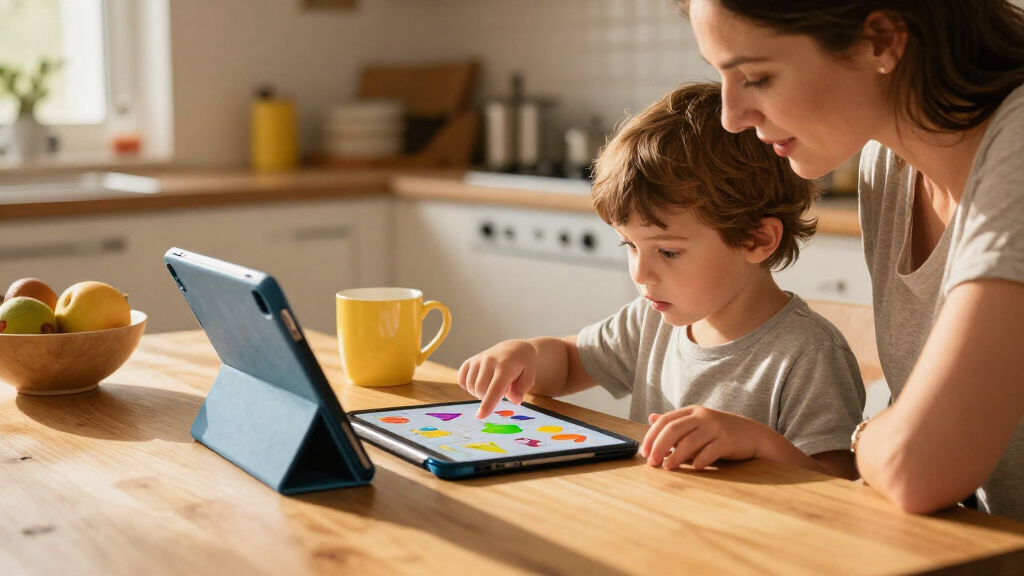
I compared these 12 tablets as tools for learning at home, on the move, and across different ages, rather than treating memory or screen size as a complete measure of educational value. I weighed whether the device has a learning-first environment or flexible Android access, then considered screen size, listed storage, included accessories, parental-control features, and practical fit for a child. I also looked for tradeoffs that affect everyday learning: a compact screen may be easier to carry but less comfortable for reading, while a larger Android tablet can offer more room for activities but may need more adult setup.
The ranking reflects how directly each option supports a learning routine, along with its usefulness beyond a single activity. The LeapFrog ranks first for families who want a more guided educational experience; flexible 10-inch Android models follow where their screen, stylus, or storage details offer a clear learning benefit. Smaller and more basic tablets rank lower when their portability or simple setup comes with less screen room or fewer listed learning-oriented advantages. Product names and specifications alone cannot confirm app quality, update support, or control settings, so I recommend checking those details for the exact version before purchase.
| kids tablets for learning | Operating system |
|---|---|
| Evermyth 10-Inch Android 16 Ki | Android 16 |
| Zcobro KIDS710 Kids Tablet | Android |
| COLORROOM 10.1-Inch Android 15 | Android 15 |
| EDUAITABLET K10D 10.1-Inch Kid | Android 16 |
| Aiprotablet A30Pro 10-Inch Kid | Android 16 |
| LeapFrog LeapPad Academy Kids’ | Android 10 |
| PEICHENG 7-Inch Kids Tablet | Android 12 |
| Trayoo 7-Inch Kids Tablet | — |
| TOPELOTEK 7-Inch Kids Tablet | — |
| HOTTABLET 7-Inch Kids Tablet | Android 12 |
| SVITOO 10.1-Inch Kids Tablet | Android 16 |
| ApoloSignage K103A Kids Tablet | Android 16 |
Factors to Consider When Choosing Kids Tablets For Learning
Choosing a learning tablet is less about finding the longest feature list and more about matching the device to the way a child learns. I would start with the family’s content needs, supervision preferences, and typical setting, then use hardware details to narrow the options.
Decide Between a Curated Learning System and Android Flexibility
A purpose-built learning system can reduce the work of finding age-appropriate activities, especially for a younger child who benefits from a narrower set of choices. A general Android tablet offers access to a wider range of educational apps, video lessons, and creative tools, but adults may need to configure accounts, permissions, and content themselves. Avoid assuming that a tablet labeled for kids automatically comes with strong educational material or effective controls. Before buying, check which learning apps are included, whether other apps can be installed, and whether the content fits your child’s age and school needs. Families who want a guided routine may prefer a dedicated system; families with specific apps in mind may value Android flexibility more.
Choose Screen Size Around the Activity, Not Just the Child’s Age
A 7-inch tablet is easier to pack and hold, which can make it useful for travel, short practice sessions, or smaller hands. A larger display gives reading passages, diagrams, drawing tools, and video lessons more room, which may be more comfortable for longer activities. The common mistake is choosing the smallest screen solely because the tablet is for a child, then finding that text and controls feel cramped. Think about where lessons happen: a tablet used mostly at a table can benefit from a larger display, while a device carried between home and school may need to stay compact. If possible, compare screen dimensions and weight alongside the intended learning tasks.
Treat Parental Controls as a Setup Task
Parental controls can help manage screen time, access, and app use, but the label alone does not reveal how detailed or easy those tools are. Some systems may offer a more guided child experience, while Android devices can vary in how controls are configured and what they cover. Check whether you can set separate child profiles, approve downloads, limit web access, and manage usage from an adult account. A frequent mistake is assuming a protective case or child-focused branding also limits online content; those features solve different problems. Plan time for setup before handing the tablet over, and confirm that the controls match your household rules.
Buy Storage for Offline Use, Not for a Bigger Number
More storage can help if a child needs downloaded lessons, books, videos, or creative projects available without Wi-Fi. Yet the listed capacity is not the same as space available for personal content after the operating system and preloaded apps take their share. Expandable storage can be useful for media, but it may not make every app or learning activity run from a memory card. Consider how often the tablet will be used away from a reliable connection and whether you plan to remove old content regularly. For mostly connected, browser-based learning, a larger storage figure may matter less than a clear app and account setup.
Check Accessories Against the Learning Routine
A stylus can support handwriting practice, drawing, and tracing, while a keyboard may help an older child type longer assignments. A protective case is helpful for handling, but it does not replace a screen-care plan or supervision around drops and spills. Bundled accessories can make a tablet more versatile, yet they may add little if the child mainly watches lessons or uses touch-based apps. Confirm that the accessory works with the learning apps you expect to use and that it is comfortable for the child’s hands. Pay for added tools when they support a recurring activity, not just because they appear in the box.
Look Beyond the Android Version and Memory Claims
An Android version or RAM figure can help describe a device, but neither tells you on its own how smoothly a child’s learning apps will run or how long the tablet will receive support. App compatibility, software updates, battery behavior, and screen responsiveness matter during real study sessions. Check the manufacturer’s support information and the requirements for the specific apps your child needs. Be cautious about treating unusually large memory figures as a guarantee of better learning performance, particularly when the product listing does not clarify how memory is allocated. For school use, dependable access to required apps can matter more than a spec-sheet advantage.
Frequently Asked Questions
Is a dedicated learning tablet better than an Android tablet for a young child?
It depends on how much control and flexibility your family wants. A dedicated learning system such as the LeapFrog option is designed around educational use and may suit a child who benefits from a more guided environment. Android tablets can support a broader range of learning apps, but adults may need to select content and configure access. Check the available activities and parental settings rather than relying on the category name. If your child needs one specific school app, verify compatibility before choosing either type.
Should I choose a 7-inch or 10-inch tablet for lessons?
Choose based on the activities and where the tablet will be used. A 7-inch model is easier to carry and may be more manageable for short sessions, while a 10-inch screen gives reading, drawing, and instructional material more space. If the child will work through longer lessons or write on screen, the larger size is often more comfortable. For travel and quick practice, portability may matter more than screen area. Consider the child’s grip and whether the device will usually be held or set on a table.
Do I need a tablet with a stylus or keyboard for school learning?
Neither accessory is necessary for every child. A stylus can help with tracing, drawing, or handwriting practice when the apps support pen input, while a keyboard can be useful for typing and longer assignments. Younger learners using touch-based activities may get little benefit from either. Check the age and school tasks the tablet will support over the next few years, not just its bundled accessories. A case may be more useful than an input accessory if the tablet will travel frequently.
How much storage should I look for if lessons need to work offline?
Start by listing what needs to be stored locally, such as downloaded videos, ebooks, lessons, or creative projects. The listed storage capacity includes system files and preloaded content, so usable space will be lower. A model with expandable storage can help with some media, but not every app can be moved to a card. If the tablet will be used mainly with Wi-Fi, storage may be less important than app access and controls. For regular offline use, check both available capacity and how easily content can be managed.
What should I check before buying a kids tablet for a required school app?
Confirm the exact app is available for the tablet’s operating system and can run on the device’s software version. Check whether the app needs a browser, microphone, camera, or particular account type, since those requirements can affect setup. For a dedicated learning system, make sure the school app can be installed at all; a curated environment may limit outside apps. For Android models, review the manufacturer’s update and support information as well as the app’s stated requirements. If the school provides device guidance, use that as the deciding reference.
Conclusion
For most families seeking a learning-first device, I recommend the LeapFrog LeapPad Academy because its dedicated educational focus distinguishes it from the more general Android options. For a flexible everyday tablet with a larger screen and writing potential, the Evermyth 10-Inch Android 16 with Stylus is my best overall choice. The ApoloSignage K103A is my best premium-style pick for families who value listed storage and expansion, while the Zcobro KIDS710 is a straightforward beginner option for families prioritizing a compact 7-inch format. For value, I would compare the PEICHENG and HOTTABLET against the family’s needs for controls and listed hardware rather than choosing by capacity alone. If portability is the specific need, choose a 7-inch model; if reading, drawing, or longer lessons are the priority, favor a 10-inch screen. Before ordering, confirm app compatibility, control settings, and software support for the exact model.