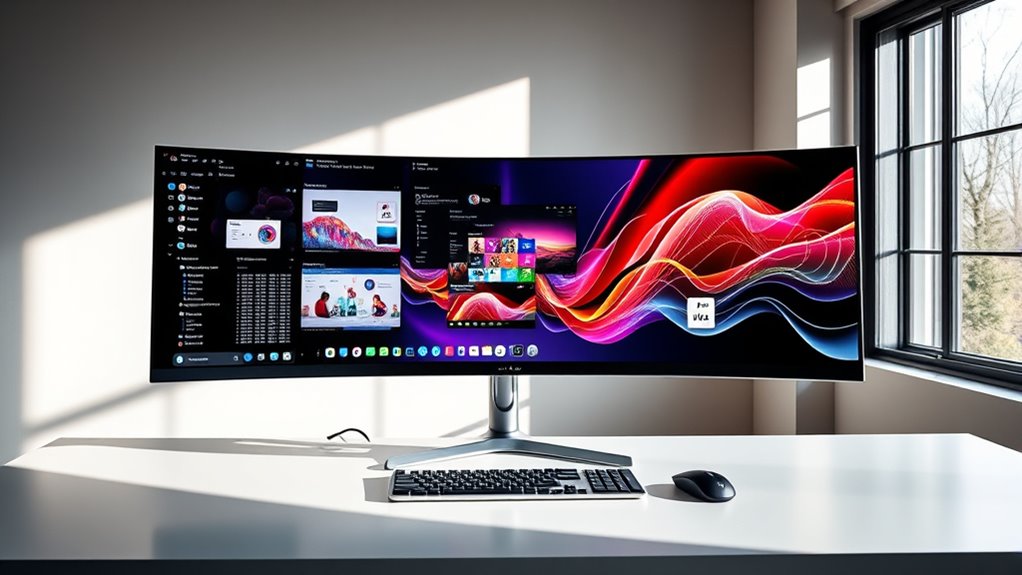

The Dell UltraSharp U4025QW is my best overall pick among ultrawide monitors for productivity, thanks to its 40-inch 5K2K workspace, which gives dense documents and multiple windows room to breathe. For a giant side-by-side desktop, the Samsung 49-inch Business Curved Ultrawide offers a 32:9 Dual QHD format, while the Samsung Viewfinity S65UA is a more practical 34-inch choice with USB-C. The main tradeoff is between screen area and desk space, with resolution, connectivity, and ergonomics shaping how useful that area feels each day. Gaming-focused models can offer fast refresh rates, but those features may matter less for office work than sharp text and a flexible stand. Continue reading for the full breakdown and guidance on matching a monitor to your workflow.

Turn the school run and nap time into listening time
- Thousands of audiobooks, podcasts and originals
- Listen on your phone, tablet or Echo — also offline
- Cancel anytime
Complete the kit


Key Takeaways
- The Dell UltraSharp U4025QW leads for detail and workspace: its 40-inch 5K2K panel is the most resolution-focused option in this lineup, making it a stronger fit for dense content than the 34-inch WQHD models.
- The two 49-inch Samsungs solve a different problem: both provide Dual QHD-width workspace, but the Business model is the office-oriented pick while the Odyssey G9 emphasizes 144Hz gaming features.
- USB-C is a meaningful productivity separator: the Samsung Viewfinity S65UA and LG 34U530A-W offer USB-C, which can simplify laptop setups compared with monitors whose listed connections are more limited.
- Most 34-inch options share WQHD resolution, not the same work experience: stand adjustability, IPS versus VA panel type, and productivity features such as PIP and PBP distinguish them more than refresh rate alone.
- Several high-refresh models are gaming-led choices: the SANSUI 200Hz and Sceptre 165Hz or 115Hz models suit mixed work and play, but their fast refresh rates should not outweigh text clarity, ergonomics, or connection needs for office-first buyers.
| Samsung 49-inch Odyssey G9 (G91F) Curved Gaming Monitor, 144Hz, Ultra-Wide 32:9, DisplayHDR 600, AMD FreeSync Premium Pro |  | Best for Maximum Workspace | Display size: 49 inches | Resolution: 5120 x 1440 pixels | Aspect ratio: 32:9 | VIEW ON AMAZON | See Our Full Breakdown |
| Samsung 49” Business Curved Ultrawide Dual QHD Computer Monitor LS49C954UANXZA (2024) |  | Best 49-Inch Office Hub | Display size: 49 inches | Resolution: 5120 x 1440 pixels | Aspect ratio: 32:9 | VIEW ON AMAZON | See Our Full Breakdown |
| Samsung 34-Inch Odyssey G5 Ultra-Wide Gaming Monitor with 1000R Curved Screen |  | Best Compact Pick for Gaming and Work | Display size: 34 inches | Resolution: 3440 x 1440 pixels | Aspect ratio: 21:9 | VIEW ON AMAZON | See Our Full Breakdown |
| Sceptre 34-inch Prime Ultrawide Monitor 3440×1440 115Hz with Built-in Speakers |  | Best for Built-In Audio | Display size: 34 inches | Resolution: 3440 x 1440 pixels | Aspect ratio: 21:9 | VIEW ON AMAZON | See Our Full Breakdown |
| Dell 34 Monitor S3425DW, WQHD VA, 120Hz, FreeSync Premium, Eye Comfort |  | Best for Laptop-Centered Work | Display size: 34 inches | Resolution: 3440 x 1440 pixels | Panel type: VA | VIEW ON AMAZON | See Our Full Breakdown |
| SANSUI 34-Inch Curved Gaming Monitor UWQHD 3440 x 1440P 200Hz Ultrawide |  | Best for High-Refresh Multitasking | Display size: 34 inches | Resolution: 3440 × 1440 | Aspect ratio: 21:9 | VIEW ON AMAZON | See Our Full Breakdown |
| Samsung 34″ ViewFinity S50GC Series Ultra-WQHD Monitor |  | Best for Split-Screen Office Work | Display size: 34 inches | Resolution: 3440 × 1440 | Aspect ratio: 21:9 | VIEW ON AMAZON | See Our Full Breakdown |
| LG 34U60ZB-B 34-inch UltraWide WQHD Curved Monitor |  | Best for a Simple, Adjustable Workspace | Display size: 34 inches | Resolution: 3440 × 1440 | Aspect ratio: 21:9 | VIEW ON AMAZON | See Our Full Breakdown |
| Dell UltraSharp U4025QW 40-inch 5K2K WUHD Curved LED Monitor |  | Best Premium High-Resolution Workspace | Display size: 39.7 inches | Listed resolution: 5120 × 2160; product data also lists 5120 × 2880 as native | Aspect ratio: 21:9 | VIEW ON AMAZON | See Our Full Breakdown |
| LG 34WR55QK-B 34-inch UltraWide WQHD Curved Monitor with Adjustable Stand |  | Best for USB-C Laptop Workstations | Display size: 34 inches | Resolution: 3440 × 1440 | Aspect ratio: 21:9 | VIEW ON AMAZON | See Our Full Breakdown |
| Samsung Viewfinity S65UA Series 34-Inch Ultrawide QHD Curved Monitor |  | Best for Single-Cable Desk Setups | Display size: 34 inches | Aspect ratio: 21:9 | Resolution: 3440 × 1440 | VIEW ON AMAZON | See Our Full Breakdown |
| LG 34U640B-B 34-inch UltraWide WQHD Curved Monitor |  | Best for Multitasking and Smooth Scrolling | Display size: 34 inches | Resolution: 3440 × 1440 WQHD | Refresh rate: 144Hz | VIEW ON AMAZON | See Our Full Breakdown |
| Sceptre 34-inch Curved Ultrawide WQHD Monitor |  | Best for Gaming-Heavy Workstations | Screen size: 34 inches | Resolution: 3440 × 1440 WQHD | Refresh rate: 165Hz | VIEW ON AMAZON | See Our Full Breakdown |
| LG 34U650A-B 34-inch UltraWide IPS WQHD 100Hz Curved Monitor |  | Best for High-Power USB-C Charging | Screen size: 34 inches | Aspect ratio: 21:9 | Resolution: 3440 × 1440 WQHD | VIEW ON AMAZON | See Our Full Breakdown |
| LG 34U530A-W 34-inch UltraWide WFHD IPS Computer Monitor |  | Best for Entry-Level Ultrawide Workspaces | Screen size: 34 inches | Resolution: 2560 × 1080 | Aspect ratio: 21:9 | VIEW ON AMAZON | See Our Full Breakdown |
| ultrawide monitors for productivity | Refresh rate | Resolution | Display size | Aspect ratio |
|---|---|---|---|---|
| Samsung 49-inch Odyssey G9 | 144Hz | 5120 x 1440 pixels | 49 inches | 32:9 |
| Samsung 49” Business Curved Ul | 120Hz | 5120 x 1440 pixels | 49 inches | 32:9 |
| Samsung 34-Inch Odyssey G5 Ult | 165Hz | 3440 x 1440 pixels | 34 inches | 21:9 |
| Sceptre 34-inch Prime Ultrawid | 115Hz | 3440 x 1440 pixels | 34 inches | 21:9 |
| Dell 34 Monitor S3425DW | 120Hz | 3440 x 1440 pixels | 34 inches | — |
| SANSUI 34-Inch Curved Gaming M | 200Hz | 3440 × 1440 | 34 inches | 21:9 |
| Samsung 34" ViewFinity S50GC S | 100Hz | 3440 × 1440 | 34 inches | 21:9 |
| LG 34U60ZB-B 34-inch UltraWide | 120Hz | 3440 × 1440 | 34 inches | 21:9 |
| Dell UltraSharp U4025QW 40-inc | 120Hz | — | 39.7 inches | 21:9 |
| LG 34WR55QK-B 34-inch UltraWid | 100Hz | 3440 × 1440 | 34 inches | 21:9 |
| Samsung Viewfinity S65UA Serie | 100Hz | 3440 × 1440 | 34 inches | 21:9 |
| LG 34U640B-B 34-inch UltraWide | 144Hz | 3440 × 1440 WQHD | 34 inches | — |
| Sceptre 34-inch Curved Ultrawi | 165Hz | 3440 × 1440 WQHD | — | — |
| LG 34U650A-B 34-inch UltraWide | 100Hz | 3440 × 1440 WQHD | — | 21:9 |
| LG 34U530A-W 34-inch UltraWide | 100Hz | 2560 × 1080 | — | 21:9 |
More Details on Our Top Picks
The Odyssey G9 earns this role by fitting a vast 5120 x 1440 workspace into one panel: two side-by-side QHD work areas can reduce the need for a dual-monitor setup and its center bezel. Its 1000R curve helps bring the far edges into view, while Picture-in-Picture and split-screen modes support separate sources. Compared with Samsung’s 49-inch Business Curved model, this one prioritizes a 144Hz refresh rate and DisplayHDR 600 over USB-C charging and built-in speakers. That makes it a better match for fast-moving visuals alongside office work, but less convenient as a single-cable laptop dock. The broad, heavy chassis needs a deep, sturdy desk, and the listed stand adjustment is tilt only. I’d skip it if ergonomic height adjustment or a more compact footprint matters more than screen area.
Pros:- 5120 x 1440 resolution provides room for multiple work windows without a center bezel.
- 1000R curve helps keep the wide panel’s edges within a comfortable viewing arc.
- Picture-in-Picture and split-screen modes support multitasking across sources.
- 144Hz refresh rate and DisplayHDR 600 also suit gaming and vivid media.
Cons:- Its 45.18-inch width and 34.4-pound weight call for substantial desk space and support.
- Stand adjustment is listed as tilt only, limiting ergonomic positioning.
- Unlike the Business Curved 49-inch model, it lacks listed USB-C connectivity and built-in speakers.
Best for: People who regularly keep several full-size applications or large spreadsheets open and have a deep desk with suitable computer connections.
Not ideal for: Laptop-first workers seeking USB-C charging, built-in speakers, or easy height adjustment; its listed connectivity and tilt-only stand are less suited to that setup.
- Display size:49 inches
- Resolution:5120 x 1440 pixels
- Aspect ratio:32:9
- Curvature:1000R
- Refresh rate:144Hz
- Display technology:VA
- HDR:DisplayHDR 600
- Connectivity:DisplayPort, HDMI, USB
Our verdict“Choose the Odyssey G9 if you want a single-screen, dual-QHD work surface and can accommodate its size, but pick Samsung’s Business Curved model for USB-C and a more office-focused setup.”
Samsung 49” Business Curved Ultrawide Dual QHD Computer Monitor LS49C954UANXZA (2024)
This Samsung makes the strongest case for a 49-inch work monitor when a laptop is central to the setup. Its 5120 x 1440 panel gives the same expansive dual-QHD layout as the Odyssey G9, while USB-C with 90W charging can connect and power a compatible laptop through one cable. The height-adjustable stand and built-in speakers also make it more office-ready than the gaming-oriented Odyssey G9, whose listed stand only tilts and whose specs don’t list speakers. A 120Hz refresh rate keeps scrolling and pointer movement smooth, although Picture-by-Picture mode limits that rate. At 45.18 inches wide, this is still a major desk commitment, and its 32.2-pound weight makes setup less casual than with a 34-inch option such as the Dell S3425DW. Pick it for workspace and connectivity, not a small desk.
Pros:- 5120 x 1440 resolution offers room for multiple applications side by side.
- USB-C supports up to 90W charging for a compatible laptop.
- Height-adjustable stand and built-in speakers suit an office setup.
- 120Hz refresh rate makes everyday motion feel smoother than standard 60Hz displays.
Cons:- The 45.18-inch width and 32.2-pound weight require considerable desk space and careful placement.
- Refresh rate is limited to 120Hz in Picture-by-Picture mode.
- Its 32:9 format can be more screen than users with one or two routine work windows need.
Best for: Laptop-based professionals who want a 49-inch dual-QHD workspace, USB-C charging, height adjustment, and integrated speakers.
Not ideal for: People with shallow desks, frequent Picture-by-Picture use at the full refresh rate, or a preference for a smaller and easier-to-place monitor.
- Display size:49 inches
- Resolution:5120 x 1440 pixels
- Aspect ratio:32:9
- Refresh rate:120Hz
- Brightness:400 cd/m²
- USB-C charging:Up to 90W
- Built-in speakers:Yes
- Stand:Height-adjustable
Our verdict“Choose this model over the Odyssey G9 if your priority is a 49-inch office workspace with USB-C charging and height adjustment rather than gaming-focused features.”
Samsung 34-Inch Odyssey G5 Ultra-Wide Gaming Monitor with 1000R Curved Screen
The Odyssey G5 is the smaller, more gaming-led alternative in this group: its 34-inch 3440 x 1440 panel adds room for a document and a second application without demanding the desk footprint of either 49-inch Samsung. A 165Hz refresh rate and 1ms listed response time make it particularly appealing if work breaks include fast-paced games. Its 1000R curve wraps the display around the viewer, though that pronounced shape may be less comfortable for people who prefer a flat screen for design or precise layout work. Compared with the Sceptre 34-inch Prime, the G5 offers a faster listed refresh rate, while Sceptre lists built-in speakers and a wider 103% color gamut. The G5’s 72% color gamut and lack of USB ports or speakers make it less versatile as a desk hub or color-focused work display.
Pros:- 3440 x 1440 resolution provides useful side-by-side workspace in a more manageable size than the 49-inch models.
- 165Hz refresh rate and 1ms listed response time suit gaming between work sessions.
- 1000R curve brings the panel edges closer to the viewer.
- AMD FreeSync Premium helps reduce screen tearing with compatible hardware.
Cons:- 72% color gamut is a limitation for color-sensitive creative work.
- No built-in speakers or USB ports are listed.
- The strong 1000R curve may not suit every office task or viewing preference.
Best for: Desk users who want a 34-inch ultrawide for everyday multitasking and high-refresh-rate gaming, without moving up to a 49-inch screen.
Not ideal for: Color-critical editors or workers who need built-in speakers, USB ports, or a less aggressive curve for layout work.
- Display size:34 inches
- Resolution:3440 x 1440 pixels
- Aspect ratio:21:9
- Curvature:1000R
- Refresh rate:165Hz
- Response time:1ms
- Color gamut:72%
- Connectivity:DisplayPort, HDMI, 3.5mm audio
Our verdict“Pick the Odyssey G5 if you want a desk-friendly ultrawide that leans toward gaming, but choose the Dell S3425DW for USB-C, broader listed color coverage, and a more work-oriented feature set.”
Sceptre 34-inch Prime Ultrawide Monitor 3440×1440 115Hz with Built-in Speakers
The Sceptre stands out for adding built-in speakers to a 34-inch, 3440 x 1440 workspace, which can keep a simple home-office desk free of separate speakers. Its 21:9 format gives room for two windows side by side, and the listed 103% color gamut points to a color-rich presentation for general work and media. Compared with Samsung’s Odyssey G5, the Sceptre offers speakers and a lighter listed weight, while the G5 has a higher 165Hz refresh rate and faster listed response time. The Sceptre’s 115Hz refresh rate is still smooth for everyday scrolling, but its product data gives conflicting response-time figures: the specs say 5ms, while the supplied pros mention 1ms. I’d treat the 5ms spec as the safer reference. Ergonomic stand adjustments aren’t specified, so check that its placement suits your desk.
Pros:- 3440 x 1440 resolution creates useful side-by-side workspace.
- Built-in speakers reduce the need for separate desktop audio equipment.
- 115Hz refresh rate provides smoother motion than a standard 60Hz display.
- Listed 103% color gamut supports vivid-looking content.
Cons:- Response time is inconsistent in the supplied product information: 5ms in the specs versus 1ms in the pros.
- Stand adjustment details are not provided, making ergonomic fit harder to judge.
- Unlike the Dell S3425DW, it does not list USB-C laptop charging.
Best for: Home-office users who want a 34-inch ultrawide for documents, browsing, and video calls, with basic audio built into the display.
Not ideal for: Competitive gamers seeking clearly specified fast response, or workers who need confirmed height and swivel adjustments for precise ergonomics.
- Display size:34 inches
- Resolution:3440 x 1440 pixels
- Aspect ratio:21:9
- Refresh rate:115Hz
- Display technology:VA
- Color gamut:103%
- Response time:5ms listed in specifications
- Connectivity:2 x HDMI, 2 x DisplayPort
Our verdict“Choose the Sceptre if you want a 34-inch work-and-media screen with integrated speakers, but favor the Dell S3425DW for clearer work-focused connectivity and color specifications.”
Dell 34 Monitor S3425DW, WQHD VA, 120Hz, FreeSync Premium, Eye Comfort
The Dell S3425DW is the most balanced 34-inch productivity pick here for someone who wants one cable between monitor and laptop. Its USB-C port supports 65W power delivery, while the four listed USB ports make it more useful as a desk connection point than the Samsung Odyssey G5, which lists no USB ports. The 3440 x 1440 resolution gives ample space for two everyday work windows, and its stated 99% sRGB and 95% DCI-P3 coverage is a stronger fit for color-conscious general creative work than the G5’s 72% gamut. The 120Hz refresh rate adds smooth motion, though the Odyssey G5 reaches 165Hz for gaming. The Dell’s 20.7-pound listed weight is also substantial for a 34-inch display, and its product data does not list built-in speakers. The stated 0.03ms response time is unusual, so I wouldn’t make it the main reason to buy.
Pros:- USB-C provides up to 65W power delivery for a compatible laptop.
- Four USB ports add convenient connections for desk peripherals.
- Listed 99% sRGB and 95% DCI-P3 coverage suit color-conscious general creative work.
- 3440 x 1440 resolution and a 120Hz refresh rate combine workspace with smooth motion.
Cons:- 120Hz is lower than the Samsung Odyssey G5’s 165Hz for high-refresh gaming.
- Built-in speakers are not listed.
- At 20.7 pounds, it is relatively heavy for a 34-inch monitor.
Best for: Laptop-based office workers who want a 34-inch ultrawide, USB-C charging, extra USB ports, and broad stated color coverage.
Not ideal for: Competitive gamers prioritizing the highest refresh rate, or buyers who need integrated speakers and a lighter monitor.
- Display size:34 inches
- Resolution:3440 x 1440 pixels
- Panel type:VA
- Refresh rate:120Hz
- Color coverage:99% sRGB, 95% DCI-P3
- Brightness:300 cd/m²
- USB-C power delivery:65W
- Ports:2 HDMI, 4 USB, USB-C
Our verdict“Choose the Dell S3425DW for a laptop-focused productivity setup with USB-C charging and broad color coverage, but look to the Odyssey G5 if gaming refresh rate takes priority.”
SANSUI 34-Inch Curved Gaming Monitor UWQHD 3440 x 1440P 200Hz Ultrawide
The SANSUI pairs a useful 34-inch, 3440 × 1440 workspace with a 200Hz refresh rate, so it suits people who split their screen between work and fast-paced gaming. That refresh rate is well beyond the Samsung ViewFinity S50GC’s 100Hz, though it matters more for motion smoothness than for ordinary office tasks. Its VA panel’s stated 3000:1 contrast can give dark interfaces and video more depth, while the 21:9 layout leaves room for two side-by-side windows. The tradeoffs are practical: it has no USB-C for a one-cable laptop setup, the stand only tilts, and it lacks built-in speakers. I’d choose it over the Samsung for gaming-heavy use, but not if desk simplicity or laptop docking is the priority.
Pros:- 3440 × 1440 resolution provides room for side-by-side work windows.
- 200Hz refresh rate supports particularly smooth motion in compatible games.
- VA panel lists a 3000:1 contrast ratio and wide color-gamut figures.
- VESA compatibility allows use with a separate monitor arm.
Cons:- No USB-C connection for laptop charging or docking.
- Included stand offers tilt adjustment but no height adjustment.
- No built-in speakers.
Best for: People who use one 34-inch display for productivity during the day and high-refresh gaming after work.
Not ideal for: Laptop-first workers who want USB-C docking, height adjustment, or a cleaner single-cable setup.
- Display size:34 inches
- Resolution:3440 × 1440
- Aspect ratio:21:9
- Refresh rate:200Hz
- Panel technology:VA LED
- Brightness:300 cd/m²
- Connectivity:2 × HDMI 2.1, 1 × DisplayPort 1.4, 3.5mm audio
- Stand and mounting:Tilt from -5° to 15°; VESA 100 × 100mm
Our verdict“Choose the SANSUI if you want a roomy work display that also prioritizes high-refresh gaming, and skip it if laptop docking is central to your setup.”
Samsung 34″ ViewFinity S50GC Series Ultra-WQHD Monitor
The ViewFinity S50GC is geared toward office multitasking rather than maximum speed: its 34-inch Ultra-WQHD panel gives documents and applications space to sit side by side, and Picture-in-Picture and Picture-by-Picture support can show more than one source at once. That makes it a more work-oriented pick than the 200Hz SANSUI, whose headline strength is gaming motion. Samsung’s 100Hz refresh rate still makes scrolling feel smoother than a basic 60Hz display, while eye-care features and the borderless design suit long desk sessions. The limitation is that the supplied details don’t list USB-C, height adjustment, or built-in speakers. I’d favor the LG 34WR55QK-B if laptop connectivity and an adjustable stand matter more than Samsung’s multi-source viewing features.
Pros:- 3440 × 1440 resolution offers ample room for concurrent work windows.
- Picture-in-Picture and Picture-by-Picture support multiple-source workflows.
- 100Hz refresh rate and AMD FreeSync support smoother motion.
- Eye-care features and a borderless design suit extended desktop use.
Cons:- No USB-C connection is listed for laptop docking.
- 5ms response time and 100Hz refresh rate are less suited to high-end gaming than the SANSUI.
- No built-in speakers are listed.
Best for: Office workers who keep multiple applications or input sources visible and want a spacious ultrawide for everyday desk work.
Not ideal for: Laptop users seeking USB-C docking or people who need a high-refresh gaming display and a height-adjustable stand.
- Display size:34 inches
- Resolution:3440 × 1440
- Aspect ratio:21:9
- Refresh rate:100Hz
- Response time:5ms
- Brightness:300 cd/m²
- Connectivity:2 × HDMI, 1 × DisplayPort
- Additional features:AMD FreeSync, Picture-in-Picture, Picture-by-Picture, eye-care features
Our verdict“Pick the ViewFinity S50GC for split-screen office work and multiple video sources, but choose the LG 34WR55QK-B for USB-C laptop convenience.”
LG 34U60ZB-B 34-inch UltraWide WQHD Curved Monitor
LG’s 34U60ZB-B focuses on a straightforward productivity setup: a curved 3440 × 1440 screen, a height- and tilt-adjustable stand, and a 120Hz refresh rate. The extra stand adjustment gives it a comfort advantage over the SANSUI, which only tilts, while its 99% sRGB coverage provides a stated color target for everyday office and general creative work. Its 1800R curve can help keep the wide panel’s edges within a more consistent viewing arc. At 250 cd/m², however, its listed brightness is below the 300 cd/m² Samsung ViewFinity S50GC and LG 34WR55QK-B. The supplied connectivity includes HDMI and DisplayPort but not USB-C, so it’s less convenient for a laptop-centered desk. I’d shortlist it for ergonomic flexibility, not for docking or bright-room use.
Pros:- Height and tilt adjustments support a more personalized viewing position.
- 3440 × 1440 resolution creates a broad workspace for parallel windows.
- 120Hz refresh rate makes scrolling and supported motion smoother.
- 99% sRGB coverage is specified for consistent everyday color.
Cons:- 250 cd/m² brightness is lower than the 300 cd/m² listed for the Samsung ViewFinity S50GC.
- USB-C is not listed among the connections.
- The 5ms response time is less oriented toward fast gaming than the SANSUI’s 1ms specification.
Best for: People building a fixed desktop workstation who want an adjustable stand, a curved ultrawide, and smooth everyday scrolling.
Not ideal for: Laptop users who want USB-C connectivity, or workers in bright rooms who prefer the higher stated brightness of several alternatives.
- Display size:34 inches
- Resolution:3440 × 1440
- Aspect ratio:21:9
- Curvature:1800R
- Refresh rate:120Hz
- Brightness:250 cd/m²
- Color coverage:99% sRGB
- Connectivity and stand:DisplayPort, HDMI, headphone jack; height- and tilt-adjustable
Our verdict“Choose the LG 34U60ZB-B if stand adjustability is your priority, but look to the LG 34WR55QK-B for USB-C laptop connections.”
Dell UltraSharp U4025QW 40-inch 5K2K WUHD Curved LED Monitor
The Dell UltraSharp U4025QW stands apart from the 34-inch models by pairing a 39.7-inch 21:9 screen with 5120 × 2160 resolution. That combination gives dense spreadsheets, timelines, and multiple open applications substantially more room and detail than the 3440 × 1440 LG 34WR55QK-B. Its Thunderbolt, USB, Ethernet, HDMI, and DisplayPort connections also make it the strongest listed choice for a multi-device desk. The listed 600-nit brightness and 120Hz refresh rate add flexibility beyond office work. The cost of that expanded workspace is physical: at 41.9 pounds, it is far heavier than the 34-inch options and calls for a sturdy desk and careful setup. Product data also gives conflicting native-resolution figures, so I’d verify the intended resolution before buying.
Pros:- 39.7-inch 5120 × 2160 display provides more workspace and detail than the 34-inch 3440 × 1440 alternatives.
- Thunderbolt, USB, Ethernet, HDMI, and DisplayPort support a broad desk setup.
- 120Hz refresh rate offers smoother motion than many office-focused displays.
- Listed 600-nit brightness supports use in brighter environments.
Cons:- At 41.9 pounds, it is substantially heavier than the 34-inch options.
- Its size needs a large, sturdy desk and more involved placement.
- The provided resolution data also lists 5120 × 2880 as native, conflicting with the 5120 × 2160 specification.
Best for: Professionals managing dense spreadsheets, detailed creative timelines, or several applications who want a large, high-resolution display and extensive connectivity.
Not ideal for: People with compact desks, frequent monitor moves, or workflows that don’t need more workspace than a standard 34-inch ultrawide.
- Display size:39.7 inches
- Listed resolution:5120 × 2160; product data also lists 5120 × 2880 as native
- Aspect ratio:21:9
- Refresh rate:120Hz
- Brightness:600 nits
- Response time:5ms
- Ports:HDMI, DisplayPort, Thunderbolt, USB, Ethernet, component output
- Weight:41.9 pounds
Our verdict“Choose the Dell if your work benefits from a very large, high-resolution canvas and extensive connections, but verify the resolution details and your desk capacity first.”
LG 34WR55QK-B 34-inch UltraWide WQHD Curved Monitor with Adjustable Stand
For a laptop-centered desk, the LG 34WR55QK-B has the most practical combination in this group: USB-C with 65W power delivery, a 34-inch 3440 × 1440 screen, and a stand that adjusts for both height and tilt. A single cable can handle the listed display connection and laptop charging, reducing desk clutter compared with the Samsung ViewFinity S50GC, which lists HDMI and DisplayPort but no USB-C. The 100Hz refresh rate and 99% sRGB coverage suit general productivity, browsing, and everyday visual work. Its refresh rate is less ambitious than the 120Hz LG 34U60ZB-B and far below the SANSUI, while the supplied specs don’t list built-in speakers. I’d favor this LG for laptop convenience rather than gaming speed or the Dell’s much larger, sharper workspace.
Pros:- USB-C with listed 65W power delivery simplifies a laptop workstation.
- Height and tilt adjustments help match the display to a seated setup.
- 3440 × 1440 resolution provides room for side-by-side applications.
- 99% sRGB coverage and HDR10 support are specified.
Cons:- 100Hz refresh rate is lower than the 120Hz LG 34U60ZB-B and 200Hz SANSUI.
- No built-in speakers are listed.
- The 34-inch 3440 × 1440 workspace is smaller and less detailed than the Dell U4025QW.
Best for: Laptop users who want a 34-inch multitasking display, height adjustment, and USB-C charging through a single connection.
Not ideal for: People seeking the highest refresh rate for gaming, a much larger high-resolution workspace, or built-in speakers.
- Display size:34 inches
- Resolution:3440 × 1440
- Aspect ratio:21:9
- Refresh rate:100Hz
- Response time:5ms
- Color gamut and HDR:99% sRGB; HDR10
- Connectivity:USB Type-C with 65W power delivery, HDMI, DisplayPort
- Stand adjustments:Height and tilt
Our verdict“Pick the LG 34WR55QK-B for a tidy USB-C laptop workstation, and choose the Dell U4025QW if your work needs a much larger, higher-resolution canvas.”
Samsung Viewfinity S65UA Series 34-Inch Ultrawide QHD Curved Monitor
The Samsung Viewfinity S65UA is a strong productivity pick when reducing desk cables matters as much as screen space. Its 34-inch, 3440 × 1440 display gives you room for side-by-side documents, while 90W USB-C charging can power a compatible laptop through one connection. That is more charging headroom than the LG 34U640B-B’s 65W USB-C, making the Samsung a better fit for some higher-power work laptops. Its height-adjustable stand and eye-care features also suit long desk sessions. The tradeoff is a 100Hz refresh rate and a listed color gamut of 0.72, so it is less suited to high-refresh gaming or color-critical creative work than the LG 34U640B-B with 99% sRGB coverage. I’d choose it for everyday office multitasking, not demanding visual production.
Pros:- 90W USB-C power delivery can reduce laptop charging and display cables.
- 3440 × 1440 resolution supports detailed side-by-side work.
- Height-adjustable stand helps tailor the screen position.
- HDR10 and eye-care features add flexibility for mixed work and media use.
Cons:- 100Hz refresh rate trails the 144Hz LG 34U640B-B and 165Hz Sceptre for fast motion.
- Listed 0.72 color gamut is less compelling for color-sensitive editing than the LG models with stated 99% sRGB coverage.
- Its 31.8-inch width needs a suitably deep, wide desk.
Best for: Laptop-based office workers who want a 34-inch split-workspace display and up to 90W charging from a single USB-C connection.
Not ideal for: Color-critical designers and competitive gamers who need broader stated color coverage or a refresh rate above 100Hz.
- Display size:34 inches
- Aspect ratio:21:9
- Resolution:3440 × 1440
- Refresh rate:100Hz
- USB-C power delivery:90W
- HDR:HDR10
- Contrast ratio:4000:1
- Stand:Height adjustable
Our verdict“Choose the S65UA if you want a sharp ultrawide office display with generous USB-C laptop charging, and skip it if high refresh or color coverage is your priority.”
LG 34U640B-B 34-inch UltraWide WQHD Curved Monitor
The LG 34U640B-B combines a practical workspace with features that make frequent window switching feel fluid. Its 3440 × 1440 resolution gives spreadsheets, browsers, and reference material room to share the screen, while dual controller and split-screen tools help organize multiple devices or apps. The 144Hz refresh rate is unusually high for a productivity-first choice and can make scrolling and pointer movement look smoother than on the 100Hz Samsung S65UA or LG 34U650A-B. It also lists 99% sRGB coverage, a useful advantage for general creative work. The compromise is 65W USB-C charging, below the Samsung’s 90W and LG 34U650A-B’s 96W. Its 1800R curve may also be a poor match for anyone who prefers a flat screen or frequently shares the display with others.
Pros:- 144Hz refresh rate keeps scrolling and motion smooth during daily work.
- Dual controller and split-screen features support multi-device workflows.
- 99% sRGB coverage suits general design and visual content work.
- USB-C provides up to 65W laptop charging alongside display connectivity.
Cons:- 65W USB-C charging offers less headroom than the Samsung S65UA and LG 34U650A-B.
- The curved 1800R screen may not suit shared viewing or flat-screen preferences.
- The product information does not specify USB-C charging beyond 65W or list built-in speakers.
Best for: Multitaskers who switch between apps or computers throughout the day and want a high-refresh 34-inch screen with stated sRGB coverage.
Not ideal for: Laptop users whose computers need more than 65W charging, or teams that need a flat screen for shared viewing.
- Display size:34 inches
- Resolution:3440 × 1440 WQHD
- Refresh rate:144Hz
- Response time:5ms
- Color coverage:99% sRGB
- Curvature:1800R
- USB-C power delivery:Up to 65W
- Stand:Tilt and height adjustable
Our verdict“Pick the LG 34U640B-B if smooth motion and built-in multitasking tools matter more than maximum laptop charging power.”
Sceptre 34-inch Curved Ultrawide WQHD Monitor
The Sceptre makes the most sense for a desk that serves both focused work and fast-paced gaming. Its 3440 × 1440 resolution delivers the same broad workspace as the Samsung S65UA, but its 165Hz refresh rate and 1ms MPRT favor quick motion rather than the Samsung’s 90W laptop charging and office-friendly cable setup. The 99% sRGB specification is useful for everyday visual tasks, and two HDMI plus two DisplayPort inputs make it easy to connect several sources. Built-in speakers can handle basic audio without another device on the desk. For productivity-only buyers, though, the gaming-led strengths may be less useful than the LG 34U640B-B’s split-screen and dual-controller features. At 280 cd/m², brightness is also modest for bright rooms, and the provided specs do not list USB-C.
Pros:- 165Hz refresh rate and 1ms MPRT suit fast motion and gaming.
- 3440 × 1440 resolution leaves room for multiple work windows.
- 99% sRGB coverage supports general color-aware work.
- Two HDMI and two DisplayPort inputs accommodate multiple devices.
Cons:- No USB-C connection is listed, unlike the Samsung S65UA and LG 34U640B-B.
- 280 cd/m² brightness may be limiting in bright workspaces.
- Lacks the listed split-screen and dual-controller productivity tools of the LG 34U640B-B.
Best for: People who work on a wide desktop during the day and also want a high-refresh monitor for gaming after hours.
Not ideal for: Laptop-first office users seeking USB-C charging, or bright-room workers who need higher stated brightness.
- Screen size:34 inches
- Resolution:3440 × 1440 WQHD
- Refresh rate:165Hz
- Response time:1ms MPRT
- Color gamut:99% sRGB
- Curvature:1500R
- Brightness:280 cd/m²
- Connectivity:2 × HDMI, 2 × DisplayPort
Our verdict“Choose the Sceptre if gaming performance is part of your workstation brief; choose a USB-C-equipped alternative for a laptop-centered office.”
LG 34U650A-B 34-inch UltraWide IPS WQHD 100Hz Curved Monitor
The LG 34U650A-B is the most compelling fit here for laptop owners who want a tidy desk without giving up a full-resolution ultrawide workspace. Its USB-C connection supports up to 96W charging, slightly exceeding the Samsung S65UA’s 90W and well ahead of the LG 34U640B-B’s 65W. The 34-inch, 3440 × 1440 IPS display, stated 99% sRGB coverage, and adjustable stand make it a balanced choice for office work and general creative tasks. Screen-splitting through LG’s Switch app supports organized multitasking, while DepthSound speakers provide basic audio without separate desktop speakers. Unlike the 144Hz LG 34U640B-B or 165Hz Sceptre, this model tops out at 100Hz. Its HDR10 support also comes with a listed brightness of 300 cd/m², so I wouldn’t choose it for a dramatic HDR viewing experience.
Pros:- Up to 96W USB-C charging offers the most listed power delivery in this group.
- IPS panel, 3440 × 1440 resolution, and 99% sRGB coverage suit varied office and creative tasks.
- Height, tilt, and swivel adjustments support flexible positioning.
- Switch app screen splitting and built-in speakers add useful desk conveniences.
Cons:- 100Hz refresh rate is below the LG 34U640B-B and Sceptre models.
- 300 cd/m² brightness limits the impact of HDR10 content.
- Built-in speakers may not meet the needs of users who rely on richer audio.
Best for: Laptop professionals who want a 34-inch WQHD workspace, strong USB-C charging, and adjustable ergonomics in one monitor.
Not ideal for: Competitive gamers seeking high refresh rates, or HDR-focused viewers expecting a bright, high-impact picture.
- Screen size:34 inches
- Aspect ratio:21:9
- Resolution:3440 × 1440 WQHD
- Panel type:IPS
- Refresh rate:100Hz
- Color gamut:99% sRGB
- USB-C power delivery:Up to 96W
- Stand adjustments:Tilt, swivel, and height
Our verdict“Choose the LG 34U650A-B for a laptop-centered productivity setup where high USB-C charging and flexible positioning matter more than gaming speed.”
LG 34U530A-W 34-inch UltraWide WFHD IPS Computer Monitor
The LG 34U530A-W offers the broad 21:9 layout of the other 34-inch picks, but makes a clear resolution tradeoff: 2560 × 1080 rather than the 3440 × 1440 found on the Samsung S65UA and both other LG WQHD models. That lower pixel count can be a reasonable fit for users who mainly want documents and apps arranged side by side, but text and fine interface details will look less sharp at this screen size. The IPS panel, 100Hz refresh rate, and listed 99% color gamut provide a useful everyday mix, while USB-C, HDMI, and DisplayPort cover common connections. Its stated 400 cd/m² brightness exceeds the LG 34U650A-B’s 300 cd/m². Still, it is the least suitable of these five for detail-heavy creative work, and the listed USB connections are limited to one USB-C and one USB 2.0 port.
Pros:- 21:9 screen provides room to arrange multiple apps side by side.
- IPS panel and 178-degree viewing angle support broad viewing positions.
- 100Hz refresh rate and 5ms response time suit everyday work and light gaming.
- 400 cd/m² brightness and stated 99% color gamut support vivid everyday viewing.
Cons:- 2560 × 1080 resolution is less sharp than the 3440 × 1440 Samsung and LG alternatives.
- Only one USB 2.0 port is listed, limiting peripheral expansion.
- At 34 inches, the lower resolution is a notable compromise for fine-detail work.
Best for: Office users prioritizing a wide side-by-side workspace and common display connections over WQHD-level text detail.
Not ideal for: People who regularly inspect fine text, edit detailed images, or expect the sharper 3440 × 1440 workspace of the other 34-inch models.
- Screen size:34 inches
- Resolution:2560 × 1080
- Aspect ratio:21:9
- Panel type:IPS
- Refresh rate:100Hz
- Brightness:400 cd/m²
- Response time:5ms
- Ports:HDMI, DisplayPort, USB-C, USB 2.0
Our verdict“Pick the LG 34U530A-W if you want an expansive multitasking layout and can accept softer detail than a WQHD ultrawide.”

How We Picked
I ranked these monitors by how well their listed specifications support day-to-day productivity: usable workspace, resolution, text detail, connectivity, ergonomic flexibility, and useful multitasking features. I also considered how easily each model fits a common setup, from a single laptop desk to a dual-window workstation, and whether its panel size and format ask for more desk space than the work benefit justifies.
The order favors work-relevant strengths over gaming specifications. That puts the Dell UltraSharp U4025QW first for its unusually high-resolution 40-inch workspace, followed by models with a strong balance of screen area and office utility. The 49-inch Samsung Business monitor ranks ahead of the similarly wide Odyssey G9 for productivity, while 34-inch choices are differentiated by USB-C, stand adjustment, IPS panels, and multitasking tools. Faster refresh rates add versatility for gaming, but do not earn a higher place on their own; buyers should also check exact port capabilities and compatibility for their computers before choosing.
Factors to Consider When Choosing Ultrawide Monitors For Productivity
Choosing an ultrawide for work is less about buying the widest panel and more about deciding which bottleneck you want to remove: cramped windows, small text, a messy laptop setup, or poor desk ergonomics. I would match screen format and connections to the computer and applications you use before comparing secondary features.
Choose Screen Width for Your Actual Window Layout
A 34-inch 21:9 monitor is a manageable step up from a standard widescreen and suits two side-by-side work areas without dominating every desk. A 49-inch 32:9 display can replace a dual-monitor arrangement, but its width only helps if your desk, viewing distance, and daily workflow can use the whole panel. Very wide spreadsheets and timelines may benefit from that expanse, while frequent full-screen tasks can leave sections of the screen underused. Think about how many windows you keep open at once and whether they need equal width. Avoid treating the diagonal measurement as a direct measure of usable workspace; aspect ratio changes the shape of that space. If you mainly want more room for documents, a 34-inch model may be easier to place and manage.
Match Resolution to Screen Size and Text Work
Resolution affects how much information fits on screen and how crisp small text appears, so compare it with the panel’s physical size rather than reading the pixel count alone. WQHD at 3440 × 1440 is common among the 34-inch models here and offers broad workspace without the demands of the 5K2K Dell. The Dell’s higher resolution can make fine detail more comfortable and allow denser layouts, but your computer must also drive that resolution effectively. Scaling settings affect the balance between legibility and usable desktop area; a higher pixel count does not automatically mean more readable text at every setting. Consider the applications you use, especially if you work with small type, detailed visuals, or large spreadsheets. If text clarity is your priority, do not trade resolution for a larger diagonal without checking pixel density.
Check USB-C and Laptop Compatibility Before Buying
USB-C can reduce cable clutter by carrying video and, on compatible displays and computers, supporting laptop charging or peripheral connections. The Samsung Viewfinity S65UA and LG 34U530A-W list USB-C, but the connector’s presence alone does not confirm charging wattage or every hub function you may need. Check the monitor’s full port specifications against your laptop, including power delivery, video input support, and any USB devices you plan to attach. A monitor without USB-C can still be a good desktop display if your computer stays connected to a dock or uses separate cables. Buyers who move a laptop between home and office often gain more from a simple one-cable setup than from a high refresh rate. Verify compatibility before relying on a single cable to replace a dock.
Treat Stand Adjustability as Part of the Workspace
Height and tilt adjustment affect posture and viewing comfort over a full workday, not just how polished a desk looks. Among these models, stand features vary, and the LG 34WR55QK-B explicitly highlights an adjustable stand; other options may need a compatible monitor arm for the position you want. Check the included stand’s height range and whether it supports the adjustments your desk setup requires. A curved panel also occupies more depth than a flat screen, so measure the desk and viewing distance before ordering a large or deeply curved model. If the stand cannot place the screen at eye level, include the cost and space for an arm or riser in your decision. Ergonomics can matter more over time than a small difference in refresh rate.
Prioritize Work Features Over Gaming Numbers
High refresh rates can make pointer movement and scrolling look smoother, and they are useful if the monitor will also serve for gaming. For office-first work, though, refresh rate does not replace a clear panel, a useful port layout, or a stand that supports comfortable positioning. This lineup includes gaming-oriented options reaching 144Hz, 165Hz, and 200Hz, alongside office-leaning displays with features such as USB-C or picture-by-picture. PIP and PBP can help when you need to view two sources at once, but they are not a substitute for a well-sized window layout on one computer. Consider your actual split between work and play before paying attention to speed claims. For document-heavy work, spend your attention on resolution, panel characteristics, and connectivity first.
Frequently Asked Questions
Is a 49-inch ultrawide better than a 34-inch monitor for office work?
A 49-inch model can give you a dual-monitor-like horizontal workspace on one panel, which suits wide spreadsheets, timelines, and several windows that stay open together. It also needs substantially more desk width and may require more deliberate window management. A 34-inch screen is easier to fit into typical workspaces and can be a more comfortable choice if you mostly use one or two applications at a time. Compare the two Samsung 49-inch options with the 34-inch models by your desk dimensions and layout, not just diagonal size. Choose the wider format only if your tasks use the extra width often.
Will a 34-inch WQHD ultrawide make text too small?
For many users, WQHD at 3440 × 1440 on a 34-inch screen provides a practical balance between workspace and readable text. Perceived text size still depends on operating-system scaling, viewing distance, and personal eyesight, so the same specification may feel different at different desks. If you often work with small type or dense documents, compare it with the Dell UltraSharp U4025QW’s higher-resolution 5K2K panel and consider whether your computer can drive it well. Scaling can improve legibility, though it reduces the amount of usable desktop space. Check your preferred scaling and viewing distance before choosing based on resolution alone.
Should I choose USB-C or a higher refresh rate for a work monitor?
For a laptop-based office setup, USB-C may have the larger everyday benefit if the monitor supports the video and charging functions you need. It can simplify connecting your laptop, but USB-C does not guarantee a particular charging output or built-in hub capability, so confirm the specification. A higher refresh rate can make motion feel smoother and is more valuable if you also play games. The lineup’s USB-C options include the Samsung Viewfinity S65UA and LG 34U530A-W, while several gaming-led models focus on higher refresh rates. Make the choice around how you connect and use your computer, rather than treating either feature as universally better.
Can an ultrawide replace two monitors for multitasking?
It can replace two screens for many workflows, especially when you keep a browser, document, or spreadsheet open beside another window. A 49-inch 32:9 monitor offers the most width in this lineup, while a 34-inch 21:9 display is better suited to a smaller desk or a less expansive layout. A single panel avoids a physical bezel between windows, but it does not always reproduce the flexibility of positioning two separate displays. Check whether your computer and operating system support the window arrangement you prefer. If you switch between two computers, picture-by-picture support or a separate switching solution may matter more than screen width alone.
Is a curved ultrawide a good choice for design or image work?
A curved screen can make the edges of a wide display easier to view from a centered position, but curvature alone does not establish color accuracy. For design work, look for panel type, color coverage, calibration information, and any color-management needs specific to your applications. The lineup includes IPS options such as the LG 34U650A-B and LG 34U530A-W, alongside many VA models, but buyers should verify detailed color specifications before making a professional color decision. A wide workspace is useful for timelines and side panels, yet a curved display may be less suitable if your work depends on judging straight lines or consistent viewing across several people. Prioritize documented color performance over refresh rate or screen shape.
Conclusion
For the broadest high-detail work area, I recommend the Dell UltraSharp U4025QW as best overall; its 40-inch 5K2K format is the standout for buyers who need space and resolution together. The Samsung 34-inch ViewFinity S50GC is my best value-style pick for a straightforward 34-inch WQHD workspace with PIP and PBP, while the Samsung 49-inch Business Curved Ultrawide is the best premium-style choice for a desk built around exceptionally wide multitasking. For beginners, I would start with a 34-inch WQHD model such as the Dell S3425DW rather than jumping straight to a 49-inch screen. Choose the Samsung Viewfinity S65UA if USB-C matters to your laptop setup, or a high-refresh SANSUI or Sceptre if work and gaming share the same monitor. Match the screen to your desk, connections, and window habits, then treat refresh rate as a secondary factor unless gaming is part of the plan.


